ToolMage
Sign in

Best 3 Restoration AI tools for Productivity

Popular Restoration AI tools in Productivity include Palette, bigmp4, and AIColor, helping you work more efficiently.

bigmp4
Freemium

bigmp4

An AI-powered online tool for comprehensive video and image enhancement. It specializes in lossless video upscaling to 4K/8K, frame interpolation for ultra-smooth motion, B&W video colorization, and slow-motion effects. It also supports batch image processing and GIF enhancement, using advanced AI models to restore and improve visual quality.

Restoration
Visits 15.4KFavorites 139Likes 145
AIColor
Freemium

AIColor

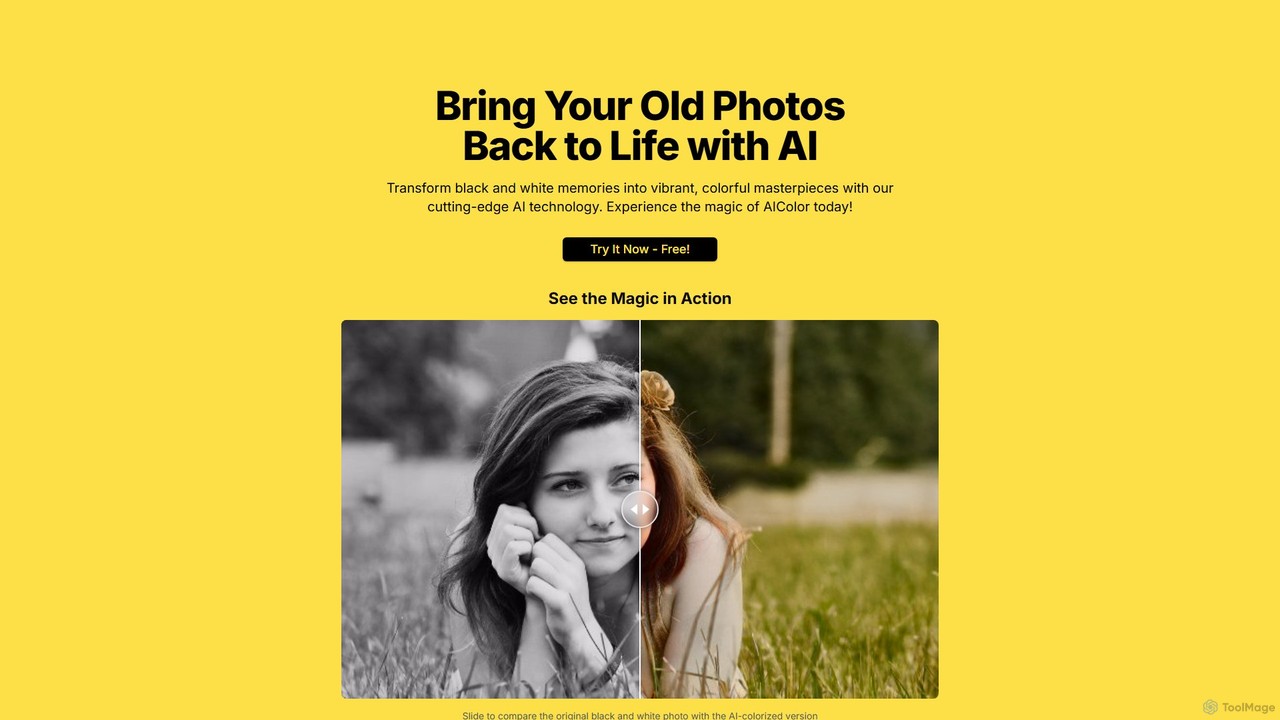
AIColor is an AI-powered online tool that automatically transforms black and white photos into vibrant, realistic color images. Simply upload your old family photos, historical images, or any monochrome picture, and the advanced AI will colorize them in seconds, bringing your cherished memories back to life with stunning detail and accuracy.

Generative Art
Visits 5.5KFavorites 136Likes 147
Palette
Freemium

Palette

Palette is an advanced AI-powered tool designed to colorize black and white photos with remarkable accuracy and realism. It offers over 21 unique color filters, allowing users to transform historical images, family portraits, and artistic shots into vibrant, lifelike color photos in seconds. Trusted by professionals and enthusiasts alike, Palette provides a simple yet powerful interface for bringing memories back to life.

Photography
Visits 249.4KFavorites 144Likes 132

About Restoration

Restoration tools are AI-powered solutions designed to enhance, repair, and recover the quality of various digital assets, including images, audio, and video. Leveraging advanced machine learning and deep learning algorithms, these tools intelligently identify and correct imperfections, fill in missing data, and upscale resolution. They significantly boost productivity by automating complex and time-consuming restoration tasks, making high-quality asset recovery accessible for both professionals and everyday users.

Core Features

  • Image Upscaling: Enhances resolution and detail of low-quality or small images without pixelation.
  • Noise Reduction: Eliminates unwanted visual noise from photos and videos, or audio static and hum from recordings.
  • Colorization: Intelligently adds realistic colors to black and white photos and historical video footage.
  • Scratch & Damage Removal: Automatically detects and repairs physical damage like scratches, tears, and dust spots on scanned media.
  • De-blurring & Sharpening: Improves clarity and focus in blurry images and videos, bringing out finer details.

Applicable Scenarios

These tools are invaluable for archivists preserving historical media, content creators enhancing source footage, and individuals restoring cherished family memories. They are also widely used in e-commerce for improving product photography and by media professionals for post-production quality control, streamlining workflows and ensuring superior output.

How to Choose

When selecting an AI restoration tool, consider the specific asset types you need to process (e.g., photos, video, audio) and the desired output quality. Evaluate the tool's ease of use, processing speed, and the range of restoration features offered. Additionally, assess its integration capabilities with existing workflows and its pricing model to ensure it aligns with your budget and technical requirements.


Restoration use cases

1

Restoring Faded Family Photographs

Individuals and genealogists often possess old, faded, or damaged family photos that hold immense sentimental value. AI restoration tools can automatically remove scratches, repair tears, enhance colors, and sharpen blurry details, transforming decades-old images into vibrant, clear digital keepsakes. This process saves countless hours compared to manual photo editing, making it easy to preserve and share family history.

2

Enhancing Archival Video Footage

Media professionals and historical archives frequently work with low-resolution, noisy, or damaged video footage. AI restoration tools can upscale vintage videos to modern resolutions (e.g., 4K), reduce grain and compression artifacts, and even stabilize shaky shots. This significantly improves the visual quality for documentaries, historical presentations, and digital preservation, making old footage more engaging and accessible.

3

Improving Audio Quality for Podcasts & Music

Podcasters, musicians, and audio engineers often face challenges with recordings containing background noise, hum, or inconsistent levels. AI restoration tools can intelligently isolate and remove unwanted sounds, enhance vocal clarity, and normalize audio tracks. This ensures a professional-sounding output for podcasts, music demos, and interviews, saving considerable time in post-production and improving listener experience.

4

Upscaling Product Images for E-commerce

E-commerce businesses require high-quality product images to attract customers and drive sales. When source images are low-resolution or slightly blurry, AI restoration tools can upscale them to crisp, detailed visuals suitable for online stores and marketing materials. This automates the process of preparing hundreds of product photos, ensuring a consistent, professional look across all listings without costly reshoots.

5

Digitizing & Clarifying Old Documents

Businesses, libraries, and researchers often need to digitize and improve the readability of old, faded, or handwritten documents. AI restoration tools can enhance text contrast, remove background stains, flatten distorted pages, and even improve the clarity of handwritten notes. This makes historical records, legal documents, and academic papers more accessible, searchable, and easier to preserve digitally.

6

Creative Asset Enhancement for Digital Artists

Digital artists and graphic designers frequently work with various source materials that may not be of optimal quality. AI restoration tools allow them to upscale low-resolution textures, sharpen blurry reference images, or de-noise scanned artwork. This ensures that all elements used in their creative projects meet high visual standards, saving time on manual adjustments and enabling more ambitious designs.

Restoration FAQ

What are AI Restoration tools?

AI Restoration tools are software applications that use artificial intelligence, particularly machine learning and deep learning, to automatically improve the quality, clarity, and integrity of digital assets. They are designed to repair damage, enhance details, and recover information from various media types like images, audio, and video, often achieving results difficult or impossible with traditional manual methods.

How do I choose the best AI Restoration tool for my needs?

To choose the right tool, first identify the specific type of asset you need to restore (e.g., old photos, noisy audio, blurry video) and the common issues you face. Look for tools that specialize in those areas, offer high-quality output, and are user-friendly. Consider pricing, processing speed, supported file formats, and whether it integrates well with your existing workflow or other software.

What types of damage or imperfections can AI Restoration tools fix?

AI Restoration tools can address a wide range of imperfections. For images, this includes scratches, dust, tears, fading, blurriness, low resolution, and lack of color. For audio, they can remove background noise, hum, clicks, and improve clarity. For video, they can upscale resolution, reduce grain, stabilize shaky footage, and enhance colors, effectively breathing new life into old or damaged media.

How do AI Restoration tools differ from traditional manual editing software?

Traditional manual editing software (like Photoshop or Audacity) requires significant human skill and time to achieve restoration results, often on a pixel-by-pixel or waveform-by-waveform basis. AI Restoration tools, conversely, automate much of this process. They use algorithms trained on vast datasets to intelligently detect and correct imperfections, making complex tasks faster, more accessible, and often capable of achieving superior results, especially at scale.

Can AI Restoration tools colorize black and white photos or videos?

Yes, many advanced AI Restoration tools are capable of intelligently colorizing black and white photos and videos. They use deep learning models trained on millions of color images to predict and apply realistic colors to grayscale content. While not always perfectly accurate to original historical colors, the results are often remarkably natural and significantly enhance the visual appeal and understanding of historical media.