CapCut is a powerful, all-in-one AI video editor and creative suite. It simplifies content creation with intuitive tools for video editing, graphic design, and team collaboration. It offers a wide range of AI features like auto-captions, script-to-video, background removal, and video upscaling, making professional-quality content accessible to everyone, from beginners to pros, across web, desktop, and mobile platforms.
KineMaster is a professional-grade mobile video editing app packed with powerful AI features. It offers a multi-layer timeline, 4K export, and a vast library of templates and assets, making it easy to create stunning videos for social media, vlogs, and marketing directly on your phone.
Product overview
CapCut Product overview
CapCut is a powerful, all-in-one AI video editor and creative suite. It simplifies content creation with intuitive tools for video editing, graphic design, and team collaboration. It offers a wide range of AI features like auto-captions, script-to-video, background removal, and video upscaling, making professional-quality content accessible to everyone, from beginners to pros, across web, desktop, and mobile platforms.

KineMaster Product overview
KineMaster is a professional-grade mobile video editing app packed with powerful AI features. It offers a multi-layer timeline, 4K export, and a vast library of templates and assets, making it easy to create stunning videos for social media, vlogs, and marketing directly on your phone.
Detailed feature comparison
| Feature | CapCut | KineMaster |
|---|---|---|
| Primary category | Graphics | Mobile Tools |
| Added | 2025-09-11 | 2025-08-12 |
| Pricing | Freemium | Freemium |
| Official website | www.capcut.com | kinemaster.com |
| Product type | Website | App |
| Performance data | ||
| User rating | Not verified | Not verified |
| Comments | 0 | 0 |
| Monthly visits | 53M | 301.2K |
| Monthly growth | 3.5% | -19% |
| Favorites | 109 | 125 |
| Details | View details | View details |
CapCut vs KineMaster monthly traffic
Compare CapCut and KineMaster by monthly reach, traffic trend, visit depth, top regions, and acquisition sources.
How to interpret the traffic data
In the CapCut vs KineMaster monthly traffic comparison, CapCut currently shows 53M visits and KineMaster shows 301.2K; CapCut has about 176 times the visible traffic of KineMaster, an absolute difference of about 52.7M visits. This reflects visible reach, not feature quality or paid users.
Both tools provide verified traffic details, so monthly trends, visit depth, regions, and acquisition sources can be compared on the same basis.
CapCut monthly traffic:
Latest traffic
Monthly traffic trend
- 2025/9: 39.4M Monthly visits
- 2026/1: 63.5M Monthly visits
- 2026/2: 52.7M Monthly visits
- 2026/3: 53.8M Monthly visits
- 2026/4: 51.2M Monthly visits
- 2026/5: 53M Monthly visits
Top regions
Top 5 countries/regions
| Country/region | Percentage | Traffic |
|---|---|---|
| ๐บ๐ธUnited States | 30.53% | 16.2M |
| ๐ง๐ทBrazil | 23.02% | 12.2M |
| ๐ฎ๐ฉIndonesia | 19.84% | 10.5M |
| ๐ป๐ณVietnam | 17.98% | 9.5M |
| ๐ฎ๐ณIndia | 8.63% | 4.6M |
Traffic sources
| Source type | Percentage | Traffic |
|---|---|---|
| Direct | 83.52% | 44.3M |
| Referral | 14.76% | 7.8M |
| 1.72% | 911.8K |
Search keywords
KineMaster monthly traffic:
Latest traffic
Monthly traffic trend
- 2025/9: 341.4K Monthly visits
- 2026/1: 411.5K Monthly visits
- 2026/2: 355.2K Monthly visits
- 2026/3: 340.8K Monthly visits
- 2026/4: 371.9K Monthly visits
- 2026/5: 301.2K Monthly visits
Top regions
Top 5 countries/regions
| Country/region | Percentage | Traffic |
|---|---|---|
| ๐บ๐ธUnited States | 33.09% | 99.7K |
| ๐ป๐ณVietnam | 28.77% | 86.6K |
| ๐ฎ๐ณIndia | 17.25% | 52K |
| ๐ง๐ทBrazil | 11.75% | 35.4K |
| ๐จ๐ดColombia | 9.14% | 27.5K |
Traffic sources
| Source type | Percentage | Traffic |
|---|---|---|
| Direct | 89.73% | 270.2K |
| Referral | 9.33% | 28.1K |
| 0.94% | 2.8K |
Search keywords
Usage comparison
Compare the core capabilities of CapCut and KineMaster
CapCut Core features
KineMaster Core features
Use cases
CapCut Use cases
KineMaster Use cases
Best suited roles
CapCut Best suited roles
KineMaster Best suited roles
CapCut vs KineMaster๏ผIn-depth comparison and selection guidance
First decide whether the products solve the same kind of need
This in-depth CapCut vs KineMaster comparison uses only the product records, taxonomy, audience, traffic, and community signals available on this page. CapCut is primarily listed under โGraphicsโ, while KineMaster is primarily listed under โMobile Toolsโ, so the first decision is whether your actual task matches their recorded scope.
The structured fields currently show these decision-relevant differences: Primary category (CapCut: Graphics; KineMaster: Mobile Tools); Product type (CapCut: Website; KineMaster: App); Monthly visits (CapCut: 53M; KineMaster: 301.2K); Monthly growth (CapCut: 3.5%; KineMaster: -19%); Favorites (CapCut: 109; KineMaster: 125). These facts are more useful for selection than brand visibility alone.
What market visibility and monthly traffic mean
In the CapCut vs KineMaster monthly traffic comparison, CapCut currently shows 53M visits and KineMaster shows 301.2K; CapCut has about 176 times the visible traffic of KineMaster, an absolute difference of about 52.7M visits. This reflects visible reach, not feature quality or paid users.
Both tools provide verified traffic details, so monthly trends, visit depth, regions, and acquisition sources can be compared on the same basis.
If public market visibility is an important first-pass criterion, investigate CapCut first. The final choice should still follow taxonomy, use case, and a real trial because higher traffic does not prove broader capabilities or better workflow fit.
Product positioning, use cases, and roles
CapCut and KineMaster currently overlap in shared categories: Content Creation; shared tags: auto captions, background remover, content creation, mobile video editing, text to speech, and video editor. This can place both on the same shortlist, but it does not prove equal implementation, depth, or cost.
CapCut's unique categories/tags are Graphics, Marketing, Editing, ai video, graphic design, script to video, social media, and team collaboration; KineMaster's are Mobile Tools, Video Editing, 4K video, AI video editor, chroma key, green screen, social media video, and video templates. These unique fields are the strongest differentiators: validate the product whose recorded scope matches the task instead of following traffic alone.
What ratings, comments, and favorites can tell you
CapCut has no verified rating, 0 comments, 109 favorites, and 115 likes๏ผKineMaster has no verified rating, 0 comments, 125 favorites, and 122 likesใ
Neither product has enough rating or comment samples for a credible reputation ranking.
Selection guidance by actual need
When to evaluate CapCut first
Put CapCut on the priority trial list when the task aligns with โGraphicsโ and especially Graphics, Marketing, Editing, ai video, graphic design, and script to video, or the users include Content Creator, Educator, Graphic Designer, and Marketing Manager. This follows recorded positioning and does not imply unlisted capabilities are absent.
CapCut also currently records: pricing is freemium, product type is website, 53M verified monthly visits, no verified user rating. Verify any hard requirement around price, platform, or reach before trial, and do not let sparse review data substitute for testing.
When to evaluate KineMaster first
Put KineMaster on the priority trial list when the task aligns with โMobile Toolsโ and especially Mobile Tools, Video Editing, 4K video, AI video editor, chroma key, and green screen. This follows recorded positioning and does not imply unlisted capabilities are absent.
KineMaster also currently records: pricing is freemium, product type is app, 301.2K verified monthly visits, no verified user rating. Verify any hard requirement around price, platform, or reach before trial, and do not let sparse review data substitute for testing.
How to validate the recommendation before deciding
The available data describes positioning, public visibility, and community signals, but it cannot prove output quality, speed, integration effort, privacy, or long-term cost in your workflow. Before deciding, run the same representative tasks in CapCut and KineMaster, then record completion time, accuracy, manual corrections, and the real paid threshold. A like-for-like trial turns this comparison into a defensible adoption decision.
Comparison FAQ
How should I choose between CapCut and KineMaster?
Where does this comparison data come from?
What do unknown fields mean?
Related AI tools

Filmora
Filmora is an AI-powered video editor that simplifies the creation process for both beginners and professionals. It offers a vast suite of AI tools, including smart clip generation, text-to-video, and advanced audio enhancement, combined with a user-friendly interface and a massive library of effects and resources to make video editing faster and more creative.
Social Media
Adobe Express
Adobe Express is an all-in-one AI-powered content creation app for designing stunning social media posts, videos, flyers, logos, and more. Powered by Adobe Firefly, it integrates generative AI features like Text to Image and Generative Fill, making professional design accessible to everyone, from beginners to experts.
Graphic Design
Vmake
Vmake is an all-in-one AI video solution designed for creators. It simplifies video production with features like watermark removal, auto-captions, background removal, and video enhancement. Effortlessly create studio-quality talking videos for social media and marketing without prior experience.
Transcription
Videoleap
Videoleap is a powerful AI-driven video editor and maker app designed for both beginners and professionals. It combines a full suite of traditional editing tools with cutting-edge AI features like object removal, infinite zoom, and AI-generated effects. Create stunning, professional-quality videos for social media, marketing, or personal projects directly from your mobile device with ease and speed.
Mobile Apps
edit_videos_online
edit_videos_online is a powerful, browser-based video editor that leverages AI to simplify content creation. Easily remove video backgrounds with one click, automatically generate accurate captions, create AI voiceovers, and add dynamic text and watermarks. It's designed for social media creators, marketers, and anyone looking to produce professional-quality videos for platforms like TikTok, Instagram, and YouTube without complex software.
Advertising
Jyek
Jyek is an AI agent platform that understands objectives, creates execution plans, uses tools, and delivers verifiable results for complex, multi-step tasks.
Automation
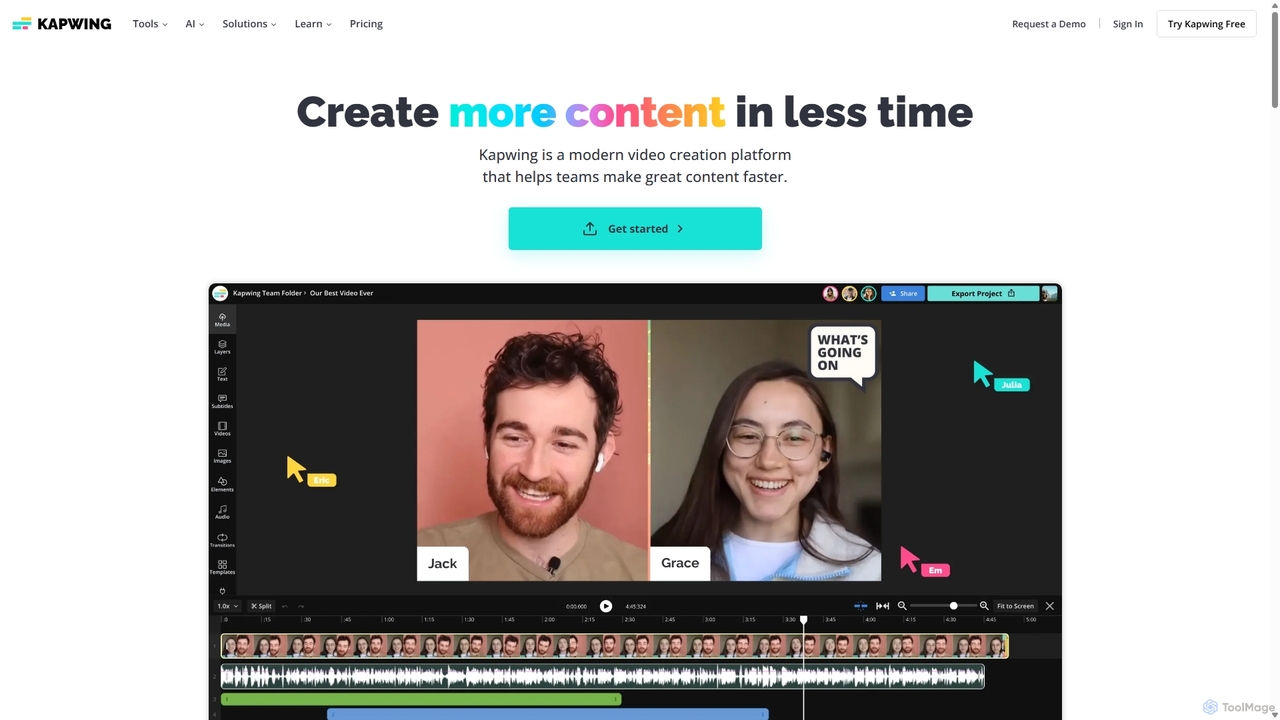
Kapwing
Kapwing is an AI-powered online video editor designed for teams and creators to produce high-quality content faster. It combines a full suite of editing tools with intelligent AI features like text-to-video, automatic subtitling, and background removal in a collaborative, browser-based platform, making video creation accessible to everyone.
Video Marketing
Filmora
Filmora is a powerful yet user-friendly AI video editor designed for creators of all levels. It integrates advanced AI tools like text-to-video, smart cutout, and an AI music generator to streamline the editing process. It offers a rich library of effects, templates, and stock media, making it easy to create professional-quality videos for social media, marketing, or personal projects on Windows and macOS.
Video Generation
InShot
InShot is a powerful all-in-one video and photo editor for mobile devices, packed with professional-grade features and AI-powered tools. It's designed for everyone from social media creators to beginners, offering an intuitive interface for easy editing, trimming, and enhancing videos. With features like AI auto-captions, advanced effects, a rich music library, and 4K export, InShot makes creating high-quality content for platforms like YouTube, Instagram, and TikTok simple and accessible.
Photo Editing
Remove Backgrounds AI
Remove Backgrounds AI is an AI-powered tool for seamless video background removal. It specializes in human video matting, using a recurrent neural network to accurately and quickly extract subjects from their backgrounds. Ideal for content creators and marketers, it delivers professional, studio-quality results in minutes, simplifying complex editing tasks with an intuitive interface and a simple pay-per-video pricing model.
Social Media
Freepik
Freepik is an all-in-one AI creative suite designed for designers, marketers, and content creators. It integrates top generative AI models for image, video, and audio creation with professional editing tools and a vast library of over 200 million stock assets. This unified platform streamlines the creative workflow, enabling users to generate, edit, and enhance visual content efficiently while maintaining brand consistency and ensuring data privacy.
Image Generation
Zubtitle
Zubtitle is an AI-powered online video editor designed to help creators and marketers quickly optimize videos for social media. It specializes in automatic transcription and subtitling, allowing users to add captions, headlines, logos, and progress bars with just a few clicks. The tool simplifies video repurposing for platforms like Instagram, TikTok, and YouTube Shorts, making it easy to create engaging, professional-looking content that captures attention even when muted.
Transcription
Novaimg
Novaimg is a versatile online AI tool suite for transforming and enhancing visual content. It offers a range of features including AI image editing with text prompts, 4K image upscaling, realistic face swapping for photos, videos, and GIFs, and an intelligent watermark remover. Designed for ease of use, Novaimg helps users create professional-quality images and videos for social media, e-commerce, and creative projects, often for free or with generous daily limits.
Graphic Design
Submagic
Submagic is an all-in-one AI platform designed for creating viral short-form videos in seconds. It automates tedious editing tasks by generating trendy captions with emojis, adding dynamic B-rolls, creating smooth transitions, and extracting key moments from long videos. It's the perfect tool for content creators, marketers, and businesses looking to boost engagement and save time on video production.
Automation
RenderCut
RenderCut is an AI-powered video editing tool that automates the creation of engaging short-form videos. It instantly adds stylish, animated subtitles, B-rolls, emojis, and sound effects, transforming plain videos or audio into high-retention content for platforms like TikTok, Reels, and Shorts. It's designed for content creators, marketers, and businesses to produce professional-looking videos in minutes, not hours.
Video Marketing