


TensorPix Overview
TensorPix is a comprehensive, online suite of AI-powered tools designed to enhance, restore, and create visual content. Trusted by over 2 million users, it provides a powerful yet user-friendly platform for improving the quality of videos and images directly in a web browser. Whether you're a professional video editor, a content creator, or someone looking to restore precious family memories, TensorPix offers a solution without the need for expensive hardware or technical expertise.
The platform's core mission is to deliver the best possible quality results while maintaining an intuitive and simple user experience. It combines several key functionalities into one seamless workflow, allowing users to upscale, denoise, stabilize, and even generate new content from scratch. The service operates entirely online, processing tasks in the background and notifying users via email upon completion, saving valuable time and resources.
How to use TensorPix
Using TensorPix is designed to be a straightforward, three-step process that anyone can follow:
- Upload Your Media: Simply drag and drop your video or image file into the web interface. The platform supports a wide range of formats, including old footage from VHS, 8mm, or early digital cameras.
- Select AI Filters: Choose from a variety of enhancement options. For videos, you can select upscaling (up to 4K), frame rate conversion (to 60 FPS), stabilization, denoising, color restoration, and unblurring. For images, you can upscale, restore details, or remove the background. You can apply multiple filters to a single file.
- Process and Download: Start the enhancement process. TensorPix's AI algorithms will work in the cloud. Once finished, you'll receive an email notification with a link to preview and download your high-quality, enhanced file.
Core Features of TensorPix
- AI Video Enhancer: Upscale videos to 4K resolution, increasing clarity and detail. It can also interpolate frames to create smooth 60 FPS footage, stabilize shaky videos, remove noise and grain, and restore faded colors.
- AI Image Enhancer & Upscaler: Enlarge images up to 16,000 x 16,000 pixels while intelligently adding detail and removing artifacts. It's perfect for preparing images for print or high-resolution displays.
- AI Image Generator: Create unique, high-quality photos, illustrations, and artwork from simple text descriptions. This feature is an excellent alternative to stock photography, allowing for limitless creativity.
- Online Video Compressor: Reduce video file sizes significantly without a noticeable loss in quality, making it easier to store, send, and upload videos.
- Background Removal: Instantly remove the background from any image with a single click, perfect for e-commerce, marketing materials, and creative projects.
- Developer API: Integrate TensorPix's powerful video and image enhancement capabilities directly into your own applications, products, or workflows via a simple REST API.
Use Cases for TensorPix
TensorPix is versatile and serves a wide range of applications:
- Restoring Old Memories: Bring old VHS tapes, 8mm films, and early digital photos back to life by upscaling them to HD or 4K and removing age-related artifacts.
- Professional Post-Production: Used by FX artists and production studios to upgrade archival footage to meet modern broadcast standards, as demonstrated in TV series productions.
- Content Creation: Social media influencers and YouTubers can enhance their video quality, stabilize handheld shots, and create custom thumbnails or graphics.
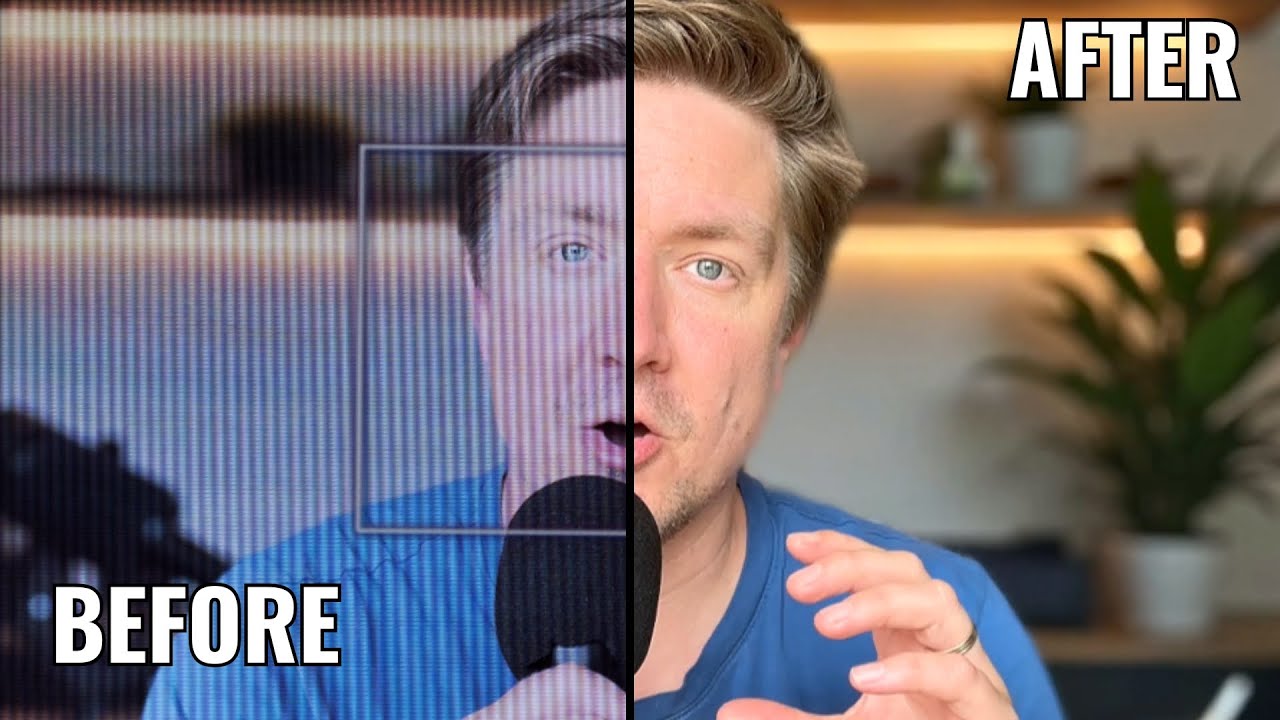
- Improving Remote Work: Enhance low-quality webcam recordings from video calls, turning blurry, poorly-lit footage into crisp, professional-looking videos.
- E-commerce and Marketing: Generate unique product images or marketing visuals, and use the background removal tool to create clean, consistent product photos.
Advantages of TensorPix
TensorPix stands out for several key reasons:
- Accessibility: As a fully online tool, it eliminates the need for powerful computers and expensive software licenses.
- Ease of Use: The intuitive interface makes advanced AI enhancement accessible to users of all skill levels.
- All-in-One Platform: It combines multiple tools (enhancer, generator, compressor) in one place, streamlining the content creation workflow.
- High-Quality Results: The AI models are continuously trained to produce impeccable, natural-looking enhancements.
- Privacy-Focused: TensorPix respects user privacy, does not claim copyright on user content, and does not use user data to train its AI models.
Pricing and Plans
TensorPix offers a flexible pricing structure to suit different needs, including individual and business plans with monthly and yearly (discounted) options.
- Pay as You Go: A free plan where users get a few credits upon signing up and can earn more weekly. Ideal for occasional use. Credits can be topped up as needed.
- Subscription Plans (Standard, Premium, Elite): These monthly/yearly plans offer a set number of credits, higher resolution limits (up to 4K), more parallel processing, increased cloud storage, and the ability to store files indefinitely. Prices range from approximately $5.5 to $30.25 per month (billed annually).
- Enterprise Plans (Basic, Plus, Business): Designed for high-volume business use, these plans provide a large number of credits, up to 100 parallel processes, extensive storage, priority support, API access, and advanced export codecs like ProRes. Pricing starts at $309 per month (billed annually).
Traffic
Latest traffic
Status
Monthly traffic trend
- 2025-9: 414.1K
- 2026-1: 364.2K
- 2026-2: 388.5K
- 2026-3: 382.8K
- 2026-4: 352.3K
- 2026-5: 431.8K
Geography
Top 5 countries / regions
- 🇺🇸United States48.0%
- 🇮🇳India15.0%
- 🇨🇦Canada14.6%
- 🇬🇧United Kingdom12.0%
- 🇷🇺Russia10.4%
Traffic sources
| Source type | Percentage |
|---|---|
Direct | 95.1% |
Referral | 4.6% |
Email | 0.3% |
Top keywords
| Keyword | Cost per click |
|---|---|
| tensorpix | $0.54 |
| upscale video | $0.52 |
| video enhancer free | $0.36 |
| video quality enhancer | $0.27 |
| video upscaler | $0.57 |
TensorPix Videos on YouTube
AI Creator Tools (ACT)

freeman “freeman12393” newaccount1

NaturalNobility
TensorPix Alternatives

AVC.AI
AVC.AI is a comprehensive AI-powered suite for photo and video enhancement. It offers free online tools for quick tasks like upscaling, denoising, and object removal, alongside powerful desktop software for professional-grade restoration, colorization, and editing. It's designed for both casual users and professionals seeking to improve media quality effortlessly.
3D
UniFab Studio
UniFab Studio is an all-in-one, AI-powered video enhancement suite designed for professionals and enthusiasts. It elevates video quality by upscaling to 4K/8K, converting SDR to HDR, stabilizing shaky footage, removing noise, and increasing frame rates up to 120FPS. With GPU acceleration and a user-friendly interface, it delivers professional-grade results efficiently.
Creative Tools
VidHex
VidHex is an all-in-one, AI-powered desktop application for Windows and Mac designed to enhance, restore, and upscale video quality. It offers a suite of tools for intelligent upscaling to 4K/8K, realistic colorization of black-and-white footage, video repair, denoising, and frame interpolation. It's built for content creators, e-commerce sellers, educators, and anyone looking to transform imperfect videos into stunning visual experiences with minimal effort.
Tools
AIVideoEnhancer
AIVideoEnhancer is an AI-powered online tool designed to enhance and upscale low-quality videos to 4K resolution. It also functions as an image upscaler, increasing photo resolution by up to 800%. The tool automatically denoises, deblurs, and restores details with one-click simplicity, focusing on realistic results and fast, GPU-accelerated processing.
Creative
Pixop
Pixop is an AI-powered video enhancement platform designed for broadcasters and content owners. It offers solutions for real-time live stream conversion, archival footage restoration, and on-demand video upscaling to 4K/UHD. Leveraging proprietary machine learning models, Pixop improves video quality without requiring expensive infrastructure upgrades.
BroadcastingTensorPix Categories
TensorPix Embed Widget
Copy this embed code to place the badge on your blog, article, or product site and send readers directly to this ToolMage detail page.

Related AI tools

Aimages
Aimages is a powerful online AI tool for enhancing and upscaling videos and images. It uses advanced algorithms to improve quality, fix blur, reduce noise, restore colors, and increase video frame rates. Ideal for professionals and hobbyists looking to restore old media or perfect new content.
Image GenerationUniFab Studio
UniFab Studio is an all-in-one, AI-powered video enhancement suite designed for professionals and enthusiasts. It elevates video quality by upscaling to 4K/8K, converting SDR to HDR, stabilizing shaky footage, removing noise, and increasing frame rates up to 120FPS. With GPU acceleration and a user-friendly interface, it delivers professional-grade results efficiently.
Creative ToolsVidHex
VidHex is an all-in-one, AI-powered desktop application for Windows and Mac designed to enhance, restore, and upscale video quality. It offers a suite of tools for intelligent upscaling to 4K/8K, realistic colorization of black-and-white footage, video repair, denoising, and frame interpolation. It's built for content creators, e-commerce sellers, educators, and anyone looking to transform imperfect videos into stunning visual experiences with minimal effort.
ToolsAIVideoEnhancer
AIVideoEnhancer is an AI-powered online tool designed to enhance and upscale low-quality videos to 4K resolution. It also functions as an image upscaler, increasing photo resolution by up to 800%. The tool automatically denoises, deblurs, and restores details with one-click simplicity, focusing on realistic results and fast, GPU-accelerated processing.
Creative
TensorPix
TensorPix is an AI-powered online platform for video and image enhancement. It offers a suite of tools to upscale resolution up to 4K/8K, restore old footage, remove noise, and improve overall visual quality. Ideal for filmmakers, content creators, and archivists, TensorPix simplifies complex post-production tasks with an intuitive web-based interface, making professional-grade restoration accessible to everyone.
Creative
optimusdrive
An AI-powered media processing platform offering a suite of tools for video and image optimization. It specializes in high-quality compression, resolution upscaling to 4K, and advanced facial enhancement to transform your media assets for web and streaming.
Image EnhancementAVC.AI
AVC.AI is a comprehensive AI-powered suite for photo and video enhancement. It offers free online tools for quick tasks like upscaling, denoising, and object removal, alongside powerful desktop software for professional-grade restoration, colorization, and editing. It's designed for both casual users and professionals seeking to improve media quality effortlessly.
3DPixop
Pixop is an AI-powered video enhancement platform designed for broadcasters and content owners. It offers solutions for real-time live stream conversion, archival footage restoration, and on-demand video upscaling to 4K/UHD. Leveraging proprietary machine learning models, Pixop improves video quality without requiring expensive infrastructure upgrades.
Broadcasting
bigmp4
An AI-powered online tool for comprehensive video and image enhancement. It specializes in lossless video upscaling to 4K/8K, frame interpolation for ultra-smooth motion, B&W video colorization, and slow-motion effects. It also supports batch image processing and GIF enhancement, using advanced AI models to restore and improve visual quality.
Restoration
Pixelbin
Pixelbin is a comprehensive AI-powered platform for visual asset management and real-time image transformation. It offers a suite of tools including an AI editor, background remover, image upscaler, and watermark remover, alongside a robust Digital Asset Management (DAM) system and a smart CDN. Designed for developers, marketers, and e-commerce businesses, Pixelbin streamlines the entire visual content lifecycle from creation and storage to optimization and delivery, ensuring high-quality visuals and faster performance.
Digital Asset Management
Jyek
Jyek is an AI agent platform that understands objectives, creates execution plans, uses tools, and delivers verifiable results for complex, multi-step tasks.
Automation
Remini
Remini is an AI-powered photo and video enhancer that transforms low-quality, blurry, or old images and videos into stunning high-definition visuals. Using advanced AI, it restores details, sharpens focus, reduces noise, and can even generate professional-quality AI photos of yourself.
3D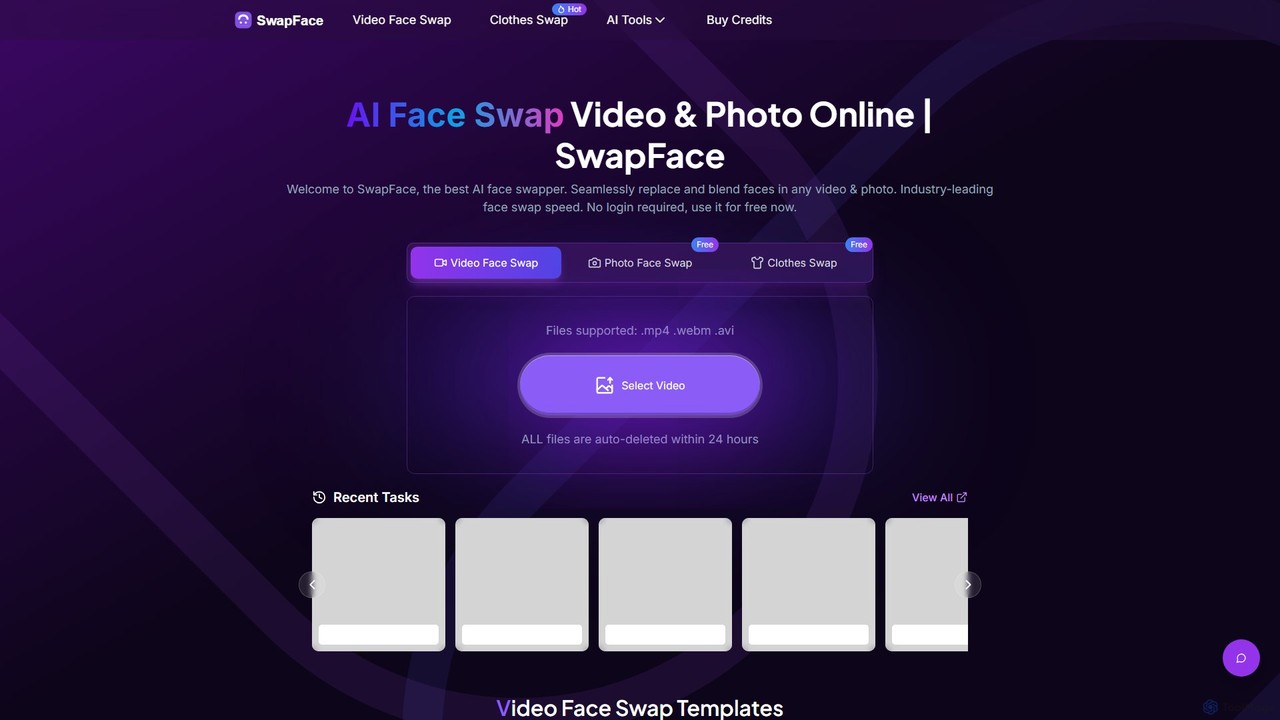
Swapface
Swapface is an advanced AI-powered online platform for creating high-quality, realistic face swaps in videos, photos, and GIFs. It offers a comprehensive suite of tools, including clothes swapping, expression changing, and media enhancement, catering to both entertainment and professional content creation needs. Get started for free and explore a new dimension of digital creativity.
Api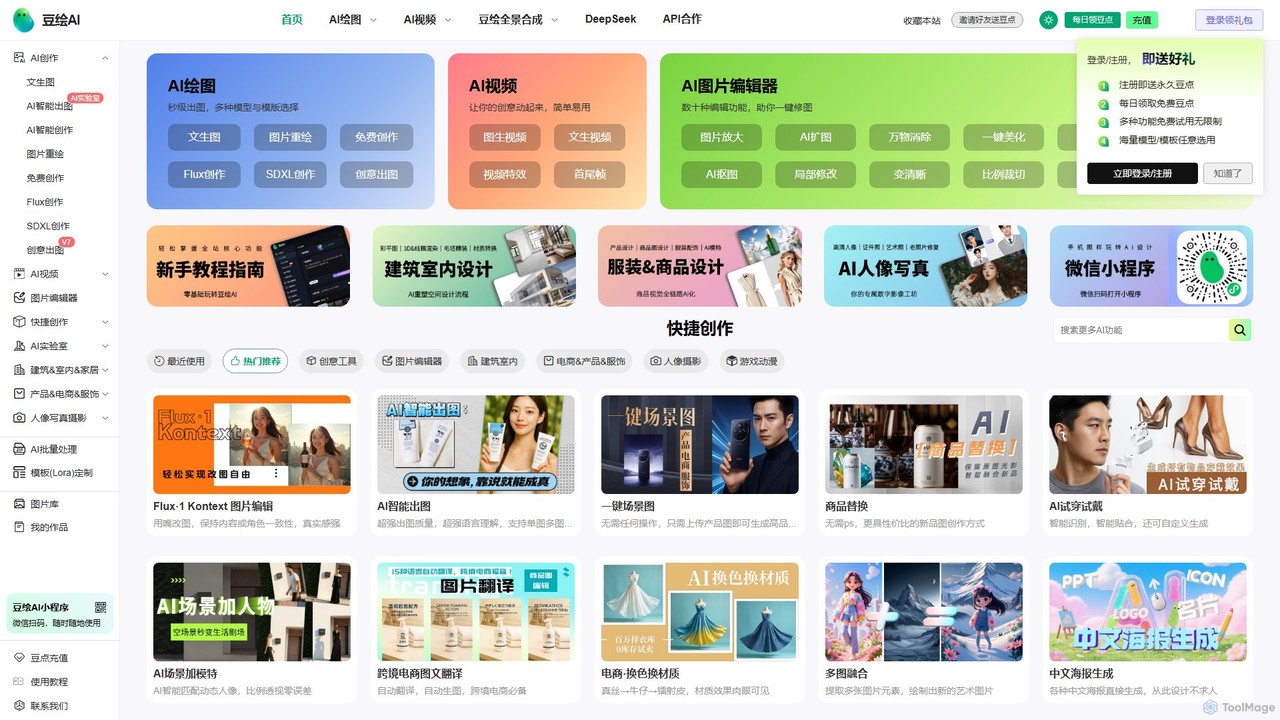
douhuiai
douhuiai is a comprehensive AI creation platform specializing in image generation, video creation, and advanced photo editing. It offers text-to-image, image-to-image, AI video, and a suite of powerful editing tools like object removal, background change, and AI try-on. It's designed for designers, marketers, and e-commerce professionals, providing specialized features for product photography, architectural visualization, and creative design.
Image Editing
cre8tiveAI
cre8tiveAI is a comprehensive online AI platform designed for creative tasks, offering a suite of tools for photo and video editing. It simplifies complex processes like image upscaling, face refinement, illustration generation, photo-to-video conversion, and object removal. Aimed at both professionals and beginners, it provides fast, high-quality results with a simple upload-based interface, eliminating the need for specialized software knowledge.
Ai Art Generator
TensorPix Comments (0)
Sign in to comment.
Sign inNo comments yet.