Photopea Alternatives

Edit photos and graphics online with Photopea, the powerful and free photo editor. Supports PSD, AI, and Sketch files. Features layers, masks, AI tools, and vector editing right in your browser.

Photopea is a Freemium Image Editor AI Tool The recommendations below are sorted based on shared categories, tags, applicable professions, community interactions, and traffic signals to help you choose alternative tools based on real usage scenarios.

Rating
5
Saved on
Likes
Monthly Visits
18.2M
Growth
+0.6%

Photopea Alternative selection guide

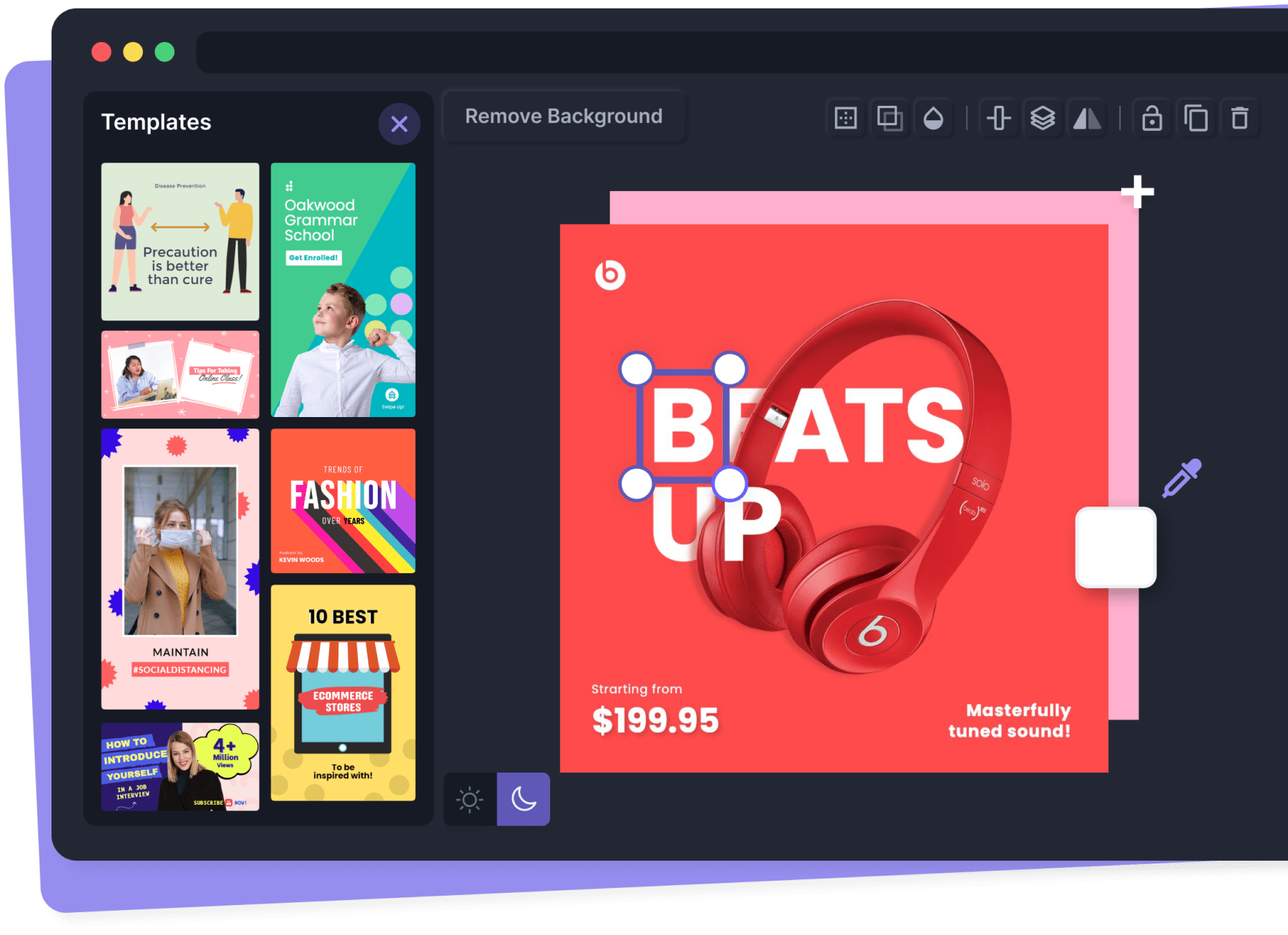
Alternatives to Photopea should not only be considered within the same category; you also need to compare Image Editor、Social Media、Creative Tool、background remover, pricing models, product formats, access popularity, and user feedback. The current list prioritizes tools that share a clear category, tag, or applicable profession with Photopea, such as Pixelmator Pro、Pixelied、UnlimitedBG、Gaoding Design, and explains the similarities and key differences for each recommendation.

First, confirm the alternative scenario

Prioritize tools that match both Image Editor and key tags, avoiding recommendations based solely on belonging to the same broad category.

Then, compare delivery formats

Websites, apps, browser extensions, and freemium models directly impact trial barriers, team procurement, and long-term usage costs.

Finally, look at quality signals

Use traffic, bookmarks, likes, or comment data as supplementary judgment; tools lacking data are not directly excluded, but greater emphasis should be placed on functional fit explanations.

Quick decision

Select the most worthwhile alternatives to try first based on common purchasing and usage scenarios.

Best Overall Alternative
Pixelmator Pro
Comprehensive Match

Pixelmator Pro and Photopea both cover Social Media、Creative Tool and jointly match background remover、graphic design、image editor and similar needs, for users who want to prioritize comparing similar use cases.

What sets Pixelmator Pro apart from Photopea: Pricing model is Is Paid;Primary format is App;Primary scenario leans toward Image Editing.

Match score: 20 Monthly Visits: 79.6K
Best Free Alternative
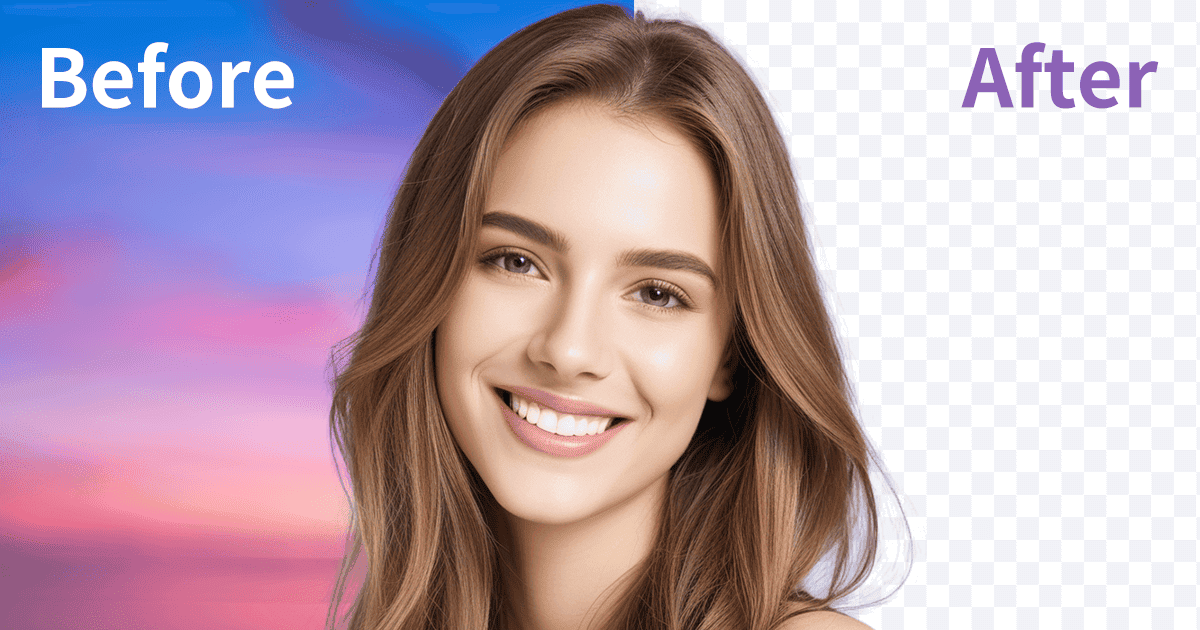
ezremove
Free

ezremove and Photopea both cover Social Media and jointly match background remover、graphic design、image editor and similar needs, for users who want to prioritize comparing similar use cases.

What sets ezremove apart from Photopea: Pricing model is Free;Primary scenario leans toward Background Removal.

Match score: 12 Monthly Visits: 6.0M
Best fit for background remover
Pixelied
background remover

Pixelied and Photopea both cover Social Media and jointly match background remover、graphic design、photo editor and similar needs, for users who want to prioritize comparing similar use cases.

What sets Pixelied apart from Photopea: Primary scenario leans toward 3D.

Match score: 14 Monthly Visits: 617.7K
Best fit for graphic design
UnlimitedBG
graphic design

UnlimitedBG and Photopea both cover Social Media and jointly match background remover、graphic design、photo editor and similar needs, for users who want to prioritize comparing similar use cases.

What sets UnlimitedBG apart from Photopea: Primary scenario leans toward Background Removal.

Match score: 14 Monthly Visits: 13.9K
Best fit for photo editor
Xingliu
photo editor

Xingliu and Photopea both cover Social Media and jointly match background remover、graphic design、photo editor and similar needs, for users who want to prioritize comparing similar use cases.

What sets Xingliu apart from Photopea: Primary scenario leans toward Image Generation.

Match score: 12 Monthly Visits: 530.7K

Photopea vs Top 5 alternatives

Compare pricing, form, reasons for matching, and key differences to reduce the cost of opening each page individually.

Tools Pricing Type Why similar Key differences
Pixelmator Pro
Match score: 20
Is Paid App Pixelmator Pro and Photopea both cover Social Media、Creative Tool and jointly match background remover、graphic design、image editor and similar needs, for users who want to prioritize comparing similar use cases. What sets Pixelmator Pro apart from Photopea: Pricing model is Is Paid;Primary format is App;Primary scenario leans toward Image Editing.
Pixelied
Match score: 14
Freemium Website Pixelied and Photopea both cover Social Media and jointly match background remover、graphic design、photo editor and similar needs, for users who want to prioritize comparing similar use cases. What sets Pixelied apart from Photopea: Primary scenario leans toward 3D.
UnlimitedBG
Match score: 14
Freemium Website UnlimitedBG and Photopea both cover Social Media and jointly match background remover、graphic design、photo editor and similar needs, for users who want to prioritize comparing similar use cases. What sets UnlimitedBG apart from Photopea: Primary scenario leans toward Background Removal.
Gaoding Design
Match score: 12
Freemium Website Gaoding Design and Photopea both cover Social Media and jointly match background remover、graphic design、image editor and similar needs, for users who want to prioritize comparing similar use cases. What sets Gaoding Design apart from Photopea: Primary scenario leans toward Graphic Design.
Xingliu
Match score: 12
Freemium Website Xingliu and Photopea both cover Social Media and jointly match background remover、graphic design、photo editor and similar needs, for users who want to prioritize comparing similar use cases. What sets Xingliu apart from Photopea: Primary scenario leans toward Image Generation.

Alternative FAQ

What are the most worthwhile alternatives to Photopea to look at first?

Pixelmator Pro、Pixelied、UnlimitedBG are the most recommended tools for priority comparison on this page. They share a clear category, tag, or applicable profession with Photopea, but may differ in price, format, and feature depth.

Why aren't these recommendations sorted solely by traffic?

Traffic only indicates attention, not scenario fit. The page sorting first requires candidate tools to have a category, tag, or professional overlap with Photopea, and then sorts based on traffic, interaction data, and result diversity.

Will a tool be affected in recommendations if it has no traffic or review data?

It will not be directly excluded. When traffic or reviews are lacking, the system relies more on Image Editor, tags, professional matches, and the tool's own information to avoid misinterpreting missing data as low quality.

Reset

Photopea the best 50 Alternatives

Sorted based on shared categories, tags, professional matching, and community quality signals.

Pixelmator Pro is a powerful, beautiful, and easy-to-use image editor exclusively for Mac. It leverages advanced AI and machine learning to offer professional-grade photo editing, graphic design, and vector tools. Features include one-click photo enhancement, automatic background removal, advanced color adjustments, RAW editing, video layer support, and a vast library of templates and mockups, making it ideal for both beginners and seasoned professionals.

Why similar

Pixelmator Pro and Photopea both cover Social Media、Creative Tool and jointly match background remover、graphic design、image editor and similar needs, for users who want to prioritize comparing similar use cases.

Key differences

What sets Pixelmator Pro apart from Photopea: Pricing model is Is Paid;Primary format is App;Primary scenario leans toward Image Editing.

Discover Pixelmator Pro, the professional image editor for Mac with advanced AI features. Edit photos, create stunning designs, work with RAW files, vectors, and even video. A powerful, fast, and easy-to-use alternative to Photoshop. Pixelmator ProApplicable toImage Editing.Social Media.Creative Tooland other fields.

Rating
5.0
Saved on
Likes
Monthly Visits
79.6K
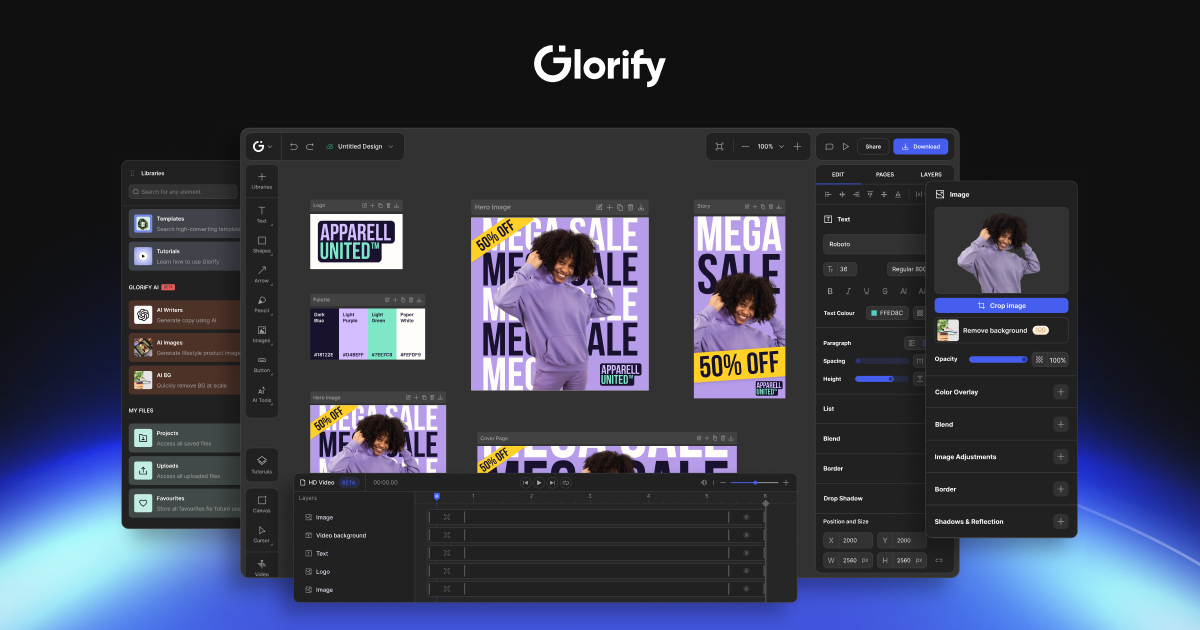
Pixelied is an all-in-one online graphic design suite and photo editor designed for non-designers. It empowers users to create stunning visuals in minutes with a vast library of templates, millions of stock photos, advanced editing tools, and an AI-powered background remover. Ideal for social media graphics, marketing materials, and blog visuals.

Why similar

Pixelied and Photopea both cover Social Media and jointly match background remover、graphic design、photo editor and similar needs, for users who want to prioritize comparing similar use cases.

Key differences

What sets Pixelied apart from Photopea: Primary scenario leans toward 3D.

Create stunning visuals in minutes with Pixelied. An all-in-one online graphic design suite and photo editor with thousands of templates, a background remover, and millions of stock photos. Perfect for social media, marketing, and more. PixeliedApplicable to3D.Graphic Design.Social Mediaand other fields.

Rating
5.0
Saved on
Likes
Monthly Visits
617.7K

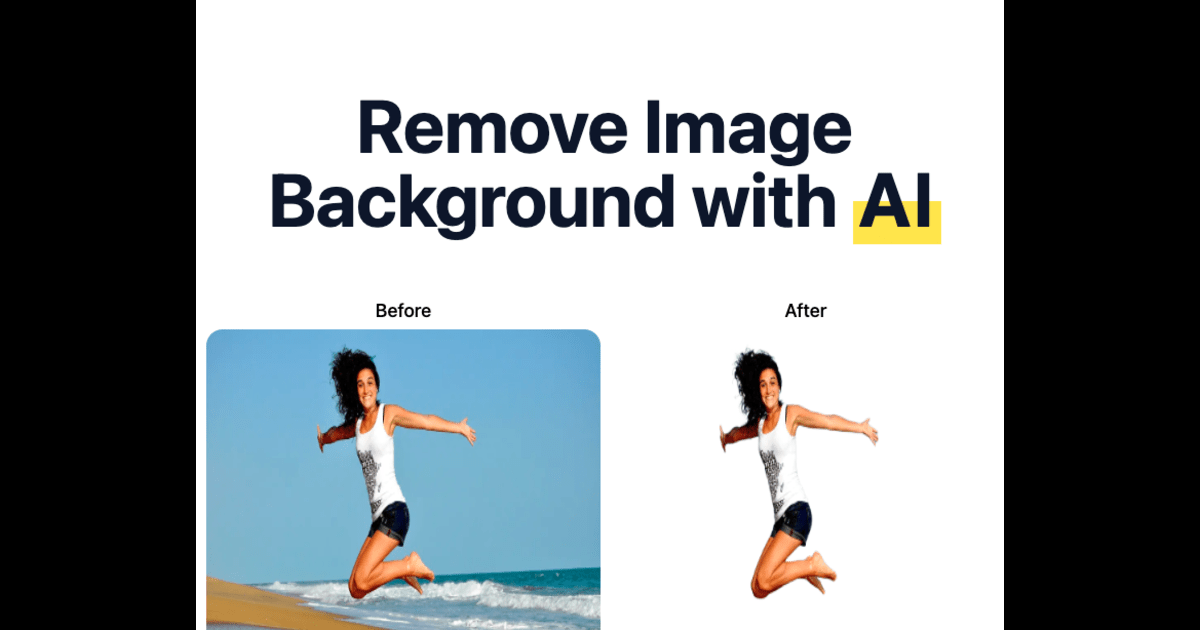
UnlimitedBG is a versatile AI tool offering a 100% free online background remover with no limits on usage, size, or downloads. It also provides a professional, offline-capable desktop application for photobooths with a flat-rate subscription, ensuring high-quality, instant results for both casual users and event professionals.

Why similar

UnlimitedBG and Photopea both cover Social Media and jointly match background remover、graphic design、photo editor and similar needs, for users who want to prioritize comparing similar use cases.

Key differences

What sets UnlimitedBG apart from Photopea: Primary scenario leans toward Background Removal.

Instantly remove image backgrounds for free with UnlimitedBG's online tool—no signup, no limits. Or, get the professional offline app for photobooths with flat-rate pricing. UnlimitedBGApplicable toBackground Removal.Social Media.Designand other fields.

Rating
5.0
Saved on
Likes
Monthly Visits
13.9K

Gaoding Design is an all-in-one AI-powered online design platform. It offers a vast library of templates, AI-driven tools for image and video editing, content generation, and smart design automation. Ideal for marketers, content creators, and businesses, it simplifies the creation of professional marketing materials, social media posts, and presentations with collaborative workflows.

Why similar

Gaoding Design and Photopea both cover Social Media and jointly match background remover、graphic design、image editor and similar needs, for users who want to prioritize comparing similar use cases.

Key differences

What sets Gaoding Design apart from Photopea: Primary scenario leans toward Graphic Design.

Create stunning visuals with Gaoding Design. Leverage AI tools, millions of templates, and collaborative features for social media, marketing, and presentations. Start for free. Gaoding DesignApplicable toGraphic Design.Social Media.Presentations.Video Editingand other fields.

Rating
5.0
Saved on
Likes
Monthly Visits
2.7M

Xingliu is a next-generation AI creation suite that seamlessly integrates content generation and smart editing. Create stunning images, posters, and designs from text prompts, and refine them with powerful tools like HD upscaling, smart outpainting, object removal, and background cutout. It's an all-in-one platform for designers, marketers, and creators to bring their ideas to life effortlessly.

Why similar

Xingliu and Photopea both cover Social Media and jointly match background remover、graphic design、photo editor and similar needs, for users who want to prioritize comparing similar use cases.

Key differences

What sets Xingliu apart from Photopea: Primary scenario leans toward Image Generation.

Discover Xingliu, the all-in-one AI creation platform. Generate high-quality images from text and use advanced editing tools like outpainting, upscaling, and background removal. Perfect for designers and marketers. XingliuApplicable toImage Generation.Social Media.Design Assistantand other fields.

Rating
5.0
Saved on
Likes
Monthly Visits
530.7K

Kira is a powerful AI-powered platform for professional-grade image generation and editing. It combines a versatile text-to-image generator with a comprehensive suite of editing tools, including background removal, inpainting, upscaling, and stylization. Its key feature is the ability to maintain consistent styles and characters across multiple edits and generations, making it ideal for branding, marketing, and creative projects that require a cohesive visual identity.

Why similar

Kira and Photopea both cover Social Media and jointly match background remover、graphic design、image editor and similar needs, for users who want to prioritize comparing similar use cases.

Key differences

What sets Kira apart from Photopea: Primary scenario leans toward Image Generation.

Kirais an AI tool designed forMarketing Manager.Content Creator.Product Manager.Social Media Manager.Graphic Designer.Small Business Owner.E-commerce Manager.Blogger.UI/UX Designer.ArtistAI tool designed Generate and edit images like a pro with Kira. Our AI platform offers text-to-image generation, background removal, inpainting, and unique style consistency features for all your creative needs. KiraApplicable toGraphic Design.Image Editing.Image Generation.Social Mediaand other fields.

Rating
5.0
Saved on
Likes
Monthly Visits
499.5K

ezremove is a free, AI-powered image background remover that automatically creates transparent backgrounds in just 5 seconds. Ideal for e-commerce, graphic design, and social media, it supports batch processing, basic editing, and various image formats. No software or technical skills required—simply upload your image and download a high-quality, clean PNG file instantly.

Why similar

ezremove and Photopea both cover Social Media and jointly match background remover、graphic design、image editor and similar needs, for users who want to prioritize comparing similar use cases.

Key differences

What sets ezremove apart from Photopea: Pricing model is Free;Primary scenario leans toward Background Removal.

Instantly remove image backgrounds for free with ezremove. Our AI tool creates high-quality transparent PNGs in 5 seconds. Perfect for product photos, design, and social media. Supports batch processing. ezremoveApplicable toImage Editing.Product Photos.Background Removal.Social Mediaand other fields.

Rating
5.0
Saved on
Likes
Monthly Visits
6.0M

Picsart is an all-in-one AI-powered creative platform for photo and video editing. It offers a comprehensive suite of tools, including AI image generation, background removal, photo enhancement, and a vast library of templates and stock content. Designed for everyone from beginners to professionals, Picsart simplifies the creation of stunning visuals for social media, marketing, and personal projects, accessible on both web and mobile.

Why similar

Picsart and Photopea both cover Social Media and jointly match background remover、graphic design、photo editor and similar needs, for users who want to prioritize comparing similar use cases.

Key differences

What sets Picsart apart from Photopea: Primary scenario leans toward 3D.

Picsartis an AI tool designed forMarketing Manager.Content Creator.Social Media Manager.Graphic Designer.Small Business Owner.E-commerce Manager.Influencer.SolopreneurAI tool designed Unleash your creativity with Picsart, the all-in-one AI-powered platform for photo editing, video creation, and graphic design. Generate images from text, remove backgrounds instantly, and access millions of templates. Try it for free! PicsartApplicable to3D.Graphic Design.Social Media.Editingand other fields.

Rating
5.0
Saved on
Likes
Monthly Visits
16.8M

Bazaart is a powerful AI-powered photo editing and graphic design app for web, iOS, and Android. It offers a suite of magical AI tools, including background removal, object eraser, and an AI art generator, alongside thousands of templates and a vast library of design elements. Ideal for social media pros, business owners, and content creators, Bazaart simplifies professional design, enabling users to create stunning visuals effortlessly.

Why similar

Bazaart and Photopea both cover Social Media and jointly match background remover、graphic design、photo editor and similar needs, for users who want to prioritize comparing similar use cases.

Key differences

What sets Bazaart apart from Photopea: Primary scenario leans toward Image Editing.

Discover Bazaart, the all-in-one AI photo editor and graphic design app. Effortlessly remove backgrounds, erase objects, and create stunning designs with thousands of templates. Available on web, iOS, and Android. BazaartApplicable toAi Art Generator.Image Editing.Social Media.Background Removerand other fields.

Rating
5.0
Saved on
Likes
Monthly Visits
102.4K

CharmShotAI is an AI-powered image editor that transforms plain screenshots and images into visually appealing graphics with one click. It offers features like automatic background generation, text balancing, sensitive information redaction, and code snapshot creation, all within your browser for maximum privacy.

Why similar

CharmShotAI and Photopea both cover Image Editor、Social Media and jointly match image editor and similar needs, for users who want to prioritize comparing similar use cases.

Key differences

Differences between CharmShotAI and Photopea mainly show in product experience, feature depth, and workflow design around image editor.

Transform your screenshots and images into stunning visuals with CharmShotAI. One-click AI enhancements, background generation, text balancing, privacy redaction, and more. Try it in your browser. CharmShotAIApplicable toImage Editor.Code Sharing.Social Media.Screenshot Tooland other fields.

Rating
5.0
Saved on
Likes
Monthly Visits
5.5K

Pixian.ai is an AI-powered tool for instantly removing backgrounds from images. It offers a free service for basic use and a highly affordable pay-as-you-go API for high-resolution images. Leveraging a custom AI model, it excels at handling complex details like hair and fur on a wide range of images, including photos, logos, and AI-generated art. It's designed for efficiency, quality, and outstanding value.

Why similar

Pixian.ai and Photopea both cover Social Media and jointly match background remover、graphic design、photo editor and similar needs, for users who want to prioritize comparing similar use cases.

Key differences

What sets Pixian.ai apart from Photopea: Primary scenario leans toward Background Removal.

Instantly remove image backgrounds for free with Pixian.ai. Get high-quality, transparent cutouts with our advanced AI. Affordable pay-as-you-go API for developers and e-commerce. Supports high-res images, hair, and more. Pixian.aiApplicable toImage Editing.Api.Background Removal.Social Mediaand other fields.

Rating
5.0
Saved on
Likes
Monthly Visits
108.6K

Fotor is a comprehensive, all-in-one AI photo editor and design platform. It offers a powerful suite of tools for both beginners and professionals, including one-click photo enhancement, background and object removal, and advanced generative AI features like text-to-image creation, AI-powered object replacement, and image expansion. Fotor simplifies complex editing tasks, making it easy to create stunning visuals for social media, marketing, and personal projects across web, desktop, and mobile devices.

Why similar

Fotor and Photopea both cover Social Media and jointly match background remover、graphic design、photo editor and similar needs, for users who want to prioritize comparing similar use cases.

Key differences

What sets Fotor apart from Photopea: Primary scenario leans toward 3D.

Discover Fotor, the all-in-one AI photo editor and design tool. Enhance photos, remove backgrounds, generate AI art from text, create collages, and more. Perfect for beginners and pros. FotorApplicable to3D.Graphic Design.Generative Art.Social Mediaand other fields.

Rating
5.0
Saved on
Likes
Monthly Visits
9.5M

CleanerPro is an AI-powered image editor app for Shopify, designed to effortlessly enhance your product photos. It allows you to remove unwanted objects, people, and text, erase backgrounds, upscale image resolution, and compress file sizes in seconds, ensuring your store's visuals are professional and load quickly.

Why similar

CleanerPro and Photopea both cover Social Media and jointly match background remover、photo editor、image editor and similar needs, for users who want to prioritize comparing similar use cases.

Key differences

What sets CleanerPro apart from Photopea: Pricing model is Is Paid;Primary format is App;Primary scenario leans toward Product Image Editing.

Boost your Shopify store with CleanerPro, the ultimate AI image editor. Easily remove objects, erase backgrounds, upscale resolution, and compress images for professional product photos and faster site speed. CleanerProApplicable toProduct Image Editing.Image Editing.Social Mediaand other fields.

Rating
5.0
Saved on
Likes
Monthly Visits
3.1K

BeFunky is an all-in-one online creative platform designed for easy photo editing, collage making, and graphic design. It offers a powerful suite of tools, including an AI-powered background remover, one-click collage creation, and extensive design templates. With access to millions of stock photos and vector graphics, BeFunky simplifies the creative process for everyone, from beginners to professionals, making it a versatile alternative to complex software.

Why similar

BeFunky and Photopea both cover Social Media and jointly match background remover、graphic design、photo editor and similar needs, for users who want to prioritize comparing similar use cases.

Key differences

What sets BeFunky apart from Photopea: Primary scenario leans toward 3D.

Discover BeFunky, the all-in-one online creative platform. Easily edit photos with AI tools, create stunning collages, and design professional graphics. Free to start! BeFunkyApplicable to3D.Graphic Design.Generative Art.Social Mediaand other fields.

Rating
5.0
Saved on
Likes
Monthly Visits
2.2M

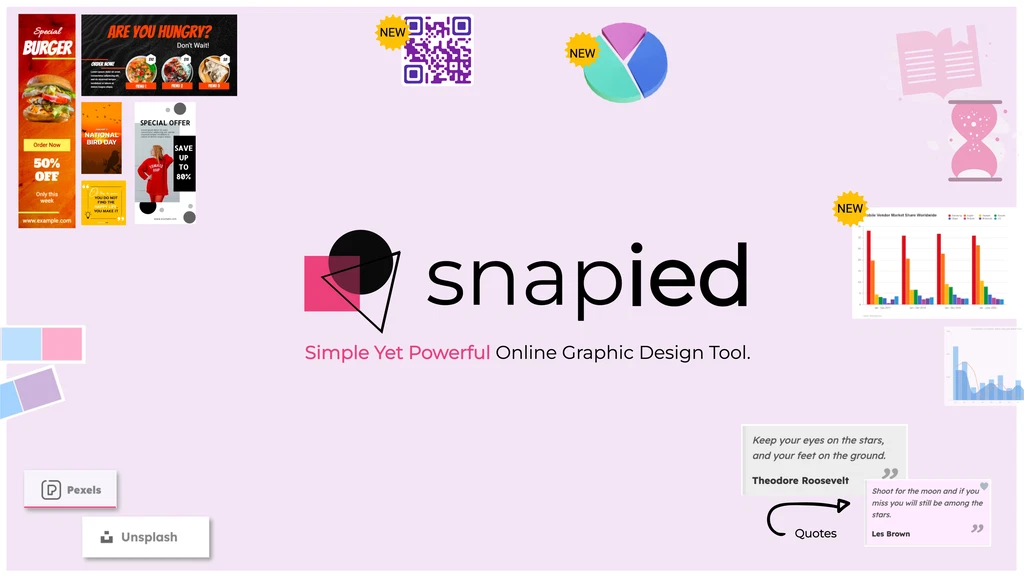
Snapied is an intuitive, AI-powered online graphic design platform that enables users to create professional visual content without any design skills. It features a drag-and-drop editor, one-click background removal, an AI image generator, and extensive templates. Ideal for marketers, small businesses, and content creators looking to streamline their design workflow and maintain brand consistency.

Why similar

Snapied and Photopea both cover Social Media and jointly match background remover、graphic design、image editor and similar needs, for users who want to prioritize comparing similar use cases.

Key differences

What sets Snapied apart from Photopea: Primary scenario leans toward Graphic Design.

Discover Snapied, the easy-to-use online graphic design tool with AI features. Create stunning social media posts, ads, and marketing materials in minutes with templates, one-click background removal, and an AI image generator. Perfect for non-designers. SnapiedApplicable toGraphic Design.Image Editing.Social Media.Visual Contentand other fields.

Rating
5.0
Saved on
Likes
Monthly Visits
10.0K

Photiu.ai is an AI-powered online image editing suite designed to simplify complex photo manipulation tasks. It offers a set of powerful tools, including a precise background remover, an intelligent object eraser for cleaning up images, and a high-quality image upscaler. This platform is perfect for e-commerce store owners, marketers, photographers, and social media creators who need professional-looking images quickly and without the need for advanced software skills.

Why similar

Photiu.ai and Photopea both cover Social Media and jointly match background remover、photo editor、image editor and similar needs, for users who want to prioritize comparing similar use cases.

Key differences

What sets Photiu.ai apart from Photopea: Primary scenario leans toward 3D.

Effortlessly remove backgrounds, erase unwanted objects, and upscale images with Photiu.ai. The all-in-one AI-powered photo editing tool for high-quality results in seconds. Perfect for e-commerce, marketing, and photography. Photiu.aiApplicable to3D.Graphics.Social Media.Automationand other fields.

Rating
5.0
Saved on
Likes
Monthly Visits
308.1K

removebg.one is a free, AI-powered online tool for instantly removing backgrounds from images. It supports various subjects like people, products, animals, cars, and logos. Ideal for e-commerce, graphic design, and social media, it offers high-resolution downloads and an optional API for developers. No registration is required for web use, providing a fast and efficient solution for clean, professional cutouts.

Why similar

removebg.one and Photopea both cover Social Media and jointly match background remover、graphic design、image editor and similar needs, for users who want to prioritize comparing similar use cases.

Key differences

What sets removebg.one apart from Photopea: Primary scenario leans toward Background Removal.

Instantly remove backgrounds from images of people, products, and cars for free with removebg.one. Get high-quality, transparent backgrounds in seconds. API available. removebg.oneApplicable toImage Editing.Background Removal.Social Mediaand other fields.

Rating
5.0
Saved on
Likes
Monthly Visits
10.6K

PhotoFairy is a powerful AI-driven photo editor and graphic design tool. It effortlessly transforms photos into various art styles, removes backgrounds and objects, generates images from text, and provides an infinite canvas for creative projects. Ideal for designers, marketers, and content creators seeking an all-in-one visual creation platform.

Why similar

PhotoFairy and Photopea both cover Social Media and jointly match background remover、graphic design、photo editor and similar needs, for users who want to prioritize comparing similar use cases.

Key differences

What sets PhotoFairy apart from Photopea: Primary scenario leans toward Image Editing.

PhotoFairyis an AI tool designed forMarketing Manager.Content Creator.Social Media Manager.Graphic Designer.Small Business Owner.E-commerce Manager.Digital Artist.PhotographerAI tool designed Discover PhotoFairy, the all-in-one AI tool for photo editing, art generation, and graphic design. Easily remove backgrounds, generate images from text, turn photos into art, and more. Start for free! PhotoFairyApplicable toArt Generation.Graphic Design.Image Editing.Social Mediaand other fields.

Rating
5.0
Saved on
Likes
Monthly Visits
3.1K
Quicktools by Picsart is a comprehensive suite of over 50 free, AI-powered online tools for creative tasks. It offers a wide range of single-purpose utilities for image editing, text generation, design, and file conversion. Designed for speed and simplicity, it allows users to perform quick edits like background removal, image upscaling, and font generation without needing to sign up or use a complex editor.

Why similar

Quicktools by Picsart and Photopea both cover Social Media and jointly match background remover、image editor and similar needs, for users who want to prioritize comparing similar use cases.

Key differences

What sets Quicktools by Picsart apart from Photopea: Pricing model is Free;Primary scenario leans toward Image Editing.

Quicktools by Picsartis an AI tool designed forMarketing Manager.Content Creator.Social Media Manager.Student.Graphic Designer.Small Business Owner.E-commerce Manager.BloggerAI tool designed Discover Quicktools by Picsart, a suite of 50+ free online tools. Use our AI-powered background remover, image upscaler, AI writer, font generator, and more. No sign-up required for quick and easy creative tasks. Quicktools by PicsartApplicable toImage Editing.Social Media.Writing.File Conversionand other fields.

Rating
5.0
Saved on
Likes
Monthly Visits
4.0M

TinyWow is a comprehensive suite of over 250 free online tools, including AI-powered features for writing, image generation, and editing. It offers a vast collection of utilities for PDF management, video processing, and file conversion, designed to simplify digital tasks for everyone. Many tools are available for free without requiring user registration.

Why similar

TinyWow and Photopea both cover Social Media and jointly match background remover、image editor and similar needs, for users who want to prioritize comparing similar use cases.

Key differences

What sets TinyWow apart from Photopea: Primary scenario leans toward All In One.

Discover TinyWow, your all-in-one platform with over 250 free online tools. Use our AI writer, PDF editor, image background remover, video converter, and more. No sign-up required for many tools. TinyWowApplicable toWriting.Image Editing.Social Media.All In One.File Converterand other fields.

Rating
5.0
Saved on
Likes
Monthly Visits
2.4M

AILab Tools is a comprehensive, all-in-one AI platform offering a wide array of image editing tools and a powerful API for developers. It enables users to effortlessly cartoonize photos, retouch portraits, change hairstyles, remove objects, and much more, catering to individuals, businesses, and developers.

Why similar

AILab Tools and Photopea both cover Social Media and jointly match background remover、image editor and similar needs, for users who want to prioritize comparing similar use cases.

Key differences

What sets AILab Tools apart from Photopea: Primary scenario leans toward Portrait Enhancement.

Discover AILab Tools, a comprehensive platform offering AI-powered tools for cartoonizing photos, retouching portraits, changing hairstyles, and more. Access a powerful API for developers and custom development services. AILab ToolsApplicable toAi Art Generator.Api.Portrait Enhancement.Social Mediaand other fields.

Rating
5.0
Saved on
Likes
Monthly Visits
1.1M

PFPMaker is a free AI-powered tool that instantly generates hundreds of professional and creative profile pictures. Simply upload your photo, and the AI will automatically remove the background, enhance your portrait, and create a variety of PFP options with different styles, colors, and backgrounds. It's perfect for social media, professional networks like LinkedIn, resumes, and email signatures, helping you make a great first impression online.

Why similar

PFPMaker and Photopea both cover Social Media and jointly match background remover、image editor and similar needs, for users who want to prioritize comparing similar use cases.

Key differences

What sets PFPMaker apart from Photopea: Primary scenario leans toward Profile Picture.

Instantly create hundreds of professional profile pictures with PFPMaker's AI. Remove backgrounds, enhance photos, and choose from various styles for LinkedIn, Instagram, and more. Try it for free! PFPMakerApplicable toProfile Picture.Social Media.Personal Brandingand other fields.

Rating
5.0
Saved on
Likes
Monthly Visits
365.9K

background_remover is a free, AI-powered online tool that automatically removes the background from any image in a single click. It requires no registration or software installation. Simply upload your JPG or PNG image to get a high-quality, transparent background instantly. Ideal for e-commerce, graphic design, and personal projects, it supports high-resolution images and works on any device.

Why similar

background_remover and Photopea both cover Social Media and jointly match background remover、graphic design、image editor and similar needs, for users who want to prioritize comparing similar use cases.

Key differences

What sets background_remover apart from Photopea: Pricing model is Free;Primary scenario leans toward 3D.

Use our free AI-powered tool to automatically remove the background from any image in one click. Get high-quality, transparent PNGs online without registration. Perfect for e-commerce, design, and more. background_removerApplicable to3D.Graphics.Social Media.Automationand other fields.

Rating
5.0
Saved on
Likes
Monthly Visits
17.9K

Photoroom is an AI-powered photo editor that automatically removes backgrounds to create professional product photos, profile pictures, and marketing images in seconds. Featuring AI-generated backgrounds, magic eraser, and batch editing, it simplifies complex editing tasks for e-commerce sellers, marketers, and creators. Available on web and mobile, it offers a fast, easy way to produce studio-quality visuals without any design skills.

Why similar

Photoroom and Photopea both cover Social Media and jointly match background remover、photo editor and similar needs, for users who want to prioritize comparing similar use cases.

Key differences

What sets Photoroom apart from Photopea: Primary scenario leans toward Image Editing.

Instantly remove backgrounds, create stunning product photos, and design marketing visuals with Photoroom's AI photo editor. Try it for free on web and mobile. PhotoroomApplicable toGraphic Design.Product Photos.Image Editing.Social Mediaand other fields.

Rating
5.0
Saved on
Likes
Monthly Visits
19.9M

MiriCanvas is a versatile, AI-powered online design platform that makes graphic design accessible to everyone. It offers a vast library of over 26 million templates and assets for creating presentations, social media content, videos, and more. With intuitive AI tools like an AI presentation generator, background remover, and AI image generator, users can produce professional-quality designs quickly and effortlessly, across any device.

Why similar

MiriCanvas and Photopea both cover Social Media and jointly match background remover、graphic design and similar needs, for users who want to prioritize comparing similar use cases.

Key differences

What sets MiriCanvas apart from Photopea: Primary scenario leans toward Graphic Design.

Unleash your creativity with MiriCanvas, the all-in-one free design tool. Create stunning presentations, social media posts, and more with AI features, millions of templates, and a powerful editor. MiriCanvasApplicable toImage Generation.Graphic Design.Social Media.Presentationsand other fields.

Rating
5.0
Saved on
Likes
Monthly Visits
10.2M

A free, AI-powered web tool that effortlessly removes backgrounds from images in seconds. Based on the MODNet deep learning model, it offers a fast, simple, and privacy-focused solution for creating transparent backgrounds without manual editing.

Why similar

no_background and Photopea both cover Social Media and jointly match background remover、graphic design、image editor and similar needs, for users who want to prioritize comparing similar use cases.

Key differences

What sets no_background apart from Photopea: Pricing model is Free;Primary scenario leans toward Background Removal.

Instantly remove the background from any image for free with no_background. Our AI-powered tool, based on MODNet, delivers high-quality, transparent backgrounds in seconds. No sign-up required, and your images are deleted for privacy. no_backgroundApplicable toImage Editing.Background Removal.Social Media.Automationand other fields.

Rating
5.0
Saved on
Likes
Monthly Visits
3.0K

Microsoft Designer is an AI-powered graphic design app that helps you create stunning visuals in a flash. Simply describe your idea with a text prompt, and Designer will generate unique, high-quality designs, images, and layouts using the power of DALL-E 3. It's perfect for social media posts, invitations, digital postcards, and marketing materials, even if you have no design experience.

Why similar

Microsoft Designer and Photopea both cover Social Media and jointly match graphic design、image editor and similar needs, for users who want to prioritize comparing similar use cases.

Key differences

What sets Microsoft Designer apart from Photopea: Primary scenario leans toward Graphic Design.

Instantly create professional designs, social media posts, and images with Microsoft Designer. Powered by DALL-E 3, just describe what you need and let AI do the work. Microsoft DesignerApplicable toGraphic Design.Image Generator.Social Media.Presentationsand other fields.

Rating
5.0
Saved on
Likes
Monthly Visits
1.8M

RoboNeo is an AI agent by Meitu, focused on visual productivity. It streamlines content creation by integrating AI-powered photo editing, graphic design, and video generation into a single, intuitive platform. Ideal for marketers, creators, and businesses to produce high-quality visuals effortlessly.

Why similar

RoboNeo and Photopea both cover Social Media and jointly match graphic design、photo editor and similar needs, for users who want to prioritize comparing similar use cases.

Key differences

What sets RoboNeo apart from Photopea: Primary scenario leans toward Image Editing.

Discover RoboNeo, the all-in-one AI agent by Meitu for effortless photo editing, graphic design, and video creation. Boost your productivity and create stunning visuals. RoboNeoApplicable toGraphic Design.Image Editing.Social Media.Video Editingand other fields.

Rating
5.0
Saved on
Likes
Monthly Visits
1.2M

RMBG AI is a free online tool that uses advanced AI to instantly remove backgrounds from images. Developed by BRIA AI, it offers high-precision results in seconds without any need for registration or payment. It supports various image formats and is ideal for e-commerce, graphic design, and personal projects.

Why similar

RMBG AI and Photopea both cover Social Media and jointly match background remover、graphic design、image editor and similar needs, for users who want to prioritize comparing similar use cases.

Key differences

What sets RMBG AI apart from Photopea: Pricing model is Free;Primary scenario leans toward Background Removal.

Instantly remove backgrounds from any image with RMBG AI. A completely free, fast, and high-accuracy online tool. No signup required. Perfect for e-commerce, design, and personal use. RMBG AIApplicable toEditing.Background Removal.Social Media.Automationand other fields.

Rating
5.0
Saved on
Likes
Monthly Visits
2.9K

Erase BG is a completely free AI-powered tool that instantly removes backgrounds from images. It requires no registration or credits, offering unlimited downloads in high resolution (up to 4K). Simply upload your image to get a clean, transparent PNG or a white-background JPEG in seconds. It also features a creative GIF maker for personalized animations.

Why similar

Erase BG and Photopea both cover Social Media and jointly match background remover、image editor and similar needs, for users who want to prioritize comparing similar use cases.

Key differences

What sets Erase BG apart from Photopea: Pricing model is Free;Primary scenario leans toward Background Remover.

Instantly remove the background from any image for free with Erase BG. Our AI tool supports HD & 4K resolution, requires no account, and offers unlimited downloads. Perfect for e-commerce, social media, and creating custom GIFs. Erase BGApplicable toImage Editing.Background Remover.Social Mediaand other fields.

Rating
5.0
Saved on
Likes
Monthly Visits
54.3K

Hotpot.ai is a versatile AI platform designed to enhance creativity and productivity. It offers a suite of tools for generating images, professional headshots, and various graphics. With features like AI photo editing, background removal, and content creation for social media and apps, Hotpot.ai aims to make design and media creation faster, easier, and more accessible for everyone.

Why similar

Hotpot.ai and Photopea both cover Social Media and jointly match background remover、graphic design and similar needs, for users who want to prioritize comparing similar use cases.

Key differences

What sets Hotpot.ai apart from Photopea: Primary scenario leans toward Image Generation.

Unleash your creativity with Hotpot.ai. Generate stunning AI images, professional headshots, and marketing graphics. Edit photos with AI tools like background removal, upscaling, and colorization. Easy, fast, and affordable. Hotpot.aiApplicable toGraphic Design.Image Editing.Image Generation.Social Mediaand other fields.

Rating
5.0
Saved on
Likes
Monthly Visits
303.5K

A comprehensive platform for creatives, offering millions of digital assets like fonts, graphics, and SVGs, alongside a powerful suite of online design tools (CF Studio) featuring numerous AI-powered capabilities for image editing, content creation, and design.

Why similar

Creative Fabrica and Photopea both cover Social Media and jointly match background remover、photo editor and similar needs, for users who want to prioritize comparing similar use cases.

Key differences

What sets Creative Fabrica apart from Photopea: Primary scenario leans toward Image Editing.

Creative Fabricais an AI tool designed forMarketing Manager.Content Creator.Social Media Manager.Graphic Designer.Small Business Owner.Educator.Blogger.Web Designer.Print on Demand Seller.CrafterAI tool designed Explore millions of fonts, graphics, and SVGs with Creative Fabrica. Access a powerful suite of AI design tools like background remover, image generator, and logo maker. Perfect for crafters, designers, and POD. Creative FabricaApplicable toFonts.Graphics.Image Editing.Social Mediaand other fields.

Rating
5.0
Saved on
Likes
Monthly Visits
10.2M

Magic Studio is an all-in-one AI-powered image editing suite designed for everyone. It allows users to effortlessly create stunning visuals, remove unwanted objects, change backgrounds, generate images from text, and enhance photo quality in seconds, no design skills required.

Why similar

Magic Studio and Photopea both cover Social Media and jointly match background remover、image editor and similar needs, for users who want to prioritize comparing similar use cases.

Key differences

What sets Magic Studio apart from Photopea: Primary scenario leans toward Image Editing.

Effortlessly edit photos, create images from text, remove backgrounds, and erase unwanted objects with Magic Studio's all-in-one AI toolkit. Perfect for marketing, e-commerce, and personal use. Magic StudioApplicable toProduct Photos.Image Editing.Social Media.Designand other fields.

Rating
5.0
Saved on
Likes
Monthly Visits
1.1M

Glorify is an all-in-one AI-powered graphic design tool built specifically for e-commerce entrepreneurs and marketers. It simplifies the creation of high-converting product images, social media posts, ads, and other marketing visuals. With features like one-click background removal, AI image generation, realistic mockups, and a vast template library, Glorify helps users produce professional-quality designs quickly, without needing advanced design skills.

Why similar

Glorify and Photopea both cover Social Media and jointly match background remover、graphic design and similar needs, for users who want to prioritize comparing similar use cases.

Key differences

What sets Glorify apart from Photopea: Primary scenario leans toward Graphic Design.

Glorify is the ultimate AI design tool for e-commerce. Easily create stunning product photos, social media ads, and marketing visuals with AI background removal, mockups, and thousands of templates. GlorifyApplicable toGraphic Design.Product Images.Social Mediaand other fields.

Rating
5.0
Saved on
Likes
Monthly Visits
149.2K

Pixelcut is an all-in-one AI-powered creative suite for photo and video editing. It enables users to instantly remove backgrounds, upscale images to 4K, erase objects, generate images and videos from text prompts, and collaborate with teams. It's designed for creators, brands, and businesses to produce professional-quality content quickly and easily.

Why similar

Pixelcut and Photopea both cover Social Media and jointly match background remover、photo editor and similar needs, for users who want to prioritize comparing similar use cases.

Key differences

What sets Pixelcut apart from Photopea: Primary scenario leans toward Image Editing.

Discover Pixelcut, the all-in-one AI-powered photo and video editor. Instantly remove backgrounds, upscale images to 4K, generate visuals from text, and create stunning videos. Perfect for creators and businesses. PixelcutApplicable toImage Editing.Social Media.Video Generationand other fields.

Rating
5.0
Saved on
Likes
Monthly Visits
971.7K

360 Zhitou is a comprehensive AI-powered image creation and editing platform. It offers a suite of tools including AI background removal, 4K image upscaling, object and watermark removal, AI-generated product photos, image-to-video conversion, and artistic style transfer. It's designed for e-commerce, marketing, and design professionals.

Why similar

360 Zhitou and Photopea both cover Social Media and jointly match background remover、image editor and similar needs, for users who want to prioritize comparing similar use cases.

Key differences

What sets 360 Zhitou apart from Photopea: Primary scenario leans toward Image Editing.

Discover 360 Zhitou, an all-in-one AI platform for image editing. Features include AI background removal, 4K upscaling, object removal, AI product photos, and more. Perfect for e-commerce, marketing, and design. 360 ZhitouApplicable toGenerative Art.Product Photos.Image Editing.Social Mediaand other fields.

Rating
5.0
Saved on
Likes
Monthly Visits
667.3K

Logopony is an AI-powered logo maker that generates thousands of professional, timeless logo designs in seconds. It's designed for startups, small businesses, and freelancers, offering a complete branding package including social media kits, business cards, and various high-resolution file formats. No design skills are required.

Why similar

Logopony and Photopea both cover Social Media and jointly match graphic design and similar needs, for users who want to prioritize comparing similar use cases.

Key differences

What sets Logopony apart from Photopea: Pricing model is Is Paid;Primary scenario leans toward Logo Design.

Logoponyis an AI tool designed forMarketing Manager.Content Creator.Product Manager.Social Media Manager.Graphic Designer.Small Business Owner.Freelancer.FounderAI tool designed Create a beautiful, timeless logo and complete branding kit with Logopony's AI logo maker. Get high-resolution files, social media assets, and business cards instantly. Fast, easy, and affordable. LogoponyApplicable toBrand Kit.Logo Design.Social Mediaand other fields.

Rating
5.0
Saved on
Likes
Monthly Visits
211.3K

Upscalepics is an AI-powered image toolkit that enhances, upscales, and edits photos with remarkable precision. It can increase image resolution up to 8x, remove backgrounds, compress files, and prepare images for high-quality printing at 300 DPI. With features like batch processing, a browser extension, and API access, it serves photographers, designers, and e-commerce businesses.

Why similar

Upscalepics and Photopea both cover Social Media and jointly match background remover、image editor and similar needs, for users who want to prioritize comparing similar use cases.

Key differences

What sets Upscalepics apart from Photopea: Primary scenario leans toward Image Upscaling.

Instantly upscale and enhance your images up to 8x with Upscalepics AI. Increase resolution, remove backgrounds, and prepare photos for print with 300 DPI. Free plan available. UpscalepicsApplicable toImage Editing.Image Upscaling.Social Media.Designand other fields.

Rating
5.0
Saved on
Likes
Monthly Visits
82.3K

Blend is an AI-powered visual design platform for e-commerce, offering tools like an instant background remover, AI photoshoot generator, and logo maker. It helps businesses create professional product photos, social media content, and brand assets in seconds, eliminating the need for expensive photoshoots and complex software.

Why similar

Blend and Photopea both cover Social Media and jointly match background remover、photo editor and similar needs, for users who want to prioritize comparing similar use cases.

Key differences

What sets Blend apart from Photopea: Primary scenario leans toward Background Removal.

Elevate your e-commerce brand with Blend, the all-in-one AI photo editor. Instantly remove backgrounds, create stunning AI photoshoots, design logos, and generate marketplace-ready product images in seconds. BlendApplicable toLogo Generation.Product Photos.Background Removal.Social Mediaand other fields.

Rating
5.0
Saved on
Likes
Monthly Visits
49.3K

Hypic is a powerful, all-in-one AI photo editing app for both beginners and professionals. It offers a wide range of AI-powered features, including one-tap portrait retouching, object removal, background replacement, and creative filters. Elevate your photos for social media, personal use, or e-commerce with professional-grade tools made simple and accessible on your mobile device.

Why similar

Hypic and Photopea both cover Social Media and jointly match background remover、photo editor and similar needs, for users who want to prioritize comparing similar use cases.

Key differences

What sets Hypic apart from Photopea: Primary format is App;Primary scenario leans toward Image Editing.

Discover Hypic, the all-in-one AI photo editing app. Effortlessly retouch portraits, remove objects, change backgrounds, and apply stunning filters. Download for free! HypicApplicable toImage Generation.Image Editing.Social Media.Designand other fields.

Rating
5.0
Saved on
Likes
Monthly Visits
7.0K

Design0 is an AI-powered image editor designed for everyone, especially non-designers. It simplifies creating professional-looking visuals for social media, marketing, and personal projects. Users can search for images, mask specific areas, and use text prompts to add, modify, or transform elements, including generating highly stylized text. Its pay-as-you-go model makes advanced editing accessible and affordable.

Why similar

Design0 and Photopea both cover Social Media and jointly match graphic design、image editor、AI image editing and similar needs, for users who want to prioritize comparing similar use cases.

Key differences

What sets Design0 apart from Photopea: Primary scenario leans toward 3D.

Discover Design0, the intuitive AI image editor. Easily edit photos with text prompts, add stunning text effects, and create professional graphics without design skills. Try it free! Design0Applicable to3D.Graphic Design.Social Mediaand other fields.

Rating
5.0
Saved on
Likes
Monthly Visits
3.0K

An AI-powered tool that instantly and automatically removes backgrounds from any image for free. Ideal for e-commerce, graphic design, marketing, and personal use, it offers high-precision results, batch processing, and API integration for streamlined workflows. Get clean, professional images with transparent backgrounds in seconds.

Why similar

Background Removal AI and Photopea both cover Social Media and jointly match background remover、graphic design、image editor and similar needs, for users who want to prioritize comparing similar use cases.

Key differences

What sets Background Removal AI apart from Photopea: Primary scenario leans toward Background Removal.

Instantly remove backgrounds from images for free with Background Removal AI. Get high-precision, transparent PNGs in seconds. Perfect for e-commerce, design, and more. Features batch processing and API access. Background Removal AIApplicable toImage Editing.Product Photos.Background Removal.Social Mediaand other fields.

Rating
5.0
Saved on
Likes
Monthly Visits
3.0K

Canva is an all-in-one visual communication platform that empowers users to design anything, from social media graphics to presentations and videos. It integrates a powerful suite of AI tools, a vast library of templates and assets, and seamless collaborative features, making professional design accessible to everyone, regardless of skill level.

Why similar

Canva and Photopea both cover Social Media and jointly match graphic design、image editor and similar needs, for users who want to prioritize comparing similar use cases.

Key differences

What sets Canva apart from Photopea: Primary scenario leans toward Graphic Design.

Discover Canva, the all-in-one design platform with AI. Create stunning graphics, presentations, videos, and more with millions of templates, AI tools like Magic Write, and seamless collaboration. Free and Pro plans available. CanvaApplicable toImage Generation.Graphic Design.Social Media.Presentationand other fields.

Rating
5.0
Saved on
Likes
Monthly Visits
973.4M

Booltool is an all-in-one AI-powered creative suite for graphic designers, marketers, and online shop owners. It offers a wide range of tools for image editing, video enhancement, and copywriting. Effortlessly remove backgrounds, erase objects, upscale images, animate photos, and generate compelling text, all within a single, user-friendly platform. Streamline your creative workflow and produce stunning content in just a few clicks.

Why similar

Booltool and Photopea both cover Social Media and jointly match background remover、graphic design、image editor and similar needs, for users who want to prioritize comparing similar use cases.

Key differences

What sets Booltool apart from Photopea: Primary scenario leans toward 3D.

Discover Booltool, the ultimate all-in-one AI toolkit for creators. Edit images, enhance videos, and write compelling copy with features like background removal, object eraser, and AI paraphrasing. Perfect for e-commerce and social media. BooltoolApplicable to3D.Social Media.Writingand other fields.

Rating
5.0
Saved on
Likes
Monthly Visits
2.9K

Erase.bg is an AI-powered tool that automatically removes backgrounds from images in seconds. It's designed for a wide range of users, from individuals creating social media content to e-commerce businesses needing clean product photos. The tool supports various formats, offers high-resolution output, and provides simple editing options to add new backgrounds. It is accessible via web and mobile apps, with an API for developers.

Why similar

Erase.bg and Photopea both cover Social Media and jointly match background remover、image editor and similar needs, for users who want to prioritize comparing similar use cases.

Key differences

What sets Erase.bg apart from Photopea: Primary scenario leans toward Background Removal.

Instantly remove backgrounds from any image for free with Erase.bg. Our AI-powered tool creates transparent backgrounds in seconds. Perfect for e-commerce, marketing, and personal use. Try it now! Erase.bgApplicable toEditing.Product Images.Background Removal.Social Mediaand other fields.

Rating
5.0
Saved on
Likes
Monthly Visits
884.9K

PxBee is a free, AI-powered photo editor designed to create stunning visuals effortlessly. It specializes in one-click background removal, AI background generation, and photo enhancement. Users can easily change backgrounds, fix blurry images, upscale resolution, and generate realistic scenes, making it ideal for e-commerce, marketing, and creative projects.

Why similar

PxBee and Photopea both cover Social Media and jointly match background remover、photo editor and similar needs, for users who want to prioritize comparing similar use cases.

Key differences

What sets PxBee apart from Photopea: Primary scenario leans toward Image Editing.

Edit photos effortlessly with PxBee, the free AI-powered photo editor. Instantly remove backgrounds, enhance image quality, upscale resolution, and generate new backgrounds in seconds. Perfect for e-commerce, marketing, and professional visuals. PxBeeApplicable toProduct Photos.Image Editing.Social Mediaand other fields.

Rating
5.0
Saved on
Likes
Monthly Visits
363.8K

Kaze is a comprehensive AI-powered image editing suite designed to create, edit, and enhance photos effortlessly. It offers a wide range of tools including one-click watermark and object removal, photo restoration, image upscaling, background removal, and an AI headshot generator. With its user-friendly interface and advanced AI models, Kaze delivers professional, studio-quality results in seconds, catering to creators, marketers, and photographers.

Why similar

Kaze and Photopea both cover Social Media and jointly match background remover、image editor and similar needs, for users who want to prioritize comparing similar use cases.

Key differences

What sets Kaze apart from Photopea: Primary scenario leans toward 3D.

Kazeis an AI tool designed forMarketing Manager.Content Creator.Social Media Manager.Graphic Designer.E-commerce Manager.Blogger.Real Estate Agent.PhotographerAI tool designed Discover Kaze, the all-in-one AI image editor. Effortlessly remove watermarks, restore old photos, generate professional headshots, upscale images, and more. Get studio-quality results in seconds. Try for free! KazeApplicable to3D.Social Media.Creative Toolsand other fields.

Rating
5.0
Saved on
Likes
Monthly Visits
1.1M

An AI-powered tool to instantly remove image backgrounds for free. It creates high-quality transparent backgrounds, offers advanced editing tools, and can even generate custom backgrounds using AI prompts. Ideal for e-commerce, social media, and professional designs.

Why similar

remove_background and Photopea both cover Social Media and jointly match background remover、image editor and similar needs, for users who want to prioritize comparing similar use cases.

Key differences

What sets remove_background apart from Photopea: Primary scenario leans toward Background Removal.

Instantly remove the background from any image for free with our AI-powered tool. Create transparent PNGs, edit photos, and generate custom backgrounds with AI. Perfect for e-commerce, social media, and professional designs. remove_backgroundApplicable toEditing.Product Images.Background Removal.Social Mediaand other fields.

Rating
5.0
Saved on
Likes
Monthly Visits
117.4K

UnderlayX is a free, all-in-one AI image editor that requires no signup. It specializes in advanced features like one-click background removal, placing text and objects behind subjects, and AI-powered object cloning. Ideal for content creators, marketers, and photographers to create professional visuals effortlessly.

Why similar

UnderlayX and Photopea both cover Social Media and jointly match background remover、image editor and similar needs, for users who want to prioritize comparing similar use cases.

Key differences

What sets UnderlayX apart from Photopea: Pricing model is Free;Primary scenario leans toward Image Editing.

Discover UnderlayX, the ultimate free AI image editor. Remove backgrounds, add text behind images, clone objects, and more—no signup required. Perfect for creators and marketers. UnderlayXApplicable toGraphics.Image Editing.Social Mediaand other fields.

Rating
5.0
Saved on
Likes
Monthly Visits
10.1K

imgifyai is a comprehensive, all-in-one AI image toolkit for creators. It combines a powerful text-to-image generator with styles like anime and Pixar, alongside essential editing tools such as background removal, image upscaling, enhancement, and restoration. With free cloud storage and a user-friendly interface, imgifyai empowers users to effortlessly create and edit stunning visuals, turning imagination into high-quality art in seconds.

Why similar

imgifyai and Photopea both cover Social Media and jointly match background remover、photo editor and similar needs, for users who want to prioritize comparing similar use cases.

Key differences

What sets imgifyai apart from Photopea: Primary scenario leans toward Image Generator.

Create stunning AI art, edit photos, remove backgrounds, and upscale images with imgifyai. The ultimate one-stop AI toolkit with a free plan. Generate anime, Pixar-style images, and more in seconds. imgifyaiApplicable toImage Editor.Image Generator.Social Mediaand other fields.

Rating
5.0
Saved on
Likes
Monthly Visits
3.8K