VideoAIditor Alternatives

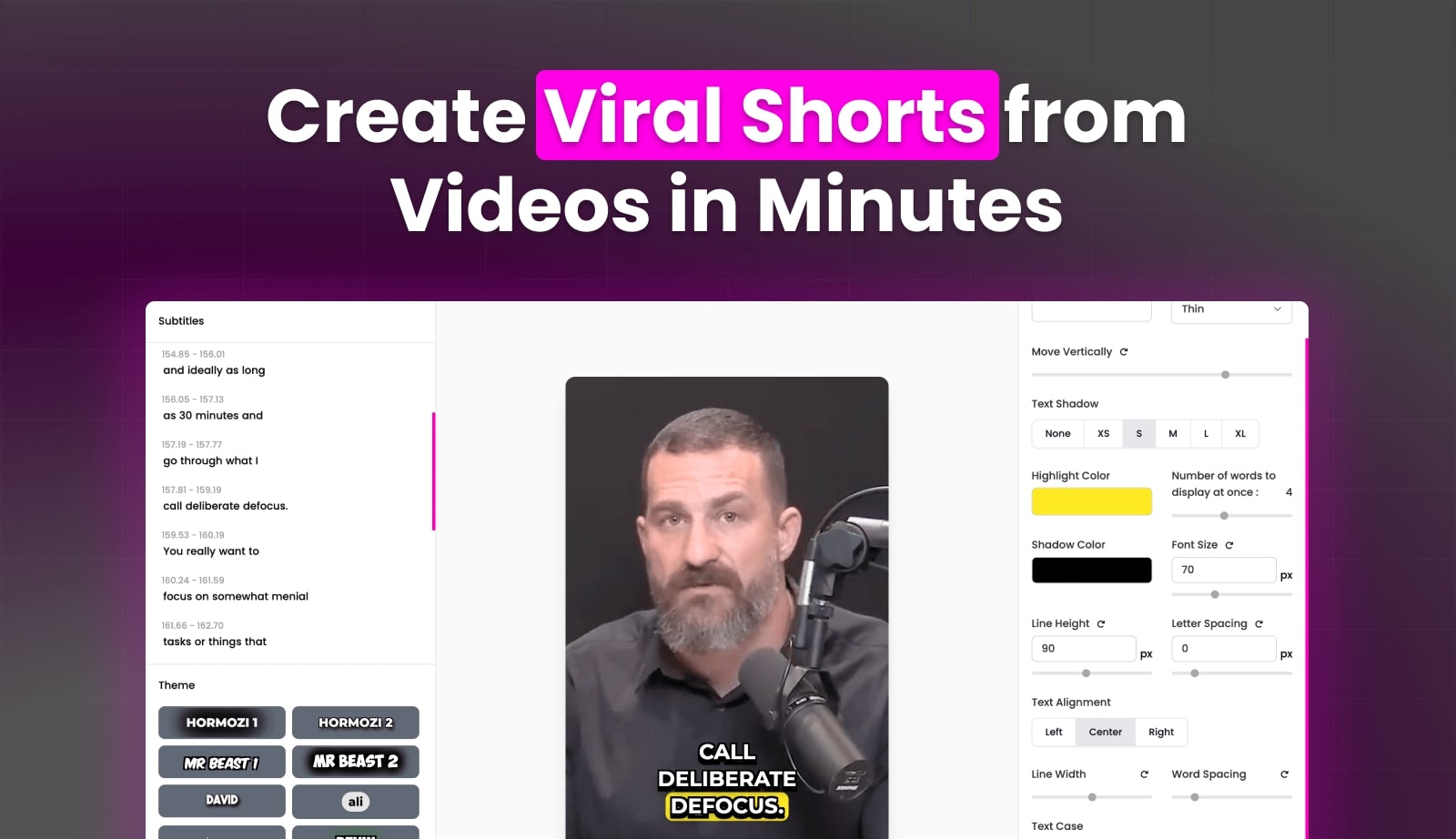
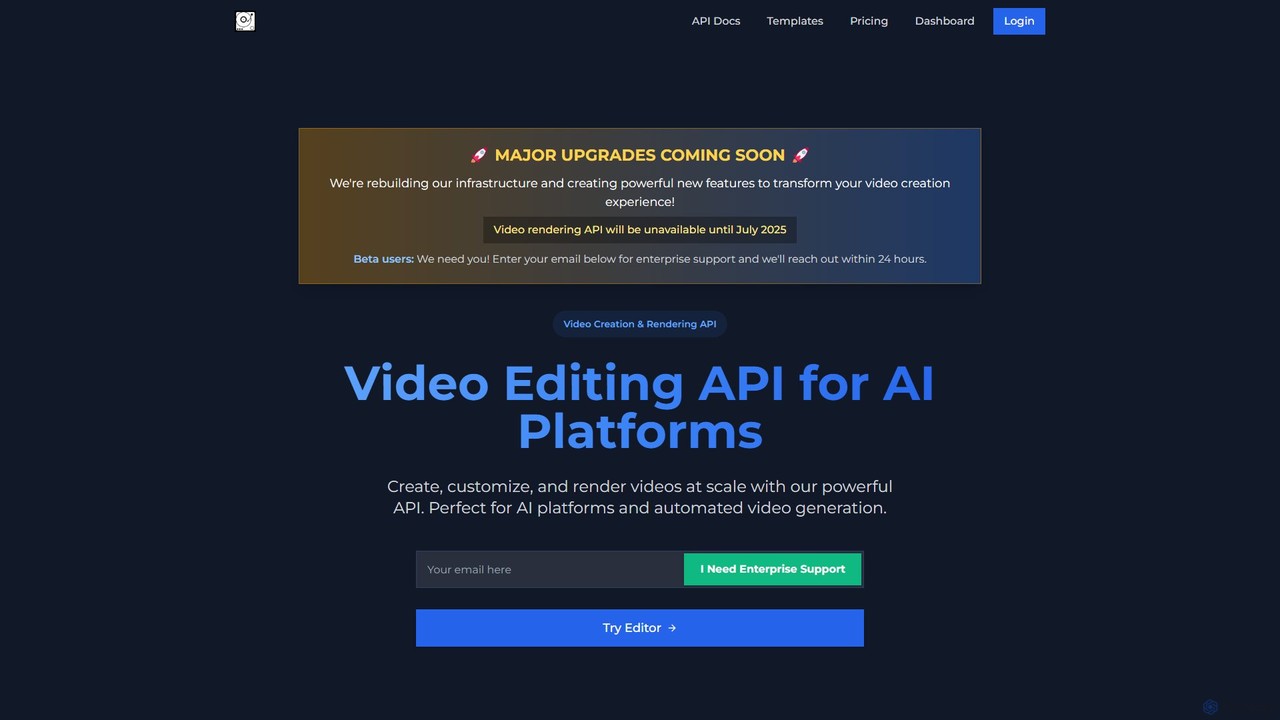
Discover VideoAIditor, the powerful solution for developers and creators. Leverage our scalable video editing API for automated generation or use our free, private, browser-based editor. Features auto-captions, templates, and more.

VideoAIditor is a Freemium Editing AI Tool The recommendations below are sorted based on shared categories, tags, applicable professions, community interactions, and traffic signals to help you choose alternative tools based on real usage scenarios.

Rating
5
Saved on
Likes
Monthly Visits
2.5K

VideoAIditor Alternative selection guide

Alternatives to VideoAIditor should not only be considered within the same category; you also need to compare Editing、Api、Automation、developer tools, pricing models, product formats, access popularity, and user feedback. The current list prioritizes tools that share a clear category, tag, or applicable profession with VideoAIditor, such as Vizard、WayinVideo、zapcap、Submagic, and explains the similarities and key differences for each recommendation.

First, confirm the alternative scenario

Prioritize tools that match both Editing and key tags, avoiding recommendations based solely on belonging to the same broad category.

Then, compare delivery formats

Websites, apps, browser extensions, and freemium models directly impact trial barriers, team procurement, and long-term usage costs.

Finally, look at quality signals

Use traffic, bookmarks, likes, or comment data as supplementary judgment; tools lacking data are not directly excluded, but greater emphasis should be placed on functional fit explanations.

Quick decision

Select the most worthwhile alternatives to try first based on common purchasing and usage scenarios.

Best Overall Alternative
Vizard
Comprehensive Match

Vizard and VideoAIditor both cover Editing、Automation and jointly match ai video、video editing、auto captions and similar needs, for users who want to prioritize comparing similar use cases.

Differences between Vizard and VideoAIditor mainly show in product experience, feature depth, and workflow design around ai video.

Match score: 18 Monthly Visits: 1.5M
Best Free Alternative
Revideo
Free

Revideo and VideoAIditor both cover Automation and jointly match developer tools、video editing、video generation and similar needs, for users who want to prioritize comparing similar use cases.

What sets Revideo apart from VideoAIditor: Pricing model is Free;Primary scenario leans toward Video Generation.

Match score: 14 Monthly Visits: 12.4K
Best fit for developer tools
veo3api
developer tools

veo3api and VideoAIditor both cover Automation and jointly match developer tools、ai video、video editing and similar needs, for users who want to prioritize comparing similar use cases.

What sets veo3api apart from VideoAIditor: Pricing model is Is Paid;Primary scenario leans toward Api.

Match score: 14 Monthly Visits: 2.4K
Best fit for ai video
WayinVideo
ai video

WayinVideo and VideoAIditor both cover Editing、Automation and jointly match ai video、video editing and similar needs, for users who want to prioritize comparing similar use cases.

Differences between WayinVideo and VideoAIditor mainly show in product experience, feature depth, and workflow design around ai video.

Match score: 16 Monthly Visits: 1.2M
Best fit for video editing
zapcap
video editing

zapcap and VideoAIditor both cover Editing、Automation and jointly match ai video、video editing and similar needs, for users who want to prioritize comparing similar use cases.

Differences between zapcap and VideoAIditor mainly show in product experience, feature depth, and workflow design around ai video.

Match score: 16 Monthly Visits: 221.0K

VideoAIditor vs Top 5 alternatives

Compare pricing, form, reasons for matching, and key differences to reduce the cost of opening each page individually.

Tools Pricing Type Why similar Key differences
Vizard
Match score: 18
Freemium Website Vizard and VideoAIditor both cover Editing、Automation and jointly match ai video、video editing、auto captions and similar needs, for users who want to prioritize comparing similar use cases. Differences between Vizard and VideoAIditor mainly show in product experience, feature depth, and workflow design around ai video.
WayinVideo
Match score: 16
Freemium Website WayinVideo and VideoAIditor both cover Editing、Automation and jointly match ai video、video editing and similar needs, for users who want to prioritize comparing similar use cases. Differences between WayinVideo and VideoAIditor mainly show in product experience, feature depth, and workflow design around ai video.
zapcap
Match score: 16
Freemium Website zapcap and VideoAIditor both cover Editing、Automation and jointly match ai video、video editing and similar needs, for users who want to prioritize comparing similar use cases. Differences between zapcap and VideoAIditor mainly show in product experience, feature depth, and workflow design around ai video.
Submagic
Match score: 16
Freemium Website Submagic and VideoAIditor both cover Editing、Automation and jointly match ai video、auto captions and similar needs, for users who want to prioritize comparing similar use cases. Differences between Submagic and VideoAIditor mainly show in product experience, feature depth, and workflow design around ai video.
RenderCut
Match score: 16
Freemium Website RenderCut and VideoAIditor both cover Editing、Automation and jointly match ai video、auto captions and similar needs, for users who want to prioritize comparing similar use cases. Differences between RenderCut and VideoAIditor mainly show in product experience, feature depth, and workflow design around ai video.

Alternative FAQ

What are the most worthwhile alternatives to VideoAIditor to look at first?

Vizard、WayinVideo、zapcap are the most recommended tools for priority comparison on this page. They share a clear category, tag, or applicable profession with VideoAIditor, but may differ in price, format, and feature depth.

Why aren't these recommendations sorted solely by traffic?

Traffic only indicates attention, not scenario fit. The page sorting first requires candidate tools to have a category, tag, or professional overlap with VideoAIditor, and then sorts based on traffic, interaction data, and result diversity.

Will a tool be affected in recommendations if it has no traffic or review data?

It will not be directly excluded. When traffic or reviews are lacking, the system relies more on Editing, tags, professional matches, and the tool's own information to avoid misinterpreting missing data as low quality.

Reset

VideoAIditor the best 50 Alternatives

Sorted based on shared categories, tags, professional matching, and community quality signals.

Vizard is an AI-powered video editing platform that automatically transforms long-form videos into engaging, short clips for social media. It uses AI to identify highlights, generate transcriptions and captions, and resize videos for platforms like TikTok, Instagram, and YouTube Shorts, saving creators and marketers hours of manual work.

Why similar

Vizard and VideoAIditor both cover Editing、Automation and jointly match ai video、video editing、auto captions and similar needs, for users who want to prioritize comparing similar use cases.

Key differences

Differences between Vizard and VideoAIditor mainly show in product experience, feature depth, and workflow design around ai video.

Effortlessly turn long videos into viral short clips with Vizard's AI. Perfect for podcasters, marketers, and creators. Get AI-generated clips, auto-captions, and social-ready videos in minutes. Try for free. VizardApplicable toVideo Marketing.Automation.Content Creation.Editingand other fields.

Rating
5.0
Saved on
Likes
Monthly Visits
1.5M

WayinVideo is an AI-powered platform designed for content creators and marketers to effortlessly transform long-form videos into engaging, viral short clips. By simply pasting a video link or uploading a file, the AI automatically identifies key moments, generates animated captions, and reframes content for social media platforms like TikTok, YouTube Shorts, and Instagram Reels, saving hours of manual editing.

Why similar

WayinVideo and VideoAIditor both cover Editing、Automation and jointly match ai video、video editing and similar needs, for users who want to prioritize comparing similar use cases.

Key differences

Differences between WayinVideo and VideoAIditor mainly show in product experience, feature depth, and workflow design around ai video.

Effortlessly turn long videos into viral short clips with WayinVideo. Our AI finds key moments, adds animated captions, and auto-reframes for TikTok, Reels, and Shorts. Save time and boost engagement. WayinVideoApplicable toAutomation.Content Creation.Editingand other fields.

Rating
5.0
Saved on
Likes
Monthly Visits
1.2M

zapcap is an AI-powered video editing platform designed to create viral short-form videos with ease. It automatically generates accurate captions in over 50 languages, removes silences, creates short clips from long videos, adds B-roll, sound effects, and generates SEO-optimized descriptions. It's an all-in-one tool for content creators, marketers, and businesses to boost engagement and save time.

Why similar

zapcap and VideoAIditor both cover Editing、Automation and jointly match ai video、video editing and similar needs, for users who want to prioritize comparing similar use cases.

Key differences

Differences between zapcap and VideoAIditor mainly show in product experience, feature depth, and workflow design around ai video.

Use zapcap's AI to automatically add captions, clip viral moments, add B-roll, and remove silences. The all-in-one video editor for creators and marketers. zapcapApplicable toVideo Marketing.Automation.Content Creation.Editingand other fields.

Rating
5.0
Saved on
Likes
Monthly Visits
221.0K

Submagic is an all-in-one AI platform designed for creating viral short-form videos in seconds. It automates tedious editing tasks by generating trendy captions with emojis, adding dynamic B-rolls, creating smooth transitions, and extracting key moments from long videos. It's the perfect tool for content creators, marketers, and businesses looking to boost engagement and save time on video production.

Why similar

Submagic and VideoAIditor both cover Editing、Automation and jointly match ai video、auto captions and similar needs, for users who want to prioritize comparing similar use cases.

Key differences

Differences between Submagic and VideoAIditor mainly show in product experience, feature depth, and workflow design around ai video.

Effortlessly create viral short videos with Submagic, the AI-powered editor. Generate trendy captions, add B-rolls, trim videos, and create engaging content in minutes. Try it for free. SubmagicApplicable toAutomation.Content Creation.Editingand other fields.

Rating
5.0
Saved on
Likes
Monthly Visits
959.6K

RenderCut is an AI-powered video editing tool that automates the creation of engaging short-form videos. It instantly adds stylish, animated subtitles, B-rolls, emojis, and sound effects, transforming plain videos or audio into high-retention content for platforms like TikTok, Reels, and Shorts. It's designed for content creators, marketers, and businesses to produce professional-looking videos in minutes, not hours.

Why similar

RenderCut and VideoAIditor both cover Editing、Automation and jointly match ai video、auto captions and similar needs, for users who want to prioritize comparing similar use cases.

Key differences

Differences between RenderCut and VideoAIditor mainly show in product experience, feature depth, and workflow design around ai video.

Automatically add stylish, animated subtitles, B-rolls, and emojis to your videos in minutes with RenderCut. The perfect AI tool for creators and marketers to make viral short-form content for TikTok, Reels, and Shorts. RenderCutApplicable toVideo Marketing.Automation.Content Creation.Editingand other fields.

Rating
5.0
Saved on
Likes
Monthly Visits
19.7K

Qlip is an AI-powered platform that automatically extracts impactful short clips from long-form videos. Designed for marketers and content creators, it simplifies repurposing content for social media with features like auto-reframing, branded subtitles, and transcription, helping to save costs and boost engagement.

Why similar

Qlip and VideoAIditor both cover Editing、Automation and jointly match ai video、video editing and similar needs, for users who want to prioritize comparing similar use cases.

Key differences

Differences between Qlip and VideoAIditor mainly show in product experience, feature depth, and workflow design around ai video.

Qlipis an AI tool designed forMarketing Manager.Content Creator.Social Media Manager.Digital Marketer.Video Editor.Brand Manager.Podcaster.Communications SpecialistAI tool designed Automatically extract viral short clips from your long videos with Qlip's AI. Features auto-reframing, branded subtitles, and transcription to boost your social media engagement. Try it free! QlipApplicable toVideo Marketing.Automation.Content Creation.Editingand other fields.

Rating
5.0
Saved on
Likes
Monthly Visits
16.9K

Overlap is a Y Combinator-backed AI video marketing agent that automates the entire video creation workflow. It transforms long-form content like podcasts and webinars into engaging, short-form social media clips. The platform uses advanced AI to edit, reframe, and enhance videos, helping creators and marketers significantly boost their online presence and engagement.

Why similar

Overlap and VideoAIditor both cover Editing、Automation and jointly match ai video、video editing and similar needs, for users who want to prioritize comparing similar use cases.

Key differences

What sets Overlap apart from VideoAIditor: Pricing model is Is Paid.

Supercharge your video marketing with Overlap. Our AI agent automatically edits long videos into engaging, shareable short-form clips for social media. Boost impressions and save time. OverlapApplicable toSocial Media Marketing.Automation.Editing.Repurposingand other fields.

Rating
5.0
Saved on
Likes
Monthly Visits
28.6K

Revideo is an open-source framework for developers to create and automate videos programmatically. Using TypeScript and based on Motion Canvas, it allows for building complex video workflows, generating dynamic content from data, and even creating entire video editors. It's ideal for automating short-form content, A/B testing video ads, and creating personalized videos at scale.

Why similar

Revideo and VideoAIditor both cover Automation and jointly match developer tools、video editing、video generation and similar needs, for users who want to prioritize comparing similar use cases.

Key differences

What sets Revideo apart from VideoAIditor: Pricing model is Free;Primary scenario leans toward Video Generation.

Discover Revideo, the open-source framework for developers to automate video creation with TypeScript. Build dynamic videos, custom editors, and scalable video workflows. RevideoApplicable toVideo Generation.Automation.Video Editingand other fields.

Rating
5.0
Saved on
Likes
Monthly Visits
12.4K

AutoCut is an AI-powered plugin for Adobe Premiere Pro and DaVinci Resolve that automates tedious video editing tasks. It saves editors hours by automatically removing silences, generating animated captions, editing multi-camera podcasts, adding dynamic zooms, and much more, streamlining the entire workflow.

Why similar

AutoCut and VideoAIditor both cover Editing、Automation and jointly match video editing and similar needs, for users who want to prioritize comparing similar use cases.

Key differences

What sets AutoCut apart from VideoAIditor: Primary format is Browser Extension.

Save hours on video editing with AutoCut, the AI plugin for Premiere Pro & DaVinci Resolve. Automate silence removal, caption generation, podcast editing, and more. Start your free trial. AutoCutApplicable toAutomation.Content Creation.Editingand other fields.

Rating
5.0
Saved on
Likes
Monthly Visits
181.8K

Prism Clips is an AI-powered video clipping tool that automatically transforms long videos and text prompts into multiple viral-ready short clips. It analyzes content, identifies engaging moments, scores their virality potential, and allows for one-click customization and social media posting.

Why similar

Prism Clips and VideoAIditor both cover Editing、Automation and jointly match ai video、video editing and similar needs, for users who want to prioritize comparing similar use cases.

Key differences

Differences between Prism Clips and VideoAIditor mainly show in product experience, feature depth, and workflow design around ai video.

Prism Clips is an AI-powered tool that automatically converts long videos and text into multiple viral short clips for TikTok and Instagram. Save time, maximize content, and go viral with one click. Prism ClipsApplicable toAutomation.Content Creation.Editingand other fields.

Rating
5.0
Saved on
Likes
Monthly Visits
2.6K

veo3api offers a cost-effective, stable, and scalable API for Google's Veo 3 model, enabling developers to easily integrate advanced AI video generation. It supports text-to-video, image-to-video, synchronized audio, and 4K/1080p output with robust developer tools.

Why similar

veo3api and VideoAIditor both cover Automation and jointly match developer tools、ai video、video editing and similar needs, for users who want to prioritize comparing similar use cases.

Key differences

What sets veo3api apart from VideoAIditor: Pricing model is Is Paid;Primary scenario leans toward Api.

Unlock the power of Google's Veo 3 with veo3api.ai. Get a cost-effective, stable, and easy-to-integrate API for generating high-quality 4K/1080p videos with synchronized audio from text and images. veo3apiApplicable toApi.Automation.Video Generationand other fields.

Rating
5.0
Saved on
Likes
Monthly Visits
2.4K

RenderCut is an AI-powered video editing tool that automatically generates stylish, animated subtitles for short-form videos. It helps content creators boost engagement and create viral content by adding customizable captions, B-rolls, emojis, and sound effects in minutes.

Why similar

RenderCut and VideoAIditor both cover Editing、Automation and jointly match ai video、video editing and similar needs, for users who want to prioritize comparing similar use cases.

Key differences

Differences between RenderCut and VideoAIditor mainly show in product experience, feature depth, and workflow design around ai video.

RenderCutis an AI tool designed forMarketing Manager.Content Creator.Social Media Manager.Entrepreneur.Digital Marketer.Video Editor.Agency OwnerAI tool designed Automatically add stylish, animated subtitles to your videos in minutes with RenderCut. Boost engagement and reach with customizable captions, B-rolls, and emojis. Get started for free! RenderCutApplicable toAutomation.Content Creation.Editingand other fields.

Rating
5.0
Saved on
Likes
Monthly Visits
2.5K

Podcut is an AI-powered audio and video editing platform designed for podcasters and content creators. It automates tedious editing tasks by allowing you to edit your media by simply editing the text transcript. Automatically remove filler words, long silences, and background noise to produce studio-quality content in minutes, not hours.

Why similar

Podcut and VideoAIditor both cover Automation、Editing and jointly match video editing and similar needs, for users who want to prioritize comparing similar use cases.

Key differences

What sets Podcut apart from VideoAIditor: Primary scenario leans toward 3D.

Podcutis an AI tool designed forMarketing Manager.Content Creator.Social Media Manager.Educator.Video Editor.Podcaster.YouTuber.Communications SpecialistAI tool designed Effortlessly edit your podcasts and videos with Podcut's AI. Edit by text, automatically remove filler words and silences, and enhance audio quality. Try it for free! PodcutApplicable to3D.Social Media.Automation.Editingand other fields.

Rating
5.0
Saved on
Likes
Monthly Visits
2.5K

remove.bg is an AI-powered tool that automatically removes the background from any image in just 5 seconds. It uses advanced AI to accurately handle challenging edges like hair and fur. Ideal for photographers, e-commerce businesses, marketers, and developers, it offers web, desktop, and plugin integrations to streamline workflows.

Why similar

The core intersection of remove.bg and VideoAIditor lies in Api、Automation, making it a suitable direct replacement in similar scenarios.

Key differences

What sets remove.bg apart from VideoAIditor: Primary scenario leans toward Background Removal.

Instantly remove the background from any image in 5 seconds with remove.bg's AI. Create transparent backgrounds (PNG), edit photos, and integrate with our API, Photoshop plugin, or desktop app. remove.bgApplicable toEditing.Api.Product Photos.Background Removal.Automationand other fields.

Rating
5.0
Saved on
Likes
Monthly Visits
62.7M

Gling is an AI-powered video editing software for YouTubers that automatically removes silences, bad takes, and filler words. It uses text-based editing to streamline the workflow, saving creators hours of manual work and helping them produce captivating content effortlessly.

Why similar

Gling and VideoAIditor both cover Editing、Automation and jointly match video editing and similar needs, for users who want to prioritize comparing similar use cases.

Key differences

Differences between Gling and VideoAIditor mainly show in product experience, feature depth, and workflow design around video editing.

Save hours on video editing with Gling. Our AI automatically removes silences, bad takes, and filler words. Edit your video by editing text. Perfect for YouTubers. GlingApplicable toAutomation.Youtube.Editingand other fields.

Rating
5.0
Saved on
Likes
Monthly Visits
283.6K

Sieve is an intelligent AI video platform offering a comprehensive suite of APIs for developers and enterprises. It enables advanced video processing, including dubbing, transcription, background removal, lipsync, and content analysis. Built for scale, Sieve provides the infrastructure to understand, manipulate, and generate video content efficiently.

Why similar

Sieve and VideoAIditor both cover Editing and jointly match developer tools、ai video、video generation and similar needs, for users who want to prioritize comparing similar use cases.

Key differences

What sets Sieve apart from VideoAIditor: Primary scenario leans toward Api.

Discover Sieve, the all-in-one AI video platform for developers. Access powerful APIs for video dubbing, transcription, lipsync, background removal, and more. Scale your video applications with our reliable and flexible infrastructure. SieveApplicable toTranscription.Api.Editing.Personalizationand other fields.

Rating
5.0
Saved on
Likes
Monthly Visits
7.7K

WatermarkRemover.io is an AI-powered tool designed to quickly and automatically remove watermarks, logos, and text from images and videos. It requires no manual editing or technical skills. Simply upload your file, and the AI will detect and erase the watermark in seconds, preserving the original quality. It supports various formats and offers batch processing for professional users.

Why similar

The core intersection of WatermarkRemover.io and VideoAIditor lies in Automation、Editing, making it a suitable direct replacement in similar scenarios.

Key differences

What sets WatermarkRemover.io apart from VideoAIditor: Primary scenario leans toward 3D.

Instantly remove watermarks, logos, and text from your images and videos for free with WatermarkRemover.io. AI-powered, fast, and easy to use. No editing skills needed. WatermarkRemover.ioApplicable to3D.Automation.Editingand other fields.

Rating
5.0
Saved on
Likes
Monthly Visits
4.4M

autocaption is an AI-powered tool that automatically generates, transcribes, and animates video captions in over 99 languages. Designed for content creators, it saves hours of editing with features like customizable templates, animated emojis, and B-Roll AI. Enhance video engagement and accessibility with fast, fully editable, high-definition subtitles optimized for social media.

Why similar

autocaption and VideoAIditor both cover Editing、Automation and jointly match ai video and similar needs, for users who want to prioritize comparing similar use cases.

Key differences

Differences between autocaption and VideoAIditor mainly show in product experience, feature depth, and workflow design around ai video.

Effortlessly add animated captions to your videos with autocaption. Our AI generates accurate subtitles in 99+ languages, saving you hours. Try for free! autocaptionApplicable toAutomation.Content Creation.Editingand other fields.

Rating
5.0
Saved on
Likes
Monthly Visits
117.0K

Auphonic is your AI sound engineer, an automated audio post-production web service for podcasters, broadcasters, and content creators. It uses AI to level audio, reduce noise, remove filler words, and master your sound to professional quality with just one click. Get 2 hours free every month.

Why similar

The core intersection of Auphonic and VideoAIditor lies in Automation、Editing, making it a suitable direct replacement in similar scenarios.

Key differences

What sets Auphonic apart from VideoAIditor: Primary scenario leans toward 3D.

Automatically enhance your audio and video files with Auphonic. Use AI for intelligent leveling, noise reduction, filler word removal, and loudness normalization. Perfect for podcasts, videos, and audiobooks. AuphonicApplicable to3D.Automation.Editingand other fields.

Rating
5.0
Saved on
Likes
Monthly Visits
880.7K

AutoPod is a suite of AI-powered plugins for Adobe Premiere Pro that automates video podcast and show editing. It saves editors hours of work by automatically handling multi-camera edits, creating social media clips, and generating jump cuts based on silence.

Why similar

AutoPod and VideoAIditor both cover Editing、Automation and jointly match video editing and similar needs, for users who want to prioritize comparing similar use cases.

Key differences

What sets AutoPod apart from VideoAIditor: Pricing model is Is Paid;Primary format is Browser Extension.

Save hours on video podcast editing with AutoPod, the AI plugin for Adobe Premiere Pro. Automate multi-camera editing, create social clips, and make jump cuts instantly. AutoPodApplicable toAutomation.Content Creation.Editingand other fields.

Rating
5.0
Saved on
Likes
Monthly Visits
98.1K

Colourlab.ai is an AI-powered color grading tool that automates and accelerates video post-production. It offers one-click shot matching, auto-balancing, and seamless integration with major editing software like DaVinci Resolve, Premiere Pro, and Final Cut Pro. Designed for filmmakers, editors, and colorists, it dramatically speeds up workflows, ensures color consistency, and provides studio-grade results locally on your device.

Why similar

Colourlab.ai and VideoAIditor both cover Editing、Automation and jointly match video editing and similar needs, for users who want to prioritize comparing similar use cases.

Key differences

What sets Colourlab.ai apart from VideoAIditor: Primary format is App.

Accelerate your video editing workflow with Colourlab.ai. Get instant, professional color grading, shot matching, and auto-balancing with our AI-powered plugin for Resolve, Premiere, and FCP. Colourlab.aiApplicable toAutomation.Color Correction.Editingand other fields.

Rating
5.0
Saved on
Likes
Monthly Visits
70.4K

UniFab Studio is an all-in-one, AI-powered video enhancement suite designed for professionals and enthusiasts. It elevates video quality by upscaling to 4K/8K, converting SDR to HDR, stabilizing shaky footage, removing noise, and increasing frame rates up to 120FPS. With GPU acceleration and a user-friendly interface, it delivers professional-grade results efficiently.

Why similar

UniFab Studio and VideoAIditor both cover Editing and jointly match ai video、video editing and similar needs, for users who want to prioritize comparing similar use cases.

Key differences

What sets UniFab Studio apart from VideoAIditor: Primary format is App;Primary scenario leans toward Enhancement.

Enhance your videos with UniFab Studio, the all-in-one AI-powered solution. Upscale to 4K/8K, stabilize shaky footage, remove noise, convert SDR to HDR, and create smooth 120FPS videos. UniFab StudioApplicable toCreative Tools.Editing.Enhancementand other fields.

Rating
5.0
Saved on
Likes
Monthly Visits
190.2K

VideoToPage is an AI-powered platform that instantly transforms any video or audio content into a wide range of high-quality written materials. It automates the process of creating blog posts, summaries, social media content, tutorials, and more, saving hours of manual work. Simply provide a video URL or file, and the AI will transcribe, analyze, and generate ready-to-publish content, complete with screenshots and structured formatting, for platforms like WordPress, Notion, and Ghost.

Why similar

The core intersection of VideoToPage and VideoAIditor lies in Automation、Editing, making it a suitable direct replacement in similar scenarios.

Key differences

What sets VideoToPage apart from VideoAIditor: Primary scenario leans toward Repurposing.

Instantly convert any video or audio into SEO-friendly blog posts, social media content, summaries, and more with VideoToPage. Automate your content workflow and save hours. VideoToPageApplicable toRepurposing.Content Marketing.Automation.Editingand other fields.

Rating
5.0
Saved on
Likes
Monthly Visits
29.7K

Blogify is an AI-powered platform that automates blog creation by repurposing content from over 40 sources like YouTube videos, podcasts, and documents. It generates fully SEO-optimized articles in 150+ languages, complete with images and affiliate links, and publishes them to any platform, helping you expand your online presence and monetize content effortlessly.

Why similar

The core intersection of Blogify and VideoAIditor lies in Automation、Editing, making it a suitable direct replacement in similar scenarios.

Key differences

What sets Blogify apart from VideoAIditor: Primary scenario leans toward Blog Writing.

Discover Blogify, the ultimate AI tool to automatically convert videos, podcasts, and audio into SEO-optimized, monetizable blog posts in 150+ languages. Automate content creation and publishing. BlogifyApplicable toBlog Writing.Seo.Automation.Editingand other fields.

Rating
5.0
Saved on
Likes
Monthly Visits
19.8K

Tubtic is a free, all-in-one suite of AI-powered tools for social media. It helps creators and marketers optimize content for YouTube, Instagram, and Facebook with features like title generators, hashtag generators, video summarizers, and channel analytics.

Why similar

The core intersection of tubtic and VideoAIditor lies in Automation、Editing, making it a suitable direct replacement in similar scenarios.

Key differences

What sets tubtic apart from VideoAIditor: Pricing model is Free;Primary scenario leans toward Content Creation.

Boost your social media presence with tubtic's free suite of AI tools. Generate YouTube titles, Instagram hashtags, summarize videos, audit channels, and more to optimize your content and workflow. tubticApplicable toSeo.Automation.Content Creation.Editingand other fields.

Rating
5.0
Saved on
Likes
Monthly Visits
2.6K

Snapcut is an AI-powered video editing tool that automatically repurposes long-form videos into multiple viral-ready short clips. With one click, it identifies engaging moments, adds animated captions, and reframes content for social media, saving creators up to 70% of their editing time.

Why similar

Snapcut and VideoAIditor both cover Editing、Automation and jointly match ai video、video editing and similar needs, for users who want to prioritize comparing similar use cases.

Key differences

Differences between Snapcut and VideoAIditor mainly show in product experience, feature depth, and workflow design around ai video.

Use Snapcut's AI to automatically turn long videos into engaging, viral short clips in one click. Features AI hook selection, auto-reframing, and smart captions in 30+ languages. Save 70% editing time. SnapcutApplicable toAutomation.Content Creation.Editingand other fields.

Rating
5.0
Saved on
Likes
Monthly Visits
9.9K

VideoSnack is an AI-powered Google Docs add-on that instantly converts YouTube and Loom videos into SEO-optimized blog posts, summaries, newsletters, and more. It streamlines content repurposing, helping you unlock new traffic sources by transforming your video content into readable, indexable articles.

Why similar

The core intersection of VideoSnack and VideoAIditor lies in Automation、Editing, making it a suitable direct replacement in similar scenarios.

Key differences

What sets VideoSnack apart from VideoAIditor: Primary format is Browser Extension;Primary scenario leans toward Repurposing.

Effortlessly convert YouTube and Loom videos into SEO-optimized blog posts, summaries, and newsletters with VideoSnack. The AI-powered Google Docs add-on for content repurposing. VideoSnackApplicable toRepurposing.Automation.Editingand other fields.

Rating
5.0
Saved on
Likes
Monthly Visits
2.4K

Muapi is a powerful API platform designed to accelerate AI image and video generation. It provides developers and creators with unified access to a diverse range of cutting-edge AI models. With Muapi, you can easily integrate functionalities like text-to-video, image-to-video, consistent character generation, and style transfer into your applications. The platform simplifies the development process, offering a single API endpoint for multiple advanced generative AI tasks, backed by a clear, pay-as-you-go pricing structure.

Why similar

Muapi and VideoAIditor both cover Automation and jointly match developer tools、video generation and similar needs, for users who want to prioritize comparing similar use cases.

Key differences

What sets Muapi apart from VideoAIditor: Pricing model is Is Paid;Primary scenario leans toward Api.

Muapiis an AI tool designed forMarketing Manager.Content Creator.Product Manager.Social Media Manager.Software Developer.Graphic Designer.Game Developer.Filmmaker.AnimatorAI tool designed Access a wide range of cutting-edge AI models for image and video generation through a single, powerful API. Muapi simplifies development for text-to-video, image-to-image, and more. MuapiApplicable toApi.Image Generation.Automation.Video Generationand other fields.

Rating
5.0
Saved on
Likes
Monthly Visits
263.0K

GliaCloud is an AI-powered video platform that enables businesses to automate and scale their video content creation. Using intelligent video agents, it transforms text, data, and brand assets into engaging videos for marketing, communication, and education without requiring any editing skills.

Why similar

GliaCloud and VideoAIditor both cover Automation and jointly match ai video、video generation and similar needs, for users who want to prioritize comparing similar use cases.

Key differences

What sets GliaCloud apart from VideoAIditor: Pricing model is Is Paid;Primary scenario leans toward Video Generation.

Discover GliaCloud, the AI-powered video platform that automates content creation for businesses. Generate engaging videos, animate brand mascots, and scale your marketing with our intelligent video agents. GliaCloudApplicable toContent Creation.Automation.Video Generationand other fields.

Rating
5.0
Saved on
Likes
Monthly Visits
151.2K

Slick (now rebranded as Faceless.so) is an AI-powered video editor designed to create and edit viral short videos for platforms like TikTok, Instagram Reels, and YouTube Shorts. It automates tedious tasks like adding trendy captions, inserting B-rolls, removing silences, and generating clips from long videos, enabling creators to produce engaging content effortlessly.

Why similar

Slick and VideoAIditor both cover Editing、Automation and jointly match ai video、auto captions and similar needs, for users who want to prioritize comparing similar use cases.

Key differences

Differences between Slick and VideoAIditor mainly show in product experience, feature depth, and workflow design around ai video.

Discover Slick (now Faceless.so), the AI video editor that helps you create viral shorts effortlessly. Add AI captions, B-rolls, remove silences, and turn long videos into clips. Try for free! SlickApplicable toAutomation.Content Creation.Editingand other fields.

Rating
5.0
Saved on
Likes
Monthly Visits
4.4K

eyeq provides world-leading AI-powered automatic photo correction and video enhancement solutions for businesses. Its core technology, Perfectly Clear, uses 20+ years of scientific research and AI to deliver vibrant, accurate colors, intelligent retouching, and automated workflows, helping companies improve quality, reduce costs, and increase revenue.

Why similar

The core intersection of eyeq and VideoAIditor lies in Automation、Editing, making it a suitable direct replacement in similar scenarios.

Key differences

What sets eyeq apart from VideoAIditor: Pricing model is Is Paid;Primary scenario leans toward 3D.

Discover eyeq's Perfectly Clear technology for automatic AI photo correction and video enhancement. Streamline your workflow with our SDK, API, and batch processing tools to improve quality, reduce costs, and delight customers. eyeqApplicable to3D.Api.Automation.Editingand other fields.

Rating
5.0
Saved on
Likes
Monthly Visits
17.7K

ClipBuddy is an AI-powered platform that automatically transforms long-form videos into engaging, viral short clips. It intelligently identifies key moments, adds dynamic multi-language captions, and resizes content for social media platforms like TikTok, Reels, and Shorts, helping creators maximize their reach and engagement with minimal effort.

Why similar

ClipBuddy and VideoAIditor both cover Editing、Automation and jointly match ai video、video editing and similar needs, for users who want to prioritize comparing similar use cases.

Key differences

Differences between ClipBuddy and VideoAIditor mainly show in product experience, feature depth, and workflow design around ai video.

Effortlessly transform your long videos into engaging, shareable short clips with ClipBuddy. Our AI adds dynamic captions, resizes for social media, and finds viral moments to maximize your reach. ClipBuddyApplicable toAutomation.Content Creation.Editingand other fields.

Rating
5.0
Saved on
Likes
Monthly Visits
2.5K

Captionic is a free AI-powered mobile app that automatically generates and embeds accurate captions for your videos in multiple languages. It's designed to boost video engagement, improve SEO, and enhance accessibility for a global audience.

Why similar

Captionic and VideoAIditor both cover Automation and jointly match ai video、video editing and similar needs, for users who want to prioritize comparing similar use cases.

Key differences

What sets Captionic apart from VideoAIditor: Pricing model is Free;Primary format is App;Primary scenario leans toward Subtitles & Captions.

Use Captionic, the free AI caption generator, to automatically add multi-language subtitles to your videos. Boost engagement, improve SEO, and make your content accessible globally. CaptionicApplicable toAutomation.Content Creation.Subtitles & Captionsand other fields.

Rating
5.0
Saved on
Likes
Monthly Visits
9.3K

Codegate is an open-source security gateway and multiplexing framework for AI agentic systems. Developed by Stacklok, it provides secure workspaces and policy-based access control, enabling developers to build and manage complex multi-agent applications safely and efficiently.

Why similar

codegate and VideoAIditor both cover Automation and jointly match developer tools and similar needs, for users who want to prioritize comparing similar use cases.

Key differences

What sets codegate apart from VideoAIditor: Pricing model is Free;Primary format is App;Primary scenario leans toward Security.

Discover Codegate, the open-source security gateway for AI agents. Provides policy-based access control, isolated workspaces, and multiplexing for secure and manageable AI applications. codegateApplicable toAgentic Frameworks.Security.Automationand other fields.

Rating
5.0
Saved on
Likes
Monthly Visits
631.0M

Blur On is an AI-powered video editing plugin that automatically detects and blurs faces, license plates, and other objects. It streamlines the video anonymization process, saving editors significant time and effort while ensuring privacy compliance.

Why similar

Blur On and VideoAIditor both cover Editing、Automation and jointly match video editing and similar needs, for users who want to prioritize comparing similar use cases.

Key differences

What sets Blur On apart from VideoAIditor: Pricing model is Is Paid;Primary format is Browser Extension.

Blur Onis an AI tool designed forMarketing Manager.Content Creator.Social Media Manager.Video Editor.Journalist.Legal Professional.Documentary Filmmaker.Security ProfessionalAI tool designed Save hours of editing time with Blur On, the AI plugin that automatically detects and blurs faces, license plates, and objects in your videos. Perfect for creators, journalists, and professionals. Blur OnApplicable toAutomation.Editingand other fields.

Rating
5.0
Saved on
Likes
Monthly Visits
3.8K

Runway is an advanced AI-powered creative suite for content creation. It offers a wide range of tools, including state-of-the-art text-to-video (Gen-2), video-to-video (Gen-1), image generation, AI-powered video editing, and more. It's designed for filmmakers, artists, and marketers to ideate, generate, and edit content like never before, streamlining complex creative workflows.

Why similar

Runway and VideoAIditor both cover Editing and jointly match video editing、video generation and similar needs, for users who want to prioritize comparing similar use cases.

Key differences

What sets Runway apart from VideoAIditor: Primary scenario leans toward Generative Video.

Runwayis an AI tool designed forMarketing Manager.Content Creator.Social Media Manager.Graphic Designer.Game Developer.Video Editor.Filmmaker.Animator.Art Director.VFX ArtistAI tool designed Discover Runway, the all-in-one AI creative suite. Generate stunning videos from text with Gen-2, edit with AI-powered tools, and create images, 3D textures, and more. Start for free. RunwayApplicable toImage Generation.Editing.Generative Videoand other fields.

Rating
5.0
Saved on
Likes
Monthly Visits
5.4M

Vmake is an all-in-one AI video solution designed for creators. It simplifies video production with features like watermark removal, auto-captions, background removal, and video enhancement. Effortlessly create studio-quality talking videos for social media and marketing without prior experience.

Why similar

Vmake and VideoAIditor both cover Automation and jointly match ai video、auto captions and similar needs, for users who want to prioritize comparing similar use cases.

Key differences

What sets Vmake apart from VideoAIditor: Primary scenario leans toward Video Editing.

Discover Vmake, the all-in-one AI video solution. Effortlessly create professional videos with auto-captions, background removal, video enhancement, and more. Perfect for creators and marketers. VmakeApplicable toTranscription.Automation.Content Creation.Video Editingand other fields.

Rating
5.0
Saved on
Likes
Monthly Visits
2.1M

CometAPI is a unified API platform that provides developers with a single API key to access over 500 of the latest AI models. It simplifies integration for text, code, music, and video generation, including models like GLM, Qwen, Suno, and Midjourney Video.

Why similar

CometAPI and VideoAIditor both cover Automation and jointly match developer tools、video generation and similar needs, for users who want to prioritize comparing similar use cases.

Key differences

What sets CometAPI apart from VideoAIditor: Primary scenario leans toward Api Management.

Simplify your AI development with CometAPI. Get a single API to access over 500 models like GLM-4.5, Suno, Midjourney Video, and more. Get started for free! CometAPIApplicable toUnified Api.Api Management.Automationand other fields.

Rating
5.0
Saved on
Likes
Monthly Visits
358.0K

Runware provides a high-performance, low-cost API for developers to integrate generative AI for image and video creation. Leveraging custom hardware and renewable energy, it offers industry-leading inference speeds for over 300,000 models, including Stable Diffusion, FLUX.1, and Kling. It's a scalable, easy-to-use platform that requires no ML expertise, designed for building next-generation AI-native applications.

Why similar

Runware and VideoAIditor both cover Automation and jointly match developer tools、video generation and similar needs, for users who want to prioritize comparing similar use cases.

Key differences

What sets Runware apart from VideoAIditor: Primary scenario leans toward Api Platform.

Runwareis an AI tool designed forMarketing Manager.Content Creator.Product Manager.Software Developer.Graphic Designer.Game Developer.AI Engineer.ArchitectAI tool designed Access over 300,000 AI models like Stable Diffusion, FLUX.1, and Kling via Runware's high-speed, low-cost API. Perfect for developers building scalable AI applications. Get started with free credits. RunwareApplicable toApi Platform.Image Generation.Automation.Video Generationand other fields.

Rating
5.0
Saved on
Likes
Monthly Visits
200.0K

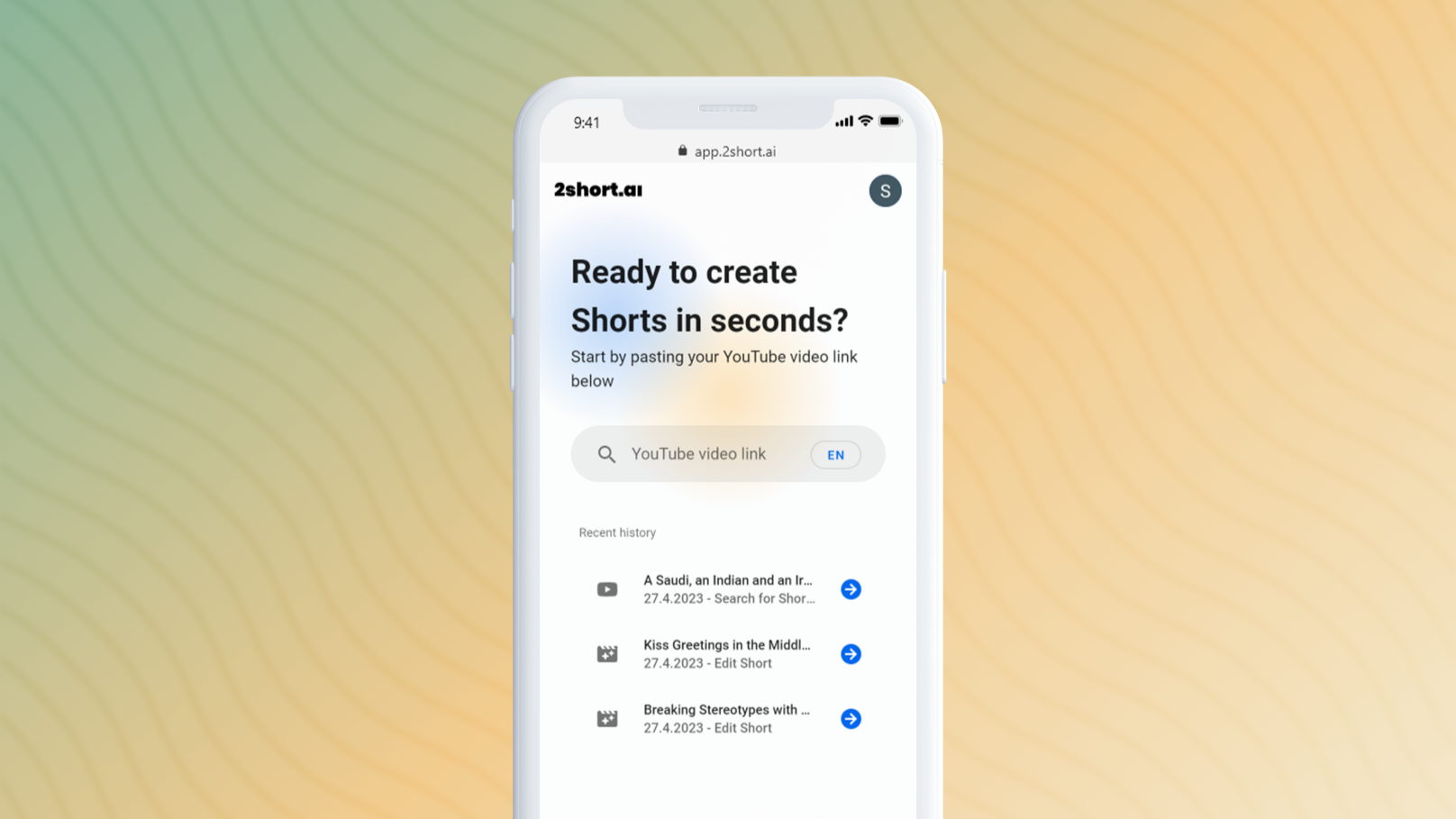
2short.ai is an AI-powered tool that transforms long-form videos into engaging, high-performing short clips. It automatically identifies the most captivating moments, adds animated subtitles, and uses facial tracking to perfectly frame speakers. This helps content creators save hours of editing time and grow their audience on platforms like YouTube Shorts, TikTok, and Reels 10x faster.

Why similar

2short.ai and VideoAIditor both cover Automation and jointly match ai video、video editing and similar needs, for users who want to prioritize comparing similar use cases.

Key differences

What sets 2short.ai apart from VideoAIditor: Primary scenario leans toward Video Editing.

Effortlessly turn long videos into viral short clips with 2short.ai. Our AI finds the best moments, adds animated subtitles, and uses facial tracking to create engaging shorts for YouTube, TikTok, and Reels. Save time and grow your audience 10x faster. 2short.aiApplicable toAutomation.Content Creation.Video Editingand other fields.

Rating
5.0
Saved on
Likes
Monthly Visits
433.8K

TimeSkip is an AI-powered Chrome extension that automatically generates SEO-optimized chapters for YouTube videos in seconds. It helps creators save time, increase video visibility by up to 220%, and enhance viewer engagement by making content easily navigable.

Why similar

The core intersection of TimeSkip and VideoAIditor lies in Editing、Automation, making it a suitable direct replacement in similar scenarios.

Key differences

What sets TimeSkip apart from VideoAIditor: Primary format is Browser Extension.

Automatically generate SEO-optimized chapters for your YouTube videos in seconds with TimeSkip. Save time, boost visibility by up to 220%, and increase viewer engagement. Try the AI-powered Chrome extension for free. TimeSkipApplicable toSeo.Automation.Editingand other fields.

Rating
5.0
Saved on
Likes
Monthly Visits
144.7K

Vadoo AI is an all-in-one platform for video creation, editing, hosting, and distribution. It uses AI to generate videos from text, create shorts from long-form content, add voiceovers and captions, and automate posting to social media. It also includes secure, ad-free video hosting.

Why similar

Vadoo AI and VideoAIditor both cover Automation and jointly match video editing、auto captions and similar needs, for users who want to prioritize comparing similar use cases.

Key differences

What sets Vadoo AI apart from VideoAIditor: Primary scenario leans toward Video Generation.

Generate, edit, host, and schedule videos with Vadoo AI. Turn text into engaging videos, add AI voiceovers, auto-captions, and post directly to social media. The complete video solution for creators and marketers. Vadoo AIApplicable toSocial Media.Automation.Video Editing.Video Generationand other fields.

Rating
5.0
Saved on
Likes
Monthly Visits
251.8K

TRAE is an AI-powered Integrated Development Environment (IDE) designed to function as a 10x AI Engineer. It automates the entire software development lifecycle, from idea to deployment, by understanding your vision, planning workflows, and executing tasks autonomously. Featuring dual development modes (IDE and SOLO), a customizable agent ecosystem, and deep contextual understanding, TRAE aims to revolutionize human-AI collaboration in coding.

Why similar

TRAE and VideoAIditor both cover Automation and jointly match developer tools and similar needs, for users who want to prioritize comparing similar use cases.

Key differences

What sets TRAE apart from VideoAIditor: Primary format is App;Primary scenario leans toward Code Assistant.

Discover TRAE, the AI-powered IDE that automates your entire development workflow. With autonomous SOLO mode, customizable agents, and deep context understanding, TRAE helps you build software faster. Freemium plan available. TRAEApplicable toCode Assistant.Integrated Development Environment.Automationand other fields.

Rating
5.0
Saved on
Likes
Monthly Visits
2.7M

aivideocut is an AI-powered video editor that transforms long videos into engaging, viral short clips for platforms like YouTube Shorts, TikTok, and Instagram. Using AI prompts, it automatically identifies the most compelling moments, adds captions, and formats content for social media, saving creators hours of manual editing.

Why similar

aivideocut and VideoAIditor both cover Automation and jointly match ai video、video editing and similar needs, for users who want to prioritize comparing similar use cases.

Key differences

What sets aivideocut apart from VideoAIditor: Primary scenario leans toward Video Editing.

Use aivideocut's AI to effortlessly turn long videos into viral shorts for TikTok, YouTube, and Reels. Get auto-captioned, perfectly framed clips in minutes with AI prompts. Try it for free! aivideocutApplicable toAdvertising.Automation.Content Creation.Video Editingand other fields.

Rating
5.0
Saved on
Likes
Monthly Visits
214.3K

Qoder is an agentic AI coding platform designed for real software development. It leverages an enhanced context engine to autonomously plan, code, and test entire projects based on simple prompts, integrating seamlessly into developer workflows via IDE, CLI, or JetBrains plugin.

Why similar

Qoder and VideoAIditor both cover Automation and jointly match developer tools and similar needs, for users who want to prioritize comparing similar use cases.

Key differences

What sets Qoder apart from VideoAIditor: Primary format is App;Primary scenario leans toward Code Assistant.

Qoderis an AI tool designed forContent Creator.Software Developer.Consultant.Founder.Growth Marketer.AI Product Manager.Developer Advocate.Senior Software Engineer.Technology BloggerAI tool designed Qoder is an agentic AI coding platform that automates planning, coding, and testing. Leverage enhanced context, Quest Mode, and Repo Wiki for efficient software development. QoderApplicable toCode Assistant.Automation.Ai Codingand other fields.

Rating
5.0
Saved on
Likes
Monthly Visits
2.2M

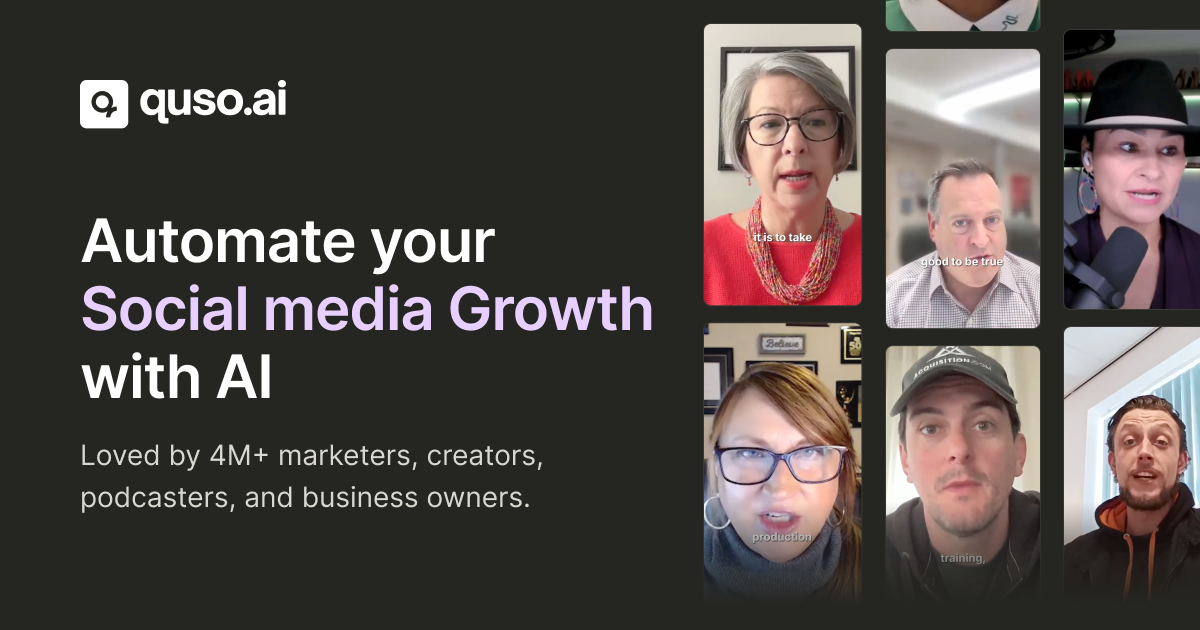
quso.ai is an all-in-one AI-powered social media suite, evolving from vidyo.ai. It boosts social growth with tools for creating viral clips from long videos, generating content from ideas, managing social media schedules and analytics, and creating videos with AI avatars. It's designed for creators, marketers, and businesses to streamline their content workflow, save time, and enhance their online presence across multiple platforms.

Why similar

quso.ai and VideoAIditor both cover Editing、Automation and jointly match video editing and similar needs, for users who want to prioritize comparing similar use cases.

Key differences

Differences between quso.ai and VideoAIditor mainly show in product experience, feature depth, and workflow design around video editing.

Discover quso.ai, the ultimate AI suite for social media growth. Edit videos, generate viral clips, create content with AI avatars, and manage all your social platforms from one place. Try it for free! quso.aiApplicable toAutomation.Marketing.Editingand other fields.

Rating
5.0
Saved on
Likes
Monthly Visits
397.9K

An all-in-one API hub for developers to integrate advanced AI video generation into their applications. It offers text-to-video, image-to-video, and extended video lengths up to 36 seconds, focusing on affordability, scalability, and ease of use with support for the latest models like RunwayML Gen-4.

Why similar

AI Video API and VideoAIditor both cover Automation and jointly match developer tools、video generation and similar needs, for users who want to prioritize comparing similar use cases.

Key differences

What sets AI Video API apart from VideoAIditor: Pricing model is Is Paid;Primary scenario leans toward Api.

Integrate powerful AI video generation into your applications with AI Video API. Get text-to-video, image-to-animation, and extended video lengths up to 36s. Affordable, scalable, and easy to use for developers. AI Video APIApplicable toApi.Automation.Video Generationand other fields.

Rating
5.0
Saved on
Likes
Monthly Visits
12.2K

VIDIO is an AI-powered video editing platform that automates and simplifies complex editing tasks. It offers tools for creating motion graphics from text, generating highlight reels, automatic subtitling, face blurring, and more, making professional video creation accessible to everyone.

Why similar

VIDIO and VideoAIditor both cover Editing、Automation and jointly match ai video and similar needs, for users who want to prioritize comparing similar use cases.

Key differences

Differences between VIDIO and VideoAIditor mainly show in product experience, feature depth, and workflow design around ai video.

Discover VIDIO, the AI-powered video editing platform that simplifies content creation. Generate motion graphics from text, create highlight reels, add subtitles, and more. Start for free! VIDIOApplicable toSocial Media.Automation.Editingand other fields.

Rating
5.0
Saved on
Likes
Monthly Visits
229.5K

ChatronAI is an all-in-one AI workspace designed to streamline creative and technical workflows. It integrates tools for long-form content creation, SEO optimization, AI image generation, simple video editing with auto-captions, and code assistance. This unified platform empowers creators, marketers, and developers to produce high-quality work more efficiently by consolidating multiple functionalities into a single, intuitive interface.

Why similar

ChatronAI and VideoAIditor both cover Editing and jointly match developer tools、video editing and similar needs, for users who want to prioritize comparing similar use cases.

Key differences

What sets ChatronAI apart from VideoAIditor: Pricing model is Unknown;Primary scenario leans toward All In One.

ChatronAIis an AI tool designed forMarketing Manager.Content Creator.Product Manager.Social Media Manager.Software Developer.Graphic Designer.E-commerce Manager.Blogger.SEO Specialist.Video EditorAI tool designed Discover ChatronAI, the ultimate all-in-one AI platform. Streamline your workflow with integrated tools for content creation, SEO, image generation, video editing, and code assistance. Join the waitlist! ChatronAIApplicable toDevelopment.Writing.All In One.Editingand other fields.

Rating
5.0
Saved on
Likes
Monthly Visits
2.4K

viesus is a cloud-based AI solution designed to automatically enhance and upscale images and PDFs. It uses advanced algorithms for face reconstruction, artifact removal, and intelligent color/contrast correction, making it ideal for print services, e-commerce, and developers via a powerful API.

Why similar

The core intersection of viesus and VideoAIditor lies in Api、Automation, making it a suitable direct replacement in similar scenarios.

Key differences

What sets viesus apart from VideoAIditor: Primary scenario leans toward 3D.

Enhance and upscale images and PDFs automatically with viesus. Our AI-powered cloud solution offers face reconstruction, artifact removal, and a powerful API for businesses and developers. Try for free. viesusApplicable to3D.Api.Automationand other fields.

Rating
5.0
Saved on
Likes
Monthly Visits
2.5K