Google Chrome Alternatives

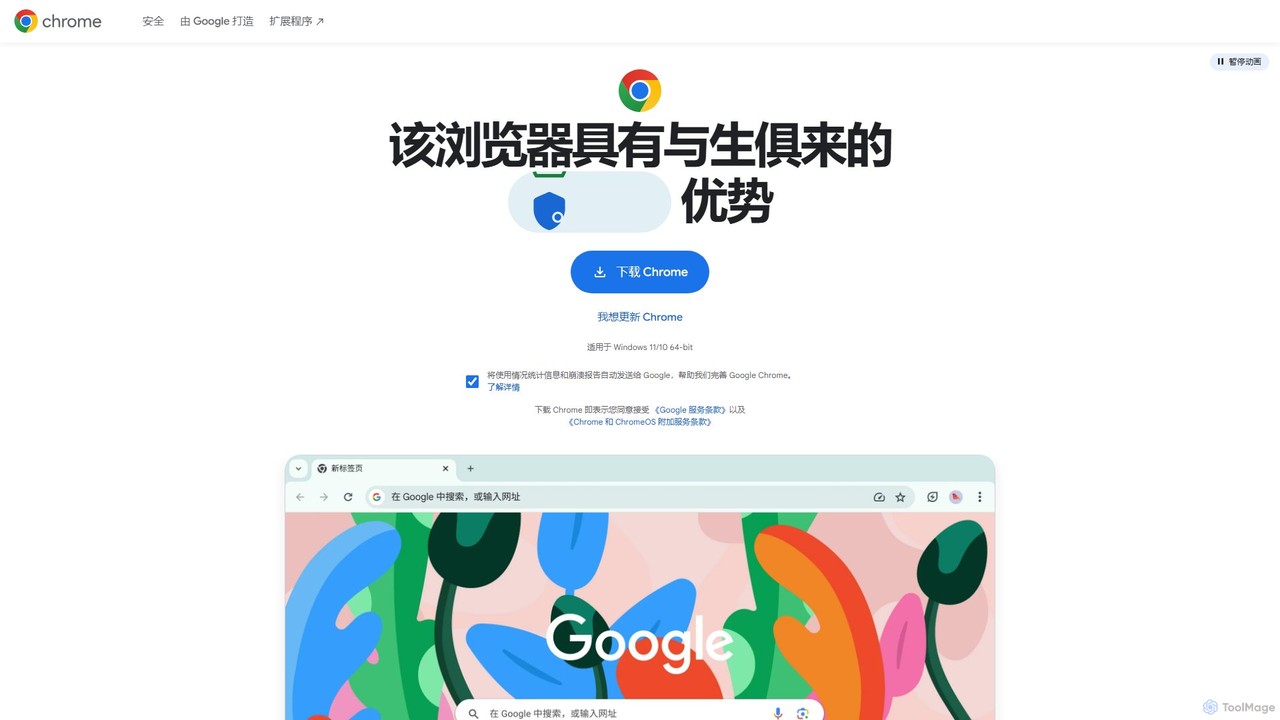
Download Google Chrome, the fast, secure, and easy-to-use web browser built by Google. Enjoy cross-device sync, a vast extension store, and new AI-powered features for a smarter browsing experience.

Google Chrome is a Free Browser AI Tool The recommendations below are sorted based on shared categories, tags, applicable professions, community interactions, and traffic signals to help you choose alternative tools based on real usage scenarios.

Rating
5
Saved on
Likes
Monthly Visits
50.8K

Google Chrome Alternative selection guide

Alternatives to Google Chrome should not only be considered within the same category; you also need to compare Browser、Web Development、Search、productivity, pricing models, product formats, access popularity, and user feedback. The current list prioritizes tools that share a clear category, tag, or applicable profession with Google Chrome, such as Opera、diabrowser、Ulaa Browser、Arc, and explains the similarities and key differences for each recommendation.

First, confirm the alternative scenario

Prioritize tools that match both Browser and key tags, avoiding recommendations based solely on belonging to the same broad category.

Then, compare delivery formats

Websites, apps, browser extensions, and freemium models directly impact trial barriers, team procurement, and long-term usage costs.

Finally, look at quality signals

Use traffic, bookmarks, likes, or comment data as supplementary judgment; tools lacking data are not directly excluded, but greater emphasis should be placed on functional fit explanations.

Quick decision

Select the most worthwhile alternatives to try first based on common purchasing and usage scenarios.

Best Overall Alternative
Opera
Comprehensive Match

Opera and Google Chrome both cover Browser and jointly match productivity、security、web browser and similar needs, for users who want to prioritize comparing similar use cases.

What sets Opera apart from Google Chrome: Pricing model is Freemium.

Match score: 12 Monthly Visits: 74.0M

Best Free Alternative
Arc
Free

Arc and Google Chrome both cover Browser and jointly match productivity、web browser and similar needs, for users who want to prioritize comparing similar use cases.

Differences between Arc and Google Chrome mainly show in product experience, feature depth, and workflow design around productivity.

Match score: 10 Monthly Visits: 777.2K
Best fit for productivity
diabrowser
productivity

diabrowser and Google Chrome both cover Browser and jointly match productivity、AI browser、web browser and similar needs, for users who want to prioritize comparing similar use cases.

What sets diabrowser apart from Google Chrome: Pricing model is Freemium.

Match score: 12 Monthly Visits: 614.7K
Best fit for developer tools
Webutility
developer tools

Webutility and Google Chrome both cover Web Development and jointly match developer tools and similar needs, for users who want to prioritize comparing similar use cases.

What sets Webutility apart from Google Chrome: Primary format is Website;Primary scenario leans toward Web Development.

Match score: 8 Monthly Visits: 205.7K
Best fit for security
Ulaa Browser
security

Ulaa Browser and Google Chrome both cover Browser and jointly match productivity、security、web browser and similar needs, for users who want to prioritize comparing similar use cases.

What sets Ulaa Browser apart from Google Chrome: Pricing model is Freemium.

Match score: 12 Monthly Visits: 125.2K

Google Chrome vs Top 5 alternatives

Compare pricing, form, reasons for matching, and key differences to reduce the cost of opening each page individually.

Tools Pricing Type Why similar Key differences
Opera
Match score: 12
Freemium App Opera and Google Chrome both cover Browser and jointly match productivity、security、web browser and similar needs, for users who want to prioritize comparing similar use cases. What sets Opera apart from Google Chrome: Pricing model is Freemium.
diabrowser
Match score: 12
Freemium App diabrowser and Google Chrome both cover Browser and jointly match productivity、AI browser、web browser and similar needs, for users who want to prioritize comparing similar use cases. What sets diabrowser apart from Google Chrome: Pricing model is Freemium.
Ulaa Browser
Match score: 12
Freemium App Ulaa Browser and Google Chrome both cover Browser and jointly match productivity、security、web browser and similar needs, for users who want to prioritize comparing similar use cases. What sets Ulaa Browser apart from Google Chrome: Pricing model is Freemium.
Arc
Match score: 10
Free App Arc and Google Chrome both cover Browser and jointly match productivity、web browser and similar needs, for users who want to prioritize comparing similar use cases. Differences between Arc and Google Chrome mainly show in product experience, feature depth, and workflow design around productivity.
Sigmabrowser
Match score: 10
Freemium App Sigmabrowser and Google Chrome both cover Browser and jointly match productivity、AI browser and similar needs, for users who want to prioritize comparing similar use cases. What sets Sigmabrowser apart from Google Chrome: Pricing model is Freemium.

Alternative FAQ

What are the most worthwhile alternatives to Google Chrome to look at first?

Opera、diabrowser、Ulaa Browser are the most recommended tools for priority comparison on this page. They share a clear category, tag, or applicable profession with Google Chrome, but may differ in price, format, and feature depth.

Why aren't these recommendations sorted solely by traffic?

Traffic only indicates attention, not scenario fit. The page sorting first requires candidate tools to have a category, tag, or professional overlap with Google Chrome, and then sorts based on traffic, interaction data, and result diversity.

Will a tool be affected in recommendations if it has no traffic or review data?

It will not be directly excluded. When traffic or reviews are lacking, the system relies more on Browser, tags, professional matches, and the tool's own information to avoid misinterpreting missing data as low quality.

Reset

Google Chrome the best 50 Alternatives

Sorted based on shared categories, tags, professional matching, and community quality signals.

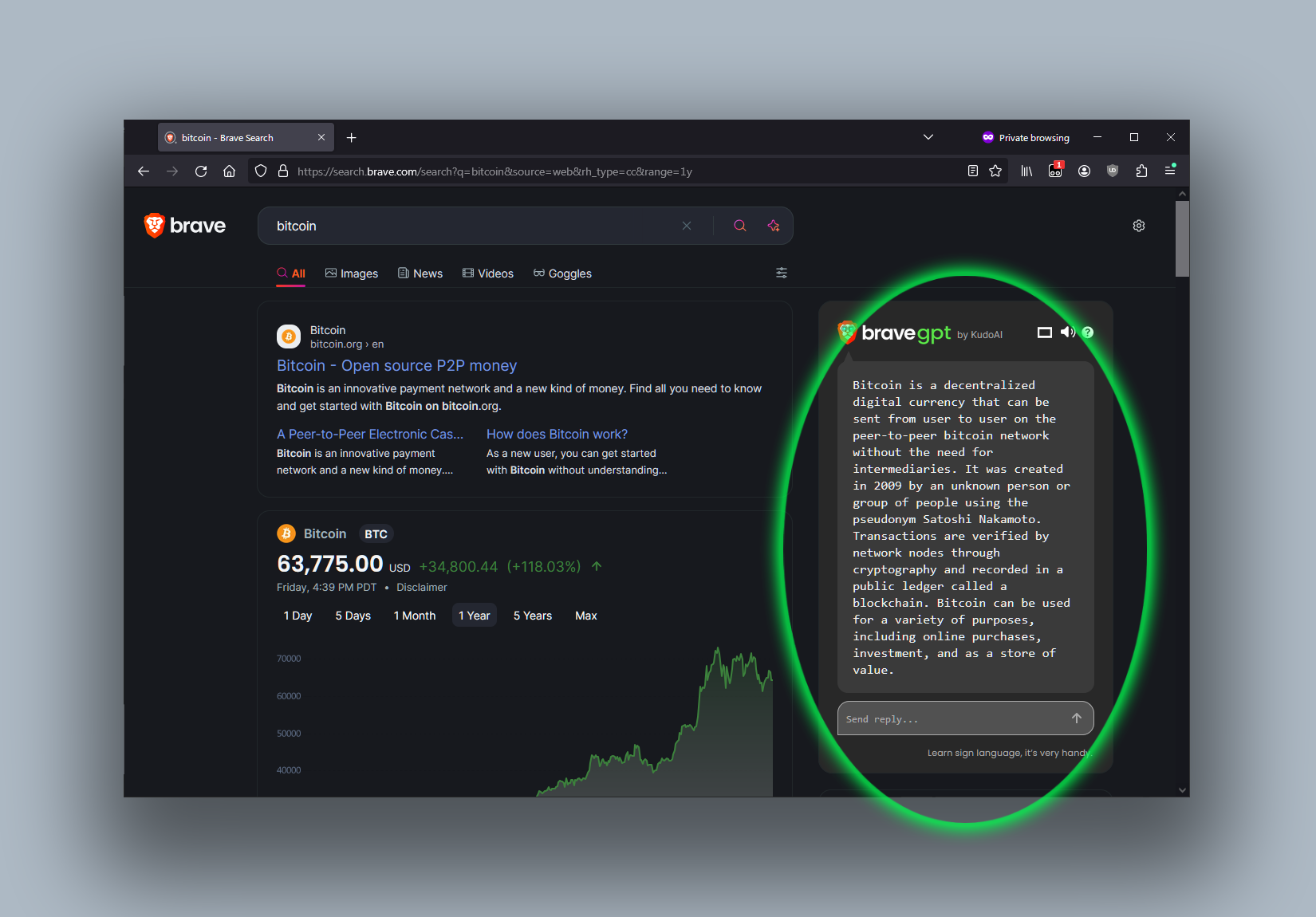
Opera is a smart, secure web browser with a native AI assistant, Aria. It offers innovative features like Tab Islands for organization, a free built-in VPN, and an ad blocker. Designed for speed and privacy, Opera provides a more productive and distraction-free browsing experience.

Why similar

Opera and Google Chrome both cover Browser and jointly match productivity、security、web browser and similar needs, for users who want to prioritize comparing similar use cases.

Key differences

What sets Opera apart from Google Chrome: Pricing model is Freemium.

Discover Opera, the smart web browser featuring the free Aria AI assistant, innovative Tab Islands for organization, a built-in VPN, and an ad blocker for a faster, safer, and more productive online experience. OperaApplicable toBrowser.Search Assistant.Privacyand other fields.

Rating
5.0
Saved on
Likes
Monthly Visits
74.0M

Dia is a revolutionary AI-powered browser for macOS that allows you to chat directly with your open tabs. It acts as a contextual assistant for writing, research, learning, and planning, synthesizing information across multiple pages to provide instant, relevant answers and content without constant copy-pasting.

Why similar

diabrowser and Google Chrome both cover Browser and jointly match productivity、AI browser、web browser and similar needs, for users who want to prioritize comparing similar use cases.

Key differences

What sets diabrowser apart from Google Chrome: Pricing model is Freemium.

Discover diabrowser, the revolutionary AI-powered browser for macOS. Chat with your open tabs to research, write, learn, and plan faster. Eliminate copy-pasting and get contextual answers instantly. diabrowserApplicable toLearning.Browser.Research.Writing Assistantand other fields.

Rating
5.0
Saved on
Likes
Monthly Visits
614.7K

Ulaa Browser, by Zoho, is a privacy-first, Chromium-based web browser designed for individuals and enterprises. It champions security with a built-in ad blocker, phishing protection, and unique browsing "Modes" to isolate work, personal, and other contexts. For businesses, Ulaa Enterprise offers advanced data loss prevention, centralized management, and AI-powered intelligence by Zia to create a secure and productive browsing environment.

Why similar

Ulaa Browser and Google Chrome both cover Browser and jointly match productivity、security、web browser and similar needs, for users who want to prioritize comparing similar use cases.

Key differences

What sets Ulaa Browser apart from Google Chrome: Pricing model is Freemium.

Ulaa Browseris an AI tool designed forMarketing Manager.Content Creator.Software Developer.Student.Sales Representative.HR Manager.Business Owner.IT Manager.Parent.Security AnalystAI tool designed Discover Ulaa, the Zoho browser built for privacy and productivity. Use unique Modes to separate work and personal life, block ads and trackers, and enhance security. Free for personal use, with a powerful Enterprise version. Ulaa BrowserApplicable toEnterprise Software.Browser.Privacyand other fields.

Rating
5.0
Saved on
Likes
Monthly Visits
125.2K

Arc is a revolutionary browser by The Browser Company, designed to be a smart, organized, and private alternative to Chrome. It integrates AI features to enhance productivity, offers unique organization tools like Spaces and Split View, and provides a seamless, ad-free experience across desktop and mobile.

Why similar

Arc and Google Chrome both cover Browser and jointly match productivity、web browser and similar needs, for users who want to prioritize comparing similar use cases.

Key differences

Differences between Arc and Google Chrome mainly show in product experience, feature depth, and workflow design around productivity.

Discover Arc, the intelligent browser with built-in AI, Spaces for organization, and a strong focus on privacy. A modern, free alternative to Chrome for Mac, Windows, and mobile. ArcApplicable toSearch Assistant.Browser.Weband other fields.

Rating
5.0
Saved on
Likes
Monthly Visits
777.2K

Sigmabrowser is an AI-first browser built on Chromium, designed to automate workflows and enhance productivity. It features an autonomous AI Agent to handle tasks, SigmaGPT for in-browser chat and content generation, and robust privacy protections. It integrates a suite of AI tools for research, writing, and more, transforming your web interaction into an intelligent, efficient experience.

Why similar

Sigmabrowser and Google Chrome both cover Browser and jointly match productivity、AI browser and similar needs, for users who want to prioritize comparing similar use cases.

Key differences

What sets Sigmabrowser apart from Google Chrome: Pricing model is Freemium.

Discover Sigmabrowser, the AI-first browser with an autonomous agent to automate research, writing, and tasks. Boost productivity with integrated AI tools. Download for free. SigmabrowserApplicable toWorkflow.Browser.Search Engine.Assistantand other fields.

Rating
5.0
Saved on
Likes
Monthly Visits
102.2K

Opera Neon is a next-generation agentic AI browser designed to understand user intent, automate complex tasks, and create digital content. It integrates AI chat, task automation, and creative generation into a single, seamless browsing experience, acting as a proactive digital assistant.

Why similar

Opera Neon and Google Chrome both cover Browser and jointly match productivity、AI browser and similar needs, for users who want to prioritize comparing similar use cases.

Key differences

What sets Opera Neon apart from Google Chrome: Pricing model is Is Paid.

Discover Opera Neon, the agentic AI browser that understands your intent. Automate web tasks, generate content, build apps, and chat with an integrated AI. Join the waitlist. Opera NeonApplicable toLow Code No Code.Automation.Browser.Writing Assistantand other fields.

Rating
5.0
Saved on
Likes
Monthly Visits
344.3K

WebUtility.io is a comprehensive suite of free online tools for web developers, content creators, and general users. It offers a vast collection of utilities, including code beautifiers and minifiers, data converters, various generators (passwords, dummy data, AI prompts), text formatters, and image tools. With a user-friendly interface and no registration required, it provides quick and efficient solutions for a wide range of daily digital tasks.

Why similar

Webutility and Google Chrome both cover Web Development and jointly match developer tools and similar needs, for users who want to prioritize comparing similar use cases.

Key differences

What sets Webutility apart from Google Chrome: Primary format is Website;Primary scenario leans toward Web Development.

Webutilityis an AI tool designed forContent Creator.Social Media Manager.Software Developer.Student.Data Analyst.Digital Marketer.Web Developer.UI/UX Designer.QA TesterAI tool designed Discover WebUtility.io, your one-stop destination for a massive collection of free online tools. Format code, convert data, generate passwords, create AI prompts, and much more. No sign-up required. WebutilityApplicable toPrompting.Web Development.Utilitiesand other fields.

Rating
5.0
Saved on
Likes
Monthly Visits
205.7K

Kahana is an AI-powered agentic browser designed to enhance productivity, organization, and security. It replaces the chaos of modern browsing with an intelligent, voice-controlled workspace. Automate workflows, organize ideas into focused hubs, and collaborate securely, all within a browser that acts as your personal productivity companion.

Why similar

Kahana and Google Chrome both cover Browser and jointly match productivity、AI browser and similar needs, for users who want to prioritize comparing similar use cases.

Key differences

What sets Kahana apart from Google Chrome: Pricing model is Unknown.

Discover Kahana, the agentic browser with integrated AI. Organize your workflow, automate tasks with voice commands, and browse securely. Join the waitlist today. KahanaApplicable toBrowser.Knowledge Management.Task Management.Privacyand other fields.

Rating
5.0
Saved on
Likes
Monthly Visits
15.7K

Deta Surf is an intelligent browser and notebook that organizes your web experience. It uses AI to help you collect, remember, and synthesize information, all while keeping your data private and local on your device. It's designed to reduce context switching and enhance your thinking and creativity.

Why similar

Deta Surf and Google Chrome both cover Browser and jointly match productivity、AI browser and similar needs, for users who want to prioritize comparing similar use cases.

Key differences

Differences between Deta Surf and Google Chrome mainly show in product experience, feature depth, and workflow design around productivity.

Discover Deta Surf, the intelligent AI browser that organizes your web content and notes. Features local data storage for privacy, a unified knowledge base, and flexible AI integration. Download for free. Deta SurfApplicable toBrowser.Knowledge Management.Assistantand other fields.

Rating
5.0
Saved on
Likes
Monthly Visits
21.7K

Cliptics offers a comprehensive suite of over 100 free AI tools for image editing, audio creation, content generation, and web development. It requires no signup and provides instant, professional-quality results. Ideal for content creators, marketers, e-commerce sellers, and developers, it aims to make powerful AI technology accessible to everyone, completely free of charge.

Why similar

Cliptics and Google Chrome both cover Web Development and jointly match developer tools and similar needs, for users who want to prioritize comparing similar use cases.

Key differences

What sets Cliptics apart from Google Chrome: Primary format is Website;Primary scenario leans toward All In One.

Discover Cliptics, a comprehensive suite of 100+ free AI tools. No signup required. Instantly remove backgrounds, generate AI art, create text-to-speech audio, get content ideas, and more. ClipticsApplicable toText To Speech.Web Development.Image Editing.All In One.Content Generationand other fields.

Rating
5.0
Saved on
Likes
Monthly Visits
29.9K

An AI-powered online tool for developers to instantly convert code between various formats, including JavaScript to TypeScript, JSON to TypeScript interfaces, CSS to JSON, and CSS to Tailwind CSS. It's free, fast, and requires no installation.

Why similar

js2ts and Google Chrome both cover Web Development and jointly match developer tools and similar needs, for users who want to prioritize comparing similar use cases.

Key differences

What sets js2ts apart from Google Chrome: Primary format is Website;Primary scenario leans toward Code Conversion.

Effortlessly convert JavaScript to TypeScript, JSON to interfaces, CSS to JSON or Tailwind with js2ts. A free, AI-powered online tool for developers to save time and improve code quality. js2tsApplicable toCode Conversion.Web Development.Automationand other fields.

Rating
5.0
Saved on
Likes
Monthly Visits
13.0K

EasyCode is an agentic IDE specifically designed for building web applications with Next.js and Supabase, aiming to accelerate development by 10x. It features superior context management, visual debugging, and native Supabase integration to streamline the entire coding process, from prompting to deployment.

Why similar

EasyCode and Google Chrome both cover Web Development and jointly match developer tools and similar needs, for users who want to prioritize comparing similar use cases.

Key differences

What sets EasyCode apart from Google Chrome: Pricing model is Freemium;Primary scenario leans toward Ide.

Discover EasyCode, the specialized AI-powered IDE that revolutionizes web app development. Build, debug, and deploy Next.js and Supabase applications 10x faster with agentic workflows, visual debugging, and superior context management. EasyCodeApplicable toWeb Development.Ide.Code Assistantand other fields.

Rating
5.0
Saved on
Likes
Monthly Visits
19.5K

CodeAI is a privacy-first, AI-powered development platform designed to help developers build better code faster. It offers AI-assisted coding, automated commit generation, one-click deployment, and seamless integration with GitHub and VSCode, all while ensuring your code never leaves your machine.

Why similar

CodeAI and Google Chrome both cover Web Development and jointly match security and similar needs, for users who want to prioritize comparing similar use cases.

Key differences

What sets CodeAI apart from Google Chrome: Pricing model is Freemium;Primary format is Website;Primary scenario leans toward Code Assistant.

Boost your productivity with CodeAI, the privacy-first AI development platform. Get AI-powered code assistance, automated commits, one-click deployment, and seamless GitHub/VSCode integration. Free plan available. CodeAIApplicable toCode Assistant.Web Development.Automationand other fields.

Rating
5.0
Saved on
Likes
Monthly Visits
15.5K

Altsnap is an AI-powered tool that automatically generates accurate, WCAG-compliant alt text for website images. It improves accessibility and SEO with a simple JavaScript snippet, offering features like a client dashboard, performance caching, and evaluation of existing alt text.

Why similar

Altsnap and Google Chrome both cover Web Development and jointly match developer tools and similar needs, for users who want to prioritize comparing similar use cases.

Key differences

What sets Altsnap apart from Google Chrome: Pricing model is Freemium;Primary format is Website;Primary scenario leans toward Image Seo.

Altsnapis an AI tool designed forE-commerce Manager.Digital Marketer.SEO Specialist.Web Developer.UI/UX Designer.Website Administrator.Content ManagerAI tool designed Instantly generate accurate, WCAG-compliant alt text for your images with Altsnap. Improve website accessibility and SEO effortlessly with a lightweight JS snippet. AltsnapApplicable toWeb Development.Accessibility.Image Seo.Website Builderand other fields.

Rating
5.0
Saved on
Likes
Monthly Visits
2.6K

Opera is an innovative, multi-platform web browser supercharged with Aria, a native AI assistant. It offers a faster, safer, and smarter browsing experience with a free built-in VPN, ad blocker, and specialized versions like Opera GX for gamers. Aria provides real-time web information, image generation, and advanced productivity features, all integrated seamlessly.

Why similar

Opera and Google Chrome both cover Browser and jointly match productivity and similar needs, for users who want to prioritize comparing similar use cases.

Key differences

What sets Opera apart from Google Chrome: Pricing model is Freemium.

Discover Opera, the AI-powered browser with the free Aria assistant, built-in VPN, and ad blocker. Experience faster, safer browsing and specialized features for gamers with Opera GX. OperaApplicable toAssistant.Image Generator.Browser.Searchand other fields.

Rating
5.0
Saved on
Likes
Monthly Visits
253.9K

Fenvox is a versatile suite of applications designed for business, creativity, and personal productivity. It offers a range of tools, from team activity analytics and text-to-speech readers to creative generators for artists and handy toolkits for developers. Each app is crafted to solve specific problems and enhance workflows across different domains.

Why similar

Fenvox and Google Chrome both cover Web Development and jointly match developer tools and similar needs, for users who want to prioritize comparing similar use cases.

Key differences

What sets Fenvox apart from Google Chrome: Pricing model is Freemium;Primary format is Website;Primary scenario leans toward Team Management.

Discover Fenvox, a suite of powerful apps for team analytics (Anylytix), creative generation (Silugen, Paletto), text-to-speech (Readvox), and developer tools. Boost productivity and creativity. FenvoxApplicable toWeb Development.Team Management.Text To Speechand other fields.

Rating
5.0
Saved on
Likes
Monthly Visits
2.4K

Spline is a collaborative, web-based 3D design tool that simplifies the creation of interactive 3D experiences. It features real-time collaboration, animation, physics, and an optional AI add-on for generating 3D models and textures, making 3D design accessible to everyone from designers to developers.

Why similar

The core intersection of Spline and Google Chrome lies in Web Development, making it a suitable direct replacement in similar scenarios.

Key differences

What sets Spline apart from Google Chrome: Pricing model is Freemium;Primary format is Website;Primary scenario leans toward 3D.

Splineis an AI tool designed forMarketing Manager.Content Creator.Graphic Designer.Game Developer.Web Developer.UI/UX Designer.Product Designer.AR/VR DeveloperAI tool designed Create stunning interactive 3D experiences directly in your browser with Spline. Real-time collaboration, animation, physics, and AI-powered generation. Export for web, apps, and visionOS. SplineApplicable to3D.Animation.Web Development.Brandingand other fields.

Rating
5.0
Saved on
Likes
Monthly Visits
803.5K

Peksy is a free Chrome extension for developers. It lets you select any web element and instantly copy its context—including HTML, CSS, and component info—in a Markdown format optimized for AI coding assistants like ChatGPT, Claude, and Cursor.

Why similar

Peksy and Google Chrome both cover Web Development and jointly match developer tools and similar needs, for users who want to prioritize comparing similar use cases.

Key differences

What sets Peksy apart from Google Chrome: Primary format is Browser Extension;Primary scenario leans toward Web Development.

Peksyis an AI tool designed forSoftware Developer.Web Developer.UI/UX Designer.QA Engineer.Front-end DeveloperAI tool designed Boost your AI coding workflow with Peksy, a free Chrome extension. Instantly grab HTML, CSS, and component context from any web element for ChatGPT, Claude, and Cursor. PeksyApplicable toChrome Extensions.Web Development.Workflow Automationand other fields.

Rating
5.0
Saved on
Likes
Monthly Visits
2.4K

An online tool to anonymously view the most recent followers and followings of any public Instagram account. It requires no login, providing instant results to help users track connections, reduce anxiety, and gain insights into social media activity without the target user ever knowing.

Why similar

The core intersection of recentlyfollowed and Google Chrome lies in Search, making it a suitable direct replacement in similar scenarios.

Key differences

What sets recentlyfollowed apart from Google Chrome: Pricing model is Freemium;Primary format is Website;Primary scenario leans toward Instagram Tools.

Instantly and anonymously track who someone recently followed on Instagram. No login required. Use recentlyfollowed to view recent followers and followings in seconds for peace of mind. recentlyfollowedApplicable toMonitoring.Instagram Tools.Searchand other fields.

Rating
5.0
Saved on
Likes
Monthly Visits
168.9K

Keep It Shot is a macOS application that uses AI to intelligently rename your screenshots and other files. It automatically creates descriptive names and builds a private, offline, and fast search index, transforming your messy file collection into an organized and searchable second brain.

Why similar

Keep It Shot and Google Chrome both cover Search and jointly match productivity and similar needs, for users who want to prioritize comparing similar use cases.

Key differences

What sets Keep It Shot apart from Google Chrome: Pricing model is Freemium;Primary scenario leans toward File Management.

Tired of 'Screenshot.png'? Keep It Shot is a Mac app that uses AI to automatically rename your screenshots and files, creating a private, searchable offline index. Boost your productivity and organize your digital life. Keep It ShotApplicable toAutomation.File Management.Searchand other fields.

Rating
5.0
Saved on
Likes
Monthly Visits
3.6K

Raycast is a blazingly fast, extendable launcher for macOS that supercharges your productivity. It replaces Spotlight with a powerful command-line interface to control your tools, search files, run scripts, and automate tasks. With an integrated AI assistant, a vast store of community-built extensions, and features like Clipboard History, Snippets, and Window Management, Raycast centralizes your workflow, saving you time and context-switching.

Why similar

Raycast and Google Chrome share tags such as productivity、developer tools、extensions, so they are better compared from specific feature needs than from broad categories alone.

Key differences

What sets Raycast apart from Google Chrome: Pricing model is Freemium;Primary scenario leans toward Launcher.

Supercharge your workflow with Raycast, the extendable launcher for Mac. Integrate AI, manage windows, use snippets, and connect your favorite tools. Free for personal use. RaycastApplicable toWorkflow Automation.Launcher.Utilitiesand other fields.

Rating
5.0
Saved on
Likes
Monthly Visits
849.5K

Quetta is a private mobile browser featuring a powerful AI-powered ad blocker, full extension support, and advanced privacy protection. It offers a fast, clean, and secure browsing experience with unique utilities like a video downloader, offline playlist, and magazine-style reader mode, all within a minimalist, user-friendly interface.

Why similar

Quetta and Google Chrome both cover Browser and jointly match AI browser and similar needs, for users who want to prioritize comparing similar use cases.

Key differences

Differences between Quetta and Google Chrome mainly show in product experience, feature depth, and workflow design around AI browser.

Quettais an AI tool designed forMarketing Manager.Content Creator.Social Media Manager.Software Developer.Student.Researcher.Journalist.IT Professional.Privacy Advocate.General UserAI tool designed Discover Quetta, the ultimate private browser for mobile. Experience blazing-fast, ad-free browsing with an AI-powered ad blocker, full support for Chrome extensions, and unparalleled privacy features. Download videos, create offline playlists, and enjoy a secure web experience. Free for Android. QuettaApplicable toBrowser.Privacy.Ad Blockerand other fields.

Rating
5.0
Saved on
Likes
Monthly Visits
101.9K

WhatFontIs is an AI-powered font finder that helps you identify any font from an image. Simply upload a picture or provide a URL, and its advanced recognition technology will search a database of over 990,000 fonts to find the exact match or similar alternatives. It's an essential tool for designers, developers, and marketers to quickly find and use the perfect font for their projects, supporting both free and commercial options.

Why similar

The core intersection of WhatFontIs and Google Chrome lies in Web Development, making it a suitable direct replacement in similar scenarios.

Key differences

What sets WhatFontIs apart from Google Chrome: Pricing model is Freemium;Primary format is Website;Primary scenario leans toward Font.

Instantly identify fonts from any image with WhatFontIs. Our AI font finder searches over 990,000+ commercial and free fonts. Perfect for designers and developers. WhatFontIsApplicable toFont.Web Development.Utilitiesand other fields.

Rating
5.0
Saved on
Likes
Monthly Visits
2.0M

SigmaOS is a revolutionary AI-powered web browser designed for work and productivity on macOS. It reimagines the browsing experience with features like workspaces for organization, vertical tabs managed as tasks, and an integrated AI assistant named Airis. It combines the speed and security of Safari's WebKit engine with the versatility of Chrome extensions, creating a focused, efficient, and intelligent environment for students, founders, and creatives.

Why similar

SigmaOS and Google Chrome both cover Browser and jointly match productivity and similar needs, for users who want to prioritize comparing similar use cases.

Key differences

What sets SigmaOS apart from Google Chrome: Pricing model is Freemium.

Discover SigmaOS, the revolutionary AI browser for macOS. Organize your work with workspaces, manage tabs like tasks, and get instant answers with the Airis AI assistant. Boost your productivity today. SigmaOSApplicable toSearch.Workflow.Browserand other fields.

Rating
5.0
Saved on
Likes
Monthly Visits
109.2K

ChatGPT EVO is a powerful suite of open-source browser extensions and userscripts designed to augment your web experience. It seamlessly integrates AI functionalities from models like ChatGPT into your daily browsing, including search engines, e-commerce sites, and the browser's address bar, boosting productivity and providing instant information.

Why similar

ChatGPT EVO and Google Chrome share tags such as productivity、developer tools、google, so they are better compared from specific feature needs than from broad categories alone.

Key differences

What sets ChatGPT EVO apart from Google Chrome: Primary format is Browser Extension;Primary scenario leans toward Browser Extensions.

Discover ChatGPT EVO, a powerful collection of free AI browser extensions. Integrate ChatGPT and other LLMs into Google, Amazon, and your address bar for enhanced search, productivity, and a smarter browsing experience. ChatGPT EVOApplicable toCode Assistant.Browser Extensions.Search Assistant.Review Summarizerand other fields.

Rating
5.0
Saved on
Likes
Monthly Visits
51.4K

eyeballer offers U-Eyes, a powerful and free Chrome extension for mobile device simulation. It enables developers and designers to test website responsiveness, create high-quality mockups, capture screenshots, and record screencasts directly in the browser, supporting a wide range of popular devices.

Why similar

The core intersection of eyeballer and Google Chrome lies in Web Development, making it a suitable direct replacement in similar scenarios.

Key differences

What sets eyeballer apart from Google Chrome: Primary format is Browser Extension;Primary scenario leans toward Web Development.

Test your website's responsiveness on any mobile device with eyeballer's U-Eyes Chrome extension. A free, powerful simulator for developers and designers to capture screenshots, record screencasts, and create high-quality mockups directly in your browser. eyeballerApplicable toMockup.Web Development.Browser Extensionsand other fields.

Rating
5.0
Saved on
Likes
Monthly Visits
18.6K

The official marketplace for Microsoft Edge extensions, offering a vast library of add-ons to enhance productivity, security, and personalization. Discover AI-powered tools, ad-blockers, password managers, and more to customize your browsing experience.

Why similar

Microsoft Edge Add-ons and Google Chrome share tags such as productivity、developer tools、security, so they are better compared from specific feature needs than from broad categories alone.

Key differences

What sets Microsoft Edge Add-ons apart from Google Chrome: Pricing model is Freemium;Primary format is Website;Primary scenario leans toward Extension Store.

Explore the official Microsoft Edge Add-ons store. Find thousands of secure extensions, including AI assistants, ad-blockers, and productivity tools to customize your browser. Microsoft Edge Add-onsApplicable toExtension Store.Browser Enhancement.App Marketplaceand other fields.

Rating
5.0
Saved on
Likes
Monthly Visits
51.6K

FaviCraft is a free, all-in-one online tool for creating, converting, and checking website favicons. It features an intuitive drag-and-drop editor for designing custom icons, a powerful converter to turn logos into multi-format favicons, and a comprehensive checker to ensure proper implementation. No registration is required, making it perfect for developers, designers, and content creators seeking to enhance their website's brand identity instantly.

Why similar

The core intersection of FaviCraft and Google Chrome lies in Web Development, making it a suitable direct replacement in similar scenarios.

Key differences

What sets FaviCraft apart from Google Chrome: Primary format is Website;Primary scenario leans toward Logo Generation.

FaviCraftis an AI tool designed forMarketing Manager.Content Creator.Product Manager.Software Developer.Graphic Designer.Small Business Owner.Blogger.Web Developer.UI/UX DesignerAI tool designed Easily create, convert, and check professional favicons for your website with FaviCraft. Our free online tool offers a drag-and-drop editor, logo conversion, and a setup checker. No registration required. FaviCraftApplicable toLogo Generation.Web Development.Asset Managementand other fields.

Rating
5.0
Saved on
Likes
Monthly Visits
12.8K

Mailto Live is an AI-powered tool that transforms standard `mailto:` email links into dynamic, trackable, and secure communication channels. It provides real-time analytics on link clicks, protects email addresses from spam bots, and allows for dynamic pre-filling of email content, helping businesses optimize their email contact points and improve user engagement.

Why similar

The core intersection of Mailto Live and Google Chrome lies in Web Development, making it a suitable direct replacement in similar scenarios.

Key differences

What sets Mailto Live apart from Google Chrome: Pricing model is Is Paid;Primary format is Website;Primary scenario leans toward Email Marketing.

Transform your static mailto: links into powerful marketing tools. Mailto Live offers AI-powered click tracking, spam protection, and dynamic content for your email links. Boost engagement and secure your inbox. Mailto LiveApplicable toWeb Development.Email Marketing.Automation.Lead Generationand other fields.

Rating
5.0
Saved on
Likes
Monthly Visits
2.3K

Crit Design is an AI-powered browser extension that supercharges your design and analysis workflow. Capture any webpage or upload an image to get instant feedback, SEO suggestions, competitor analysis, UX insights, and more. Powered by advanced vision models like GPT-4V, it's the ultimate co-pilot for designers, marketers, and developers.

Why similar

The core intersection of Crit Design and Google Chrome lies in Web Development, making it a suitable direct replacement in similar scenarios.

Key differences

What sets Crit Design apart from Google Chrome: Pricing model is Freemium;Primary format is Browser Extension;Primary scenario leans toward Ux.

Instantly analyze any webpage or design with Crit Design. Get AI-powered feedback, SEO improvements, UX insights, and competitor analysis with a simple screenshot. Supercharge your workflow. Crit DesignApplicable toUx.Web Development.Seo.Browser Extensionand other fields.

Rating
5.0
Saved on
Likes
Monthly Visits
2.4K

A reliable Chrome browser extension for capturing flawless full-page screenshots. It intelligently handles complex, modern websites with dynamic content, infinite scrolling, and sticky elements. Features include precise element selection, cloud storage, and multiple export formats.

Why similar

The core intersection of Full Page Screenshot and Google Chrome lies in Web Development, making it a suitable direct replacement in similar scenarios.

Key differences

What sets Full Page Screenshot apart from Google Chrome: Pricing model is Freemium;Primary format is Browser Extension;Primary scenario leans toward Screenshot Tool.

Full Page Screenshotis an AI tool designed forContent Creator.Product Manager.Software Developer.Student.Digital Marketer.Market Researcher.Web Designer.Quality Assurance Engineer.UI DesignerAI tool designed Capture flawless, full-page screenshots of any website with Full Page Screenshot. The best Chrome extension for handling dynamic content, sticky headers, and more. Full Page ScreenshotApplicable toWeb Design.Web Development.Screenshot Tooland other fields.

Rating
5.0
Saved on
Likes
Monthly Visits
2.4K

MyColorHub is an AI-powered gradient generator that effortlessly creates beautiful, unique color gradients from simple text prompts. Describe a mood, a scene, or a color combination, and the AI will generate stunning linear, radial, or angular gradients. It's an intuitive tool for designers, developers, and content creators to quickly find inspiration and generate custom color schemes for their projects.

Why similar

The core intersection of MyColorHub and Google Chrome lies in Web Development, making it a suitable direct replacement in similar scenarios.

Key differences

What sets MyColorHub apart from Google Chrome: Primary format is Website;Primary scenario leans toward Graphics.

MyColorHubis an AI tool designed forMarketing Manager.Content Creator.Social Media Manager.Graphic Designer.Digital Artist.Web Developer.UI/UX Designer.App DeveloperAI tool designed MyColorHub is a free AI-powered gradient generator. Create stunning linear, radial, and angular gradients from text prompts for your design and web projects. MyColorHubApplicable toGraphics.Web Development.Color Paletteand other fields.

Rating
5.0
Saved on
Likes
Monthly Visits
8.9K

Browser MCP connects AI applications like Claude or Cursor directly to your web browser. This enables you to automate repetitive tasks, conduct end-to-end software testing, and scrape web data using AI commands. It operates locally for maximum speed and privacy, leveraging your existing browser sessions to bypass logins and avoid bot detection.

Why similar

Browser MCP and Google Chrome share tags such as productivity、developer tools, so they are better compared from specific feature needs than from broad categories alone.

Key differences

What sets Browser MCP apart from Google Chrome: Primary format is Browser Extension;Primary scenario leans toward Automation.

Connect AI applications like Claude and Cursor to your browser with Browser MCP. Automate repetitive tasks, perform end-to-end testing, and scrape data with speed, privacy, and stealth. Works locally on your machine. Browser MCPApplicable toWeb Scraping.Testing.Automationand other fields.

Rating
5.0
Saved on
Likes
Monthly Visits
118.8K

Emojiu is a comprehensive emoji resource hub offering a powerful search engine, categorized browsing, and unique tools like an emoji remover and random generator. It allows users to quickly find, copy, and paste emojis for any digital communication need, supporting various platform styles like Apple, Google, and Twitter.

Why similar

The core intersection of Emojiu and Google Chrome lies in Search, making it a suitable direct replacement in similar scenarios.

Key differences

What sets Emojiu apart from Google Chrome: Primary format is Website;Primary scenario leans toward Search.

Emojiuis an AI tool designed forMarketing Manager.Content Creator.Social Media Manager.Student.Customer Support.Blogger.Writer.Community ManagerAI tool designed Effortlessly find, copy, and paste any emoji with Emojiu. Use our powerful search, browse categories, and access free tools like the emoji remover and generator. EmojiuApplicable toWriting.Content Creation.Searchand other fields.

Rating
5.0
Saved on
Likes
Monthly Visits
3.7K

Airlight is a lightweight "superbrowser" for macOS that provides instant access to web apps like ChatGPT, Perplexity, and Claude via a Spotlight-like interface. Activated by a simple shortcut (option + space), it overlays on any screen, eliminating the need for constant tab switching and boosting productivity for developers, writers, and researchers.

Why similar

Airlight and Google Chrome both cover Browser and jointly match productivity and similar needs, for users who want to prioritize comparing similar use cases.

Key differences

What sets Airlight apart from Google Chrome: Pricing model is Is Paid.

Boost your productivity with Airlight, the macOS app that gives you instant, Spotlight-like access to ChatGPT, Perplexity, and other webapps. Try it free! AirlightApplicable toChat.Workflow.Browser.Launcherand other fields.

Rating
5.0
Saved on
Likes
Monthly Visits
2.3K

Web and Cow is a French web agency specializing in custom web applications and data solutions. They leverage generative AI to enhance business processes, data analysis, and user experiences across sectors like HR, agriculture, and education, offering bespoke digital transformation services.

Why similar

The core intersection of Web and Cow and Google Chrome lies in Web Development, making it a suitable direct replacement in similar scenarios.

Key differences

What sets Web and Cow apart from Google Chrome: Pricing model is Is Paid;Primary format is Website;Primary scenario leans toward Consulting.

Web and Cow is a web agency specializing in custom web applications and AI integration. We build bespoke solutions for data analysis, business automation, and more. Web and CowApplicable toConsulting.Web Development.Automationand other fields.

Rating
5.0
Saved on
Likes
Monthly Visits
2.9K

The official open-source hub for Google on GitHub. It hosts a vast collection of over 2,700 public repositories, including libraries, developer tools, frameworks, and style guides. A critical resource for developers working with Java, C++, Python, Android, web technologies, and more, offering production-tested code and fostering community collaboration.

Why similar

Google · GitHub and Google Chrome share tags such as developer tools、google, so they are better compared from specific feature needs than from broad categories alone.

Key differences

What sets Google · GitHub apart from Google Chrome: Primary format is Website;Primary scenario leans toward Code Libraries.

Explore Google's official GitHub organization. Access a vast collection of open-source projects, libraries, developer tools, and style guides for Java, C++, Python, Android, and more. Start building with Google's production-tested code. Google · GitHubApplicable toCode Libraries.Developer Tools.Resource Huband other fields.

Rating
5.0
Saved on
Likes
Monthly Visits
464.8K

A curated online gallery showcasing thousands of creative and innovative experiments built with Google technologies since 2009. It serves as an inspiration hub for developers, designers, and creators, exploring the intersection of technology, art, and culture through AI, AR, WebXR, and more.

Why similar

Experiments with Google and Google Chrome share tags such as developer tools、google, so they are better compared from specific feature needs than from broad categories alone.

Key differences

What sets Experiments with Google apart from Google Chrome: Primary format is Website;Primary scenario leans toward Technology.

Experiments with Googleis an AI tool designed forContent Creator.Product Manager.Software Developer.Student.Graphic Designer.Researcher.Educator.UI/UX Designer.Artist.Technology EnthusiastAI tool designed Explore a vast collection of creative experiments in AI, AR, WebXR, and more with Experiments with Google. A free platform for inspiration, learning, and discovering the future of technology. Experiments with GoogleApplicable toGenerative Art.Showcase.Technology.Inspirationand other fields.

Rating
5.0
Saved on
Likes
Monthly Visits
456.1K

Warp is an AI-powered, Rust-based terminal reimagined as an Agentic Development Environment (ADE). It enables developers to use natural language to command AI agents for coding, debugging, and deployment. Warp combines a blazingly fast terminal with multi-threaded agent management, allowing you to build, test, and ship software faster by running multiple development tasks in parallel.

Why similar

Warp and Google Chrome share tags such as productivity、developer tools, so they are better compared from specific feature needs than from broad categories alone.

Key differences

What sets Warp apart from Google Chrome: Pricing model is Freemium;Primary scenario leans toward Terminal.

Experience the future of software development with Warp, the agentic terminal. Use AI agents to code, debug, and deploy faster. Boost your productivity with a modern, Rust-based terminal for Mac, Windows, and Linux. WarpApplicable toDevelopment.Terminal.Code Assistantand other fields.

Rating
5.0
Saved on
Likes
Monthly Visits
1.4M

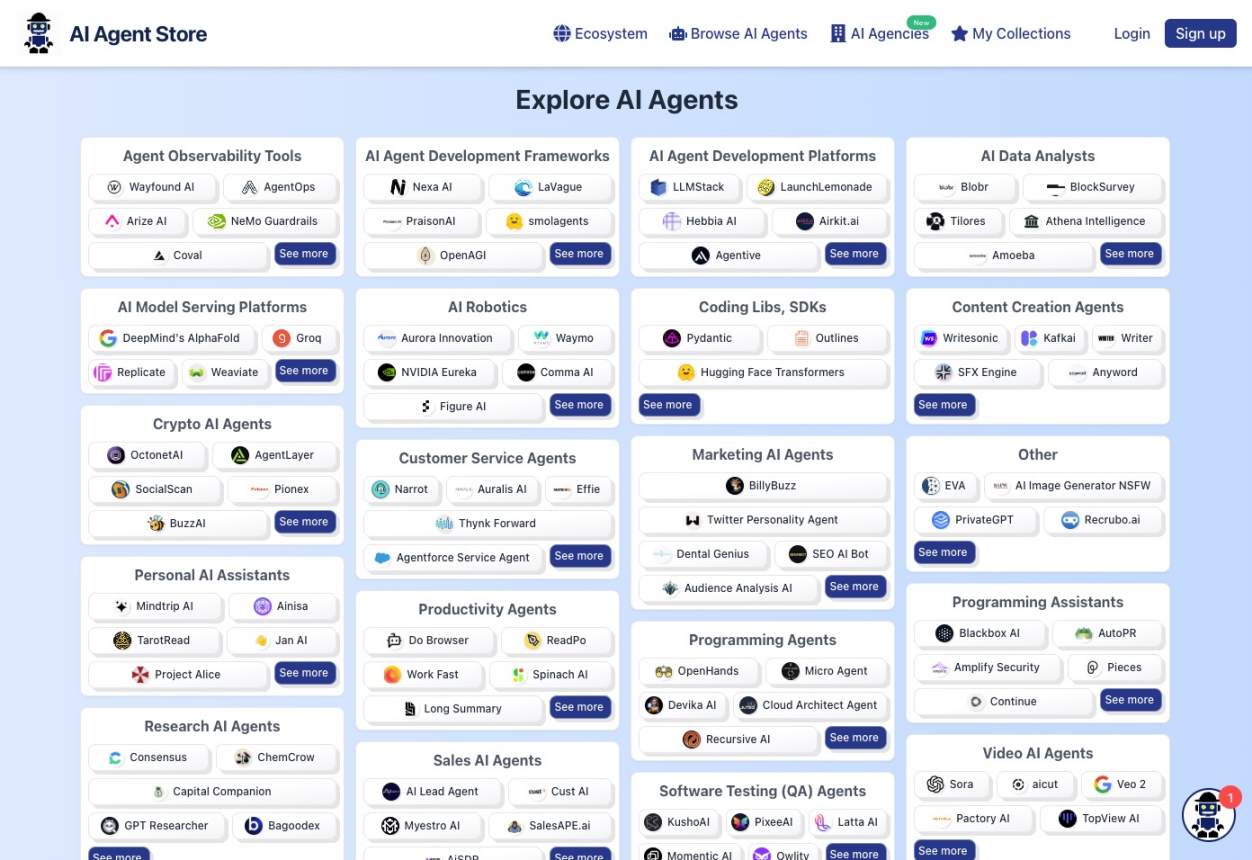
AI Agent Store is a comprehensive marketplace and directory for discovering, comparing, and acquiring AI agents. It serves as a central hub for users to find specialized autonomous agents for various tasks, from business automation and marketing to personal productivity and software development. The platform also features a list of AI automation agencies.

Why similar

AI Agent Store and Google Chrome share tags such as productivity、developer tools, so they are better compared from specific feature needs than from broad categories alone.

Key differences

What sets AI Agent Store apart from Google Chrome: Primary format is Website;Primary scenario leans toward Ai Tools.

Discover, compare, and find the best AI agents for any task. AI Agent Store is a comprehensive directory and marketplace for automation tools, developer frameworks, and AI agencies. AI Agent StoreApplicable toAi Tools.Automation.Marketplaceand other fields.

Rating
5.0
Saved on
Likes
Monthly Visits
296.5K

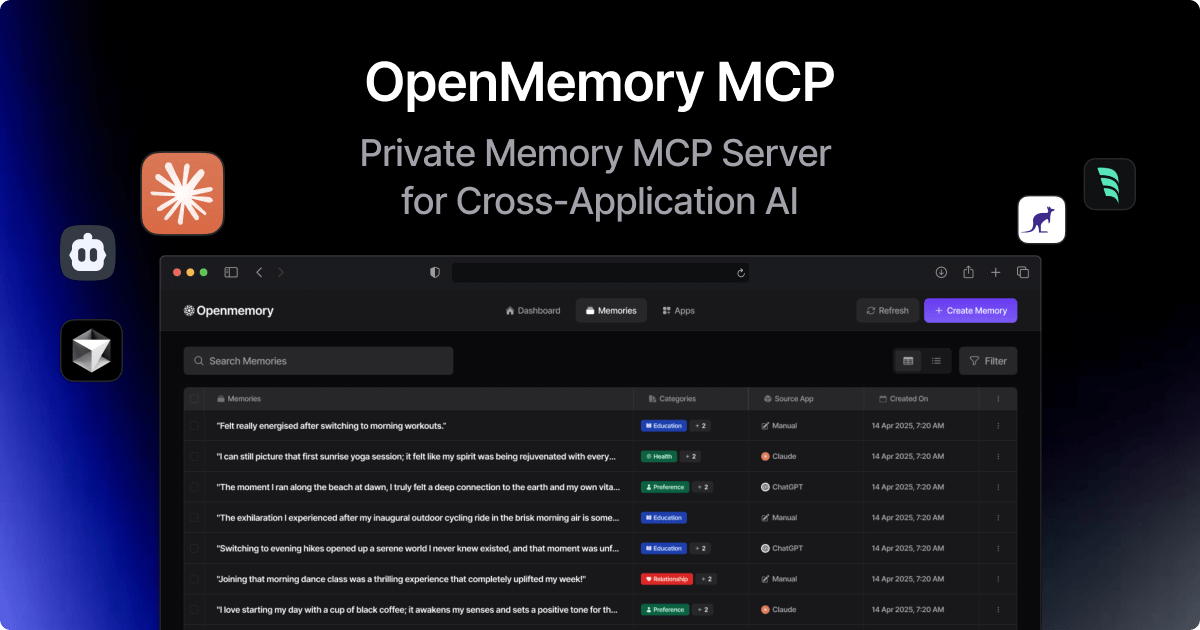
OpenMemory MCP is a local-first application that provides a persistent, private memory for your AI tools. It stores, organizes, and manages your interactions, preferences, and context securely on your device, enabling personalized and continuous conversations across different AI platforms like Claude and Cursor.

Why similar

OpenMemory MCP and Google Chrome share tags such as productivity、developer tools, so they are better compared from specific feature needs than from broad categories alone.

Key differences

What sets OpenMemory MCP apart from Google Chrome: Pricing model is Freemium;Primary scenario leans toward Knowledge Management.

Discover OpenMemory MCP, a local-first app that provides a secure memory for your AI tools. Personalize interactions, maintain context across apps, and keep your data private. OpenMemory MCPApplicable toCoding Assistant.Data Control.Knowledge Managementand other fields.

Rating
5.0
Saved on
Likes
Monthly Visits
341.8K

PricePerToken is an essential AI tool offering real-time LLM API pricing comparisons for over 300 models. It helps developers, researchers, and businesses compare token costs, analyze performance benchmarks, and optimize their AI spending across major providers like OpenAI, Anthropic, Google, and Mistral.

Why similar

PricePerToken and Google Chrome share tags such as developer tools、google, so they are better compared from specific feature needs than from broad categories alone.

Key differences

What sets PricePerToken apart from Google Chrome: Pricing model is Unknown;Primary format is Website;Primary scenario leans toward Api Management.

PricePerTokenis an AI tool designed forContent Creator.Product Manager.Software Developer.Researcher.Project Manager.Business Analyst.Data Scientist.Financial Analyst.AI Engineer.CTOAI tool designed PricePerToken offers real-time LLM API pricing comparisons for 300+ models. Calculate token costs, analyze performance benchmarks, and optimize your AI spending. PricePerTokenApplicable toLlm Pricing.Model Comparison.Cost Optimization.Api Managementand other fields.

Rating
5.0
Saved on
Likes
Monthly Visits
187.4K

commontools.org is a comprehensive suite of over 100 free online tools designed for a wide range of tasks. It offers utilities for text manipulation, code formatting, unit conversion, image editing, random data generation, and AI-powered content enhancement. No registration or installation is required, providing instant access to powerful, user-friendly tools for developers, writers, students, and everyday users.

Why similar

commontools and Google Chrome share tags such as productivity、developer tools, so they are better compared from specific feature needs than from broad categories alone.

Key differences

What sets commontools apart from Google Chrome: Primary format is Website;Primary scenario leans toward Utilities.

Explore commontools.org, a massive collection of free online tools. Format code, edit text, convert units, generate data, edit images, and more—all in your browser, no signup needed. commontoolsApplicable toConverters.Code Utilities.Utilities.Text Editingand other fields.

Rating
5.0
Saved on
Likes
Monthly Visits
145.1K

itsvg is a versatile suite of free, AI-powered web tools developed by Vishwa Gaurav. It offers a range of applications for developers, designers, content creators, and job seekers, including a color palette generator, an AI recruiter, a GitHub profile maker, and YouTube optimization tools.

Why similar

itsvg and Google Chrome share tags such as productivity、developer tools, so they are better compared from specific feature needs than from broad categories alone.

Key differences

What sets itsvg apart from Google Chrome: Primary format is Website;Primary scenario leans toward Code Utilities.

Discover itsvg, a suite of free, AI-driven web tools. Enhance your workflow with a color palette generator, resume analyzer, GitHub README maker, YouTube optimizer, and more. itsvgApplicable toColor Palette.Code Utilities.Recruiting.Youtubeand other fields.

Rating
5.0
Saved on
Likes
Monthly Visits
126.7K

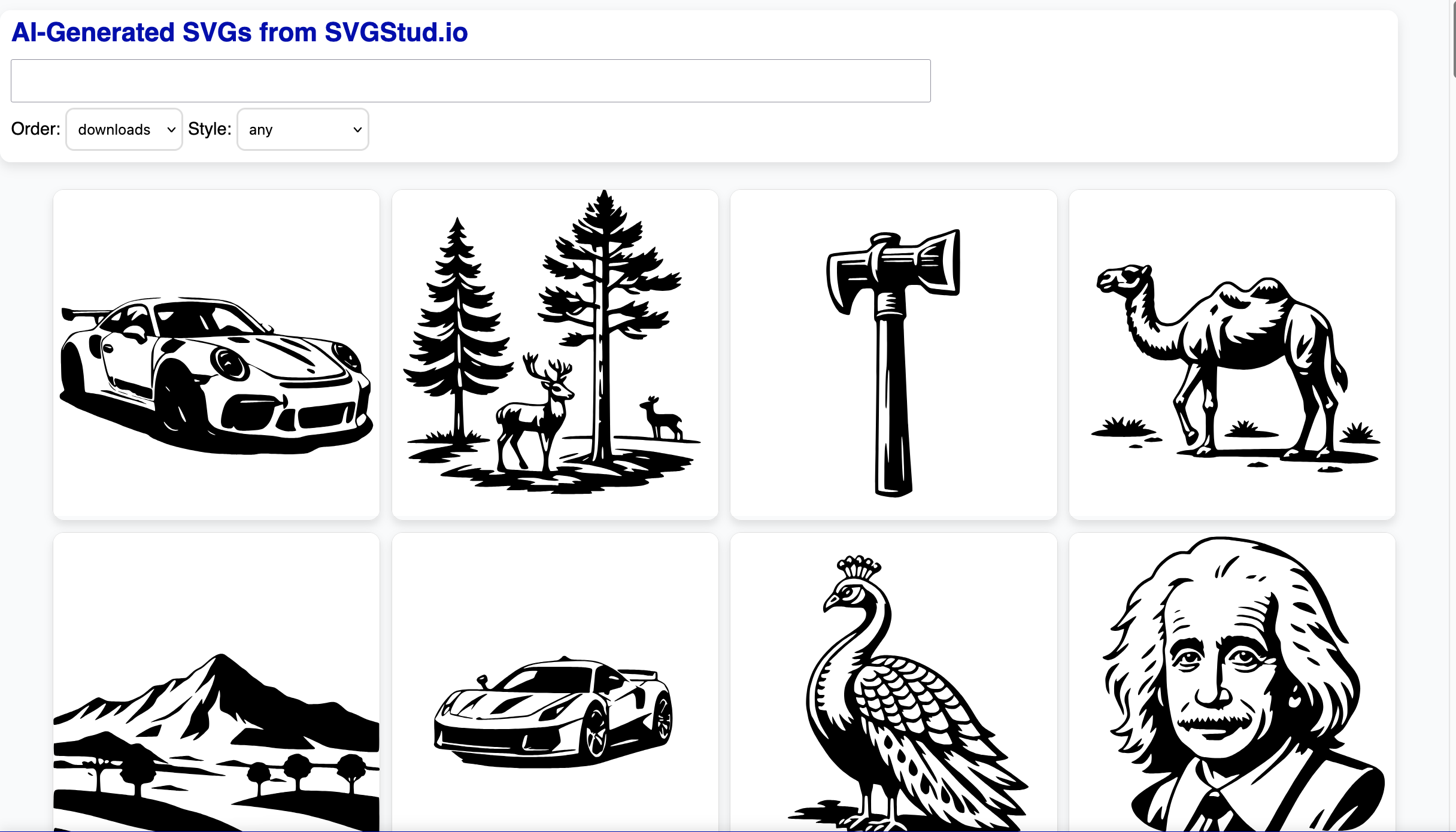
SVGStud.io is an all-in-one AI platform for creating, editing, and discovering Scalable Vector Graphics (SVGs). It features a powerful text-to-SVG and image-to-SVG generator, an integrated in-browser editor, and a searchable library of over 120,000 SVGs. Ideal for designers, developers, and creators, it simplifies the process of producing high-quality, scalable vector assets for web, print, and digital projects.

Why similar

The core intersection of svgstud and Google Chrome lies in Web Development, making it a suitable direct replacement in similar scenarios.

Key differences

What sets svgstud apart from Google Chrome: Pricing model is Freemium;Primary format is Website;Primary scenario leans toward Vector Graphics.

Effortlessly create, edit, and find high-quality SVGs with SVGStud.io. Use our AI text-to-SVG generator, in-browser editor, and search a library of 120,000+ vector graphics for logos, icons, and web design. svgstudApplicable toVector Graphics.Web Development.Asset Generationand other fields.

Rating
5.0
Saved on
Likes
Monthly Visits
6.7K

TRAE is an AI-powered Integrated Development Environment (IDE) designed to function as a 10x AI Engineer. It automates the entire software development lifecycle, from idea to deployment, by understanding your vision, planning workflows, and executing tasks autonomously. Featuring dual development modes (IDE and SOLO), a customizable agent ecosystem, and deep contextual understanding, TRAE aims to revolutionize human-AI collaboration in coding.

Why similar

TRAE and Google Chrome share tags such as productivity、developer tools, so they are better compared from specific feature needs than from broad categories alone.

Key differences

What sets TRAE apart from Google Chrome: Pricing model is Freemium;Primary scenario leans toward Code Assistant.

Discover TRAE, the AI-powered IDE that automates your entire development workflow. With autonomous SOLO mode, customizable agents, and deep context understanding, TRAE helps you build software faster. Freemium plan available. TRAEApplicable toCode Assistant.Integrated Development Environment.Automationand other fields.

Rating
5.0
Saved on
Likes
Monthly Visits
2.7M

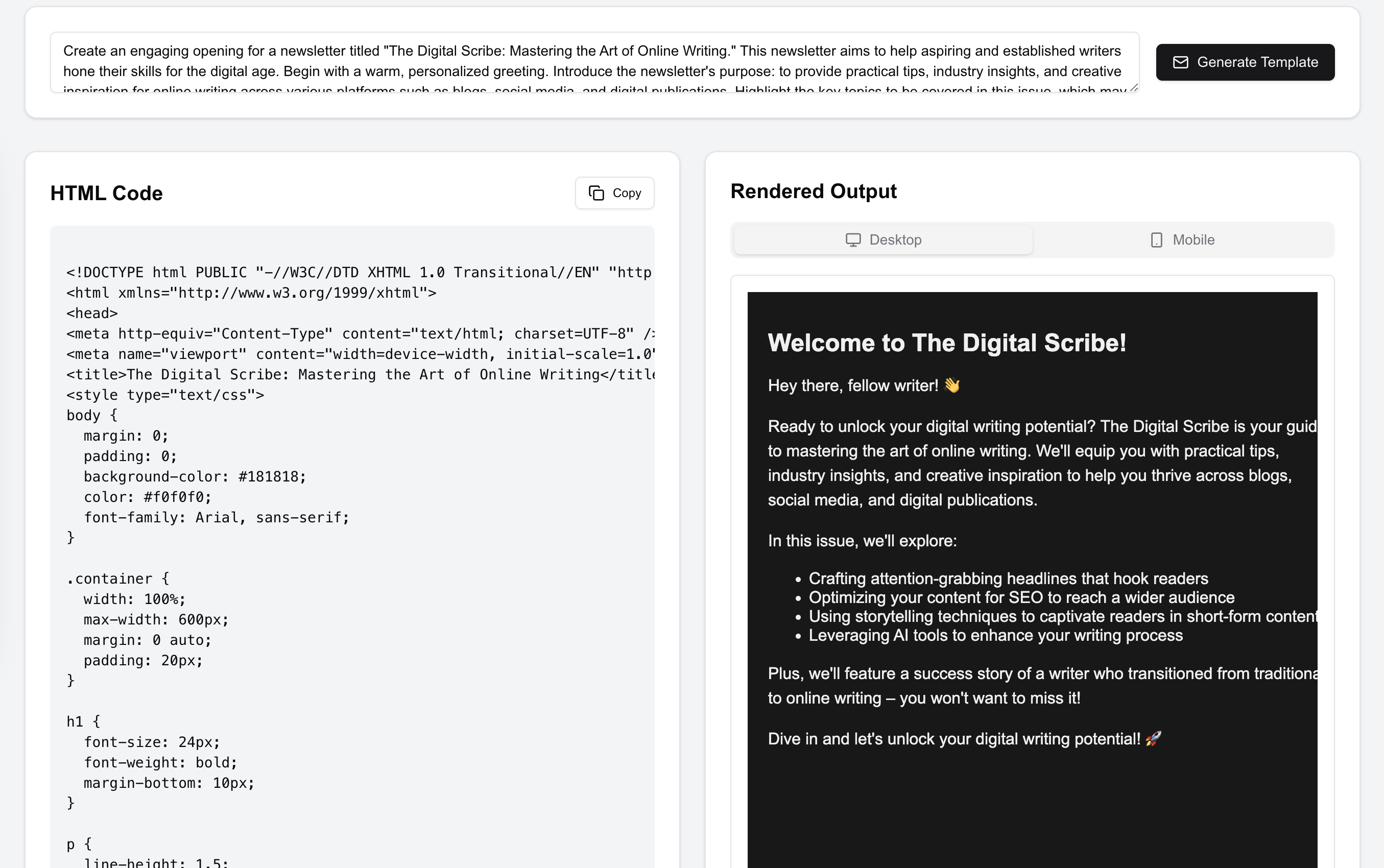
HTML Email is an AI-powered tool that generates stunning, responsive HTML email templates in seconds. Simply describe your desired email using a prompt, and the AI will create professional, client-compatible code without any coding required. It offers a one-time payment for lifetime access, providing unlimited template generations, making it a cost-effective solution for marketers, developers, and businesses to streamline their email marketing efforts.

Why similar

The core intersection of HTML Email and Google Chrome lies in Web Development, making it a suitable direct replacement in similar scenarios.

Key differences

What sets HTML Email apart from Google Chrome: Pricing model is Is Paid;Primary format is Website;Primary scenario leans toward Email Marketing.

Use HTML Email's AI to generate professional, responsive HTML email templates from a simple prompt. No coding needed. Get lifetime access with a one-time payment and create unlimited, client-compatible emails. HTML EmailApplicable toWeb Development.Email Marketing.No Codeand other fields.

Rating
5.0
Saved on
Likes
Monthly Visits
2.6K

An all-in-one image toolkit for web creators. ImageTool allows you to find stock photos, generate unique images with AI, perform advanced edits like cropping and compression, and convert images to modern web formats like WebP and AVIF, all within a single, streamlined platform.

Why similar

The core intersection of ImageTool and Google Chrome lies in Web Development, making it a suitable direct replacement in similar scenarios.

Key differences

What sets ImageTool apart from Google Chrome: Pricing model is Freemium;Primary format is Website;Primary scenario leans toward Image Editing.

Streamline your web design workflow with ImageTool. Find stock photos, generate images with AI, edit, compress, and convert to WebP/AVIF in one place. Get started for free. ImageToolApplicable toWeb Development.Image Editing.Image Generation.Workflow Automationand other fields.

Rating
5.0
Saved on
Likes
Monthly Visits
2.9K

Pinokio is a desktop browser that allows you to install, run, and control AI applications and terminal-based apps on your computer with a single click. It simplifies the complex setup of open-source AI models by automating environment creation, dependency management, and execution. This empowers users of all skill levels to experiment with powerful AI tools locally, ensuring privacy and full control over their data.

Why similar

pinokio and Google Chrome share tags such as developer tools、AI browser, so they are better compared from specific feature needs than from broad categories alone.

Key differences

What sets pinokio apart from Google Chrome: Primary scenario leans toward Local Development.

Discover Pinokio, the free desktop app to install, run, and automate any AI model like Stable Diffusion or ComfyUI locally with a single click. Simplify your AI workflow on Windows, Mac, and Linux. pinokioApplicable toModel Deployment.Local Development.Automationand other fields.

Rating
5.0
Saved on
Likes
Monthly Visits
721.7K

DuckDuckGo is an all-in-one privacy-focused internet suite, featuring a private search engine, a secure browser, and the AI-powered Duck.ai. It protects your online activities by blocking trackers, managing cookie pop-ups, and offering tools like Email Protection and a VPN, all without collecting your personal data.

Why similar

DuckDuckGo and Google Chrome share tags such as security、web browser, so they are better compared from specific feature needs than from broad categories alone.

Key differences

What sets DuckDuckGo apart from Google Chrome: Pricing model is Freemium;Primary format is Website;Primary scenario leans toward Search Engine.

Discover DuckDuckGo, the all-in-one privacy solution. Enjoy a private search engine, secure browser with tracker blocking, and anonymous AI chat with Duck.ai. Free and available on all devices. DuckDuckGoApplicable toChat.Search Engine.Web Browser.Privacyand other fields.

Rating
5.0
Saved on
Likes
Monthly Visits
651.3M