Text to Flowchart Alternatives

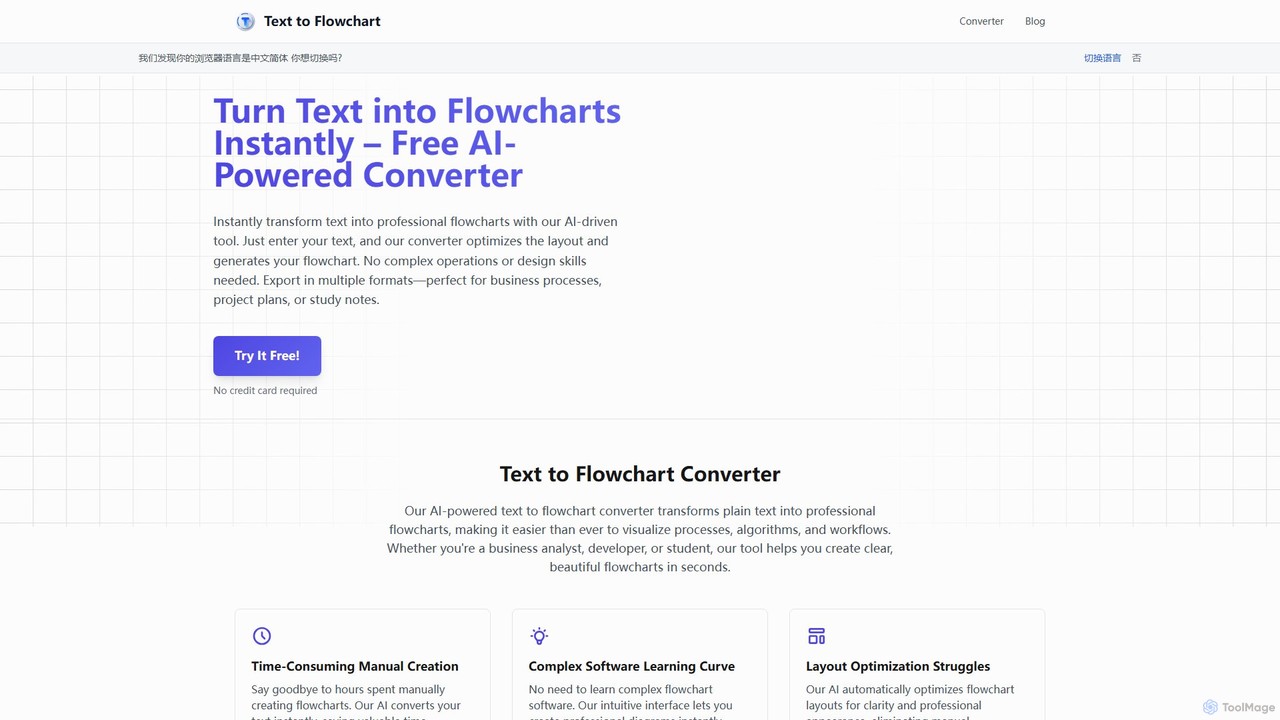
Instantly convert text into professional flowcharts and diagrams with our AI-powered generator. Describe your process in plain language and get a beautiful, optimized flowchart in seconds. Free to try.

Text to Flowchart is a Freemium Diagramming AI Tool The recommendations below are sorted based on shared categories, tags, applicable professions, community interactions, and traffic signals to help you choose alternative tools based on real usage scenarios.

Rating
5
Saved on
Likes
Monthly Visits
2.7K

Text to Flowchart Alternative selection guide

Alternatives to Text to Flowchart should not only be considered within the same category; you also need to compare Diagramming、Process Management、Planning、productivity, pricing models, product formats, access popularity, and user feedback. The current list prioritizes tools that share a clear category, tag, or applicable profession with Text to Flowchart, such as splotch、ai_flowchart、DiagramGPT、Flux AI, and explains the similarities and key differences for each recommendation.

First, confirm the alternative scenario

Prioritize tools that match both Diagramming and key tags, avoiding recommendations based solely on belonging to the same broad category.

Then, compare delivery formats

Websites, apps, browser extensions, and freemium models directly impact trial barriers, team procurement, and long-term usage costs.

Finally, look at quality signals

Use traffic, bookmarks, likes, or comment data as supplementary judgment; tools lacking data are not directly excluded, but greater emphasis should be placed on functional fit explanations.

Quick decision

Select the most worthwhile alternatives to try first based on common purchasing and usage scenarios.

Best Overall Alternative
splotch
Comprehensive Match

splotch and Text to Flowchart both cover Diagramming、Process Management and jointly match diagramming、text to diagram、process mapping and similar needs, for users who want to prioritize comparing similar use cases.

Differences between splotch and Text to Flowchart mainly show in product experience, feature depth, and workflow design around diagramming.

Match score: 20 Monthly Visits: 6.1K
Best Free Alternative
DiagramGPT
Free

DiagramGPT and Text to Flowchart both cover Diagramming、Process Management and jointly match text to diagram and similar needs, for users who want to prioritize comparing similar use cases.

What sets DiagramGPT apart from Text to Flowchart: Pricing model is Free.

Match score: 14 Monthly Visits: 2.5K
Best fit for productivity
snapdiagram
productivity

snapdiagram and Text to Flowchart both cover Diagramming and jointly match productivity、developer tools、diagramming and similar needs, for users who want to prioritize comparing similar use cases.

Differences between snapdiagram and Text to Flowchart mainly show in product experience, feature depth, and workflow design around productivity.

Match score: 14 Monthly Visits: 2.5K
Best fit for developer tools
ai_flowchart
developer tools

ai_flowchart and Text to Flowchart both cover Diagramming、Process Management and jointly match developer tools、text to diagram and similar needs, for users who want to prioritize comparing similar use cases.

Differences between ai_flowchart and Text to Flowchart mainly show in product experience, feature depth, and workflow design around developer tools.

Match score: 16 Monthly Visits: 2.6K
Best fit for diagramming
Flux AI
diagramming

Flux AI and Text to Flowchart both cover Diagramming、Planning and jointly match diagramming and similar needs, for users who want to prioritize comparing similar use cases.

Differences between Flux AI and Text to Flowchart mainly show in product experience, feature depth, and workflow design around diagramming.

Match score: 14 Monthly Visits: 2.6K

Text to Flowchart vs Top 5 alternatives

Compare pricing, form, reasons for matching, and key differences to reduce the cost of opening each page individually.

Tools Pricing Type Why similar Key differences
splotch
Match score: 20
Freemium Website splotch and Text to Flowchart both cover Diagramming、Process Management and jointly match diagramming、text to diagram、process mapping and similar needs, for users who want to prioritize comparing similar use cases. Differences between splotch and Text to Flowchart mainly show in product experience, feature depth, and workflow design around diagramming.
ai_flowchart
Match score: 16
Freemium Website ai_flowchart and Text to Flowchart both cover Diagramming、Process Management and jointly match developer tools、text to diagram and similar needs, for users who want to prioritize comparing similar use cases. Differences between ai_flowchart and Text to Flowchart mainly show in product experience, feature depth, and workflow design around developer tools.
DiagramGPT
Match score: 14
Free Website DiagramGPT and Text to Flowchart both cover Diagramming、Process Management and jointly match text to diagram and similar needs, for users who want to prioritize comparing similar use cases. What sets DiagramGPT apart from Text to Flowchart: Pricing model is Free.
Flux AI
Match score: 14
Freemium Website Flux AI and Text to Flowchart both cover Diagramming、Planning and jointly match diagramming and similar needs, for users who want to prioritize comparing similar use cases. Differences between Flux AI and Text to Flowchart mainly show in product experience, feature depth, and workflow design around diagramming.
snapdiagram
Match score: 14
Freemium Website snapdiagram and Text to Flowchart both cover Diagramming and jointly match productivity、developer tools、diagramming and similar needs, for users who want to prioritize comparing similar use cases. Differences between snapdiagram and Text to Flowchart mainly show in product experience, feature depth, and workflow design around productivity.

Alternative FAQ

What are the most worthwhile alternatives to Text to Flowchart to look at first?

splotch、ai_flowchart、DiagramGPT are the most recommended tools for priority comparison on this page. They share a clear category, tag, or applicable profession with Text to Flowchart, but may differ in price, format, and feature depth.

Why aren't these recommendations sorted solely by traffic?

Traffic only indicates attention, not scenario fit. The page sorting first requires candidate tools to have a category, tag, or professional overlap with Text to Flowchart, and then sorts based on traffic, interaction data, and result diversity.

Will a tool be affected in recommendations if it has no traffic or review data?

It will not be directly excluded. When traffic or reviews are lacking, the system relies more on Diagramming, tags, professional matches, and the tool's own information to avoid misinterpreting missing data as low quality.

Reset

Text to Flowchart the best 50 Alternatives

Sorted based on shared categories, tags, professional matching, and community quality signals.

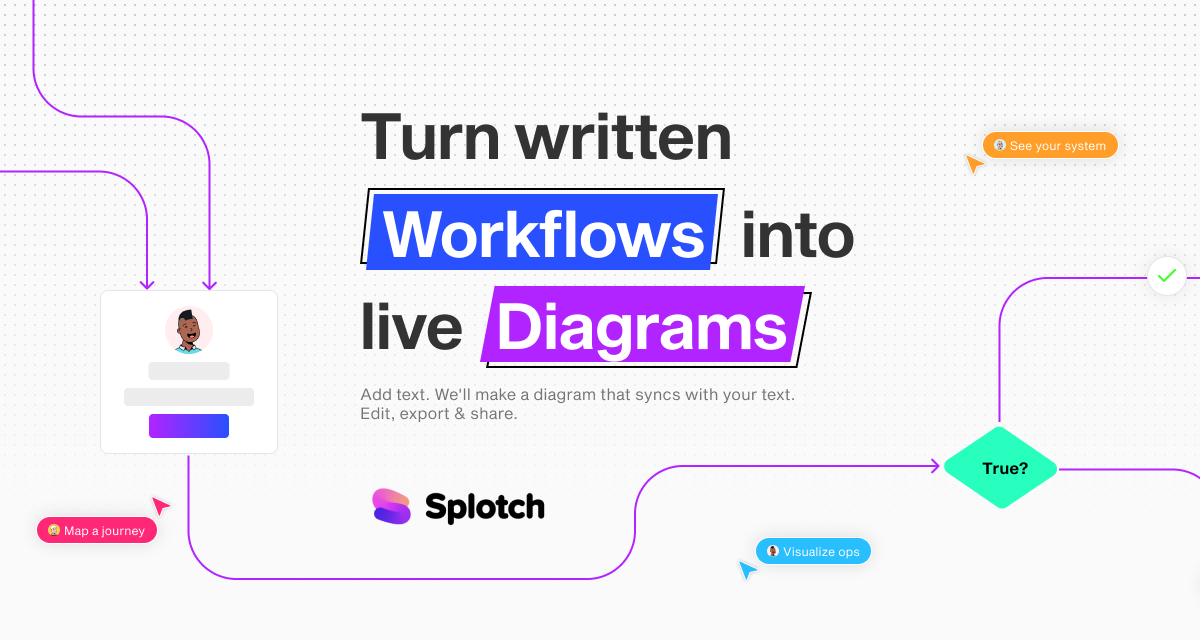
splotch is an AI-powered diagramming tool that automatically converts written text, processes, and workflows into clear, editable flowcharts and diagrams. It features a unique two-way sync, ensuring your text and visuals are always aligned, streamlining communication and process documentation.

Why similar

splotch and Text to Flowchart both cover Diagramming、Process Management and jointly match diagramming、text to diagram、process mapping and similar needs, for users who want to prioritize comparing similar use cases.

Key differences

Differences between splotch and Text to Flowchart mainly show in product experience, feature depth, and workflow design around diagramming.

splotch is an AI-powered tool that automatically turns your written workflows, SOPs, and meeting notes into clear, editable diagrams. Features two-way sync, Google Docs integration, and more to streamline your process visualization. splotchApplicable toProcess Management.Prototyping.Diagramming.Sales Enablementand other fields.

Rating
5.0
Saved on
Likes
Monthly Visits
6.1K
ai_flowchart is an AI-powered tool that transforms natural language descriptions into professional flowcharts and diagrams instantly. Leveraging advanced NLP, it allows users to simply describe a process, and the AI generates a visually appealing and structured diagram. It's designed for developers, project managers, and business analysts, featuring customization, collaboration, and multiple export options. Ideal for software architecture, business process mapping, and project planning.

Why similar

ai_flowchart and Text to Flowchart both cover Diagramming、Process Management and jointly match developer tools、text to diagram and similar needs, for users who want to prioritize comparing similar use cases.

Key differences

Differences between ai_flowchart and Text to Flowchart mainly show in product experience, feature depth, and workflow design around developer tools.

Use ai_flowchart, the leading AI flowchart generator, to create professional diagrams from natural language. Perfect for developers, managers, and analysts. Try it free to transform your ideas into flowcharts in seconds. ai_flowchartApplicable toProcess Management.Documentation.Teaching.Diagrammingand other fields.

Rating
5.0
Saved on
Likes
Monthly Visits
2.6K

DiagramGPT is an AI-powered tool that transforms natural language text prompts into various diagrams. By leveraging GPT technology and Mermaid syntax, it allows users to effortlessly generate flowcharts, sequence diagrams, and more, simply by describing what they want to visualize. It's an ideal solution for developers, project managers, and students who need to create professional diagrams quickly without manual drawing.

Why similar

DiagramGPT and Text to Flowchart both cover Diagramming、Process Management and jointly match text to diagram and similar needs, for users who want to prioritize comparing similar use cases.

Key differences

What sets DiagramGPT apart from Text to Flowchart: Pricing model is Free.

DiagramGPTis an AI tool designed forProduct Manager.Software Developer.Student.Data Analyst.Educator.Project Manager.Business Analyst.Technical Writer.System ArchitectAI tool designed Effortlessly create flowcharts, sequence diagrams, and more from simple text prompts with DiagramGPT. This free, open-source AI tool generates Mermaid syntax and SVG diagrams instantly. DiagramGPTApplicable toProcess Management.Code Generation.Visualization.Diagrammingand other fields.

Rating
5.0
Saved on
Likes
Monthly Visits
2.5K

Flux AI is an intelligent collaborative whiteboard that transforms text prompts into complex diagrams. It empowers teams to visualize ideas, design workflows, and create flowcharts or mind maps in seconds, streamlining the entire planning and brainstorming process.

Why similar

Flux AI and Text to Flowchart both cover Diagramming、Planning and jointly match diagramming and similar needs, for users who want to prioritize comparing similar use cases.

Key differences

Differences between Flux AI and Text to Flowchart mainly show in product experience, feature depth, and workflow design around diagramming.

Supercharge your team's brainstorming and planning with Flux AI. Generate flowcharts, mind maps, and workflows instantly from text prompts on an infinite collaborative canvas. Flux AIApplicable toWhiteboard.Planning.Strategy.Diagrammingand other fields.

Rating
5.0
Saved on
Likes
Monthly Visits
2.6K

SnapDiagram is an AI-powered tool that instantly transforms text descriptions into professional diagrams. Generate flowcharts, sequence diagrams, UML models, mind maps, and more with simple natural language prompts. It's designed to accelerate workflows for developers, business analysts, and project managers by automating the diagramming process.

Why similar

snapdiagram and Text to Flowchart both cover Diagramming and jointly match productivity、developer tools、diagramming and similar needs, for users who want to prioritize comparing similar use cases.

Key differences

Differences between snapdiagram and Text to Flowchart mainly show in product experience, feature depth, and workflow design around productivity.

Instantly create flowcharts, UML diagrams, mind maps, and more from simple text prompts with SnapDiagram. The AI diagramming tool for developers, analysts, and teams. snapdiagramApplicable toWorkflow Management.Visualization.Code Generation.Diagrammingand other fields.

Rating
5.0
Saved on
Likes
Monthly Visits
2.5K

ChatUML is an AI-powered diagram generator that transforms text descriptions, hand-drawn sketches, and even website content into professional diagrams in seconds. Leveraging models like GPT-4.1 and Claude 3, it supports various formats including UML, C4 architecture, mind maps, and more, streamlining the visualization process for developers, project managers, and creative teams.

Why similar

ChatUML and Text to Flowchart both cover Diagramming and jointly match productivity、developer tools、text to diagram and similar needs, for users who want to prioritize comparing similar use cases.

Key differences

Differences between ChatUML and Text to Flowchart mainly show in product experience, feature depth, and workflow design around productivity.

Instantly create professional diagrams from text, sketches, or websites with ChatUML. AI-powered by GPT-4 and Claude 3 to generate UML, C4 architecture, flowcharts, and more. Try for free! ChatUMLApplicable toPlanning.Software Design.Visualization.Diagrammingand other fields.

Rating
5.0
Saved on
Likes
Monthly Visits
19.3K

An AI-powered tool that instantly creates professional flowcharts from simple text descriptions. It features interactive editing via a chat interface and full customization with drag-and-drop options, streamlining the process of visualizing workflows and ideas.

Why similar

The core intersection of Flowchartmaker and Text to Flowchart lies in Diagramming、Process Management, making it a suitable direct replacement in similar scenarios.

Key differences

The main differences between Flowchartmaker and Text to Flowchart lie in product experience, workflow, and feature depth, requiring actual trial to evaluate.

Instantly create professional flowcharts from text with Flowchartmaker. Our AI-powered tool simplifies diagramming with chat-based editing and drag-and-drop customization. Perfect for project managers, developers, and businesses. FlowchartmakerApplicable toProcess Management.Generative Art.Code Assistant.Diagrammingand other fields.

Rating
5.0
Saved on
Likes
Monthly Visits
2.6K

Lucidchart is an intelligent diagramming and visual collaboration platform that uses AI, data automation, and real-time teamwork to help users visualize complex systems, processes, and ideas. It enables teams to create professional flowcharts, org charts, network diagrams, and more, fostering clarity and driving innovation.

Why similar

Lucidchart and Text to Flowchart both cover Diagramming and jointly match diagramming、process mapping and similar needs, for users who want to prioritize comparing similar use cases.

Key differences

Differences between Lucidchart and Text to Flowchart mainly show in product experience, feature depth, and workflow design around diagramming.

Discover Lucidchart, the intelligent diagramming tool that uses AI, data automation, and real-time collaboration to help teams visualize complex systems, processes, and ideas. Create flowcharts, org charts, and more. LucidchartApplicable toProject Management.System Design.Collaboration.Diagrammingand other fields.

Rating
5.0
Saved on
Likes
Monthly Visits
2.6M

An AI-powered logic visualizer that instantly transforms text, code, and sketches into interactive, editable flowcharts. It supports real-time collaboration, code execution animation, and GitHub repository analysis.

Why similar

Boronflow and Text to Flowchart both cover Diagramming and jointly match flowchart generator、AI flowchart and similar needs, for users who want to prioritize comparing similar use cases.

Key differences

What sets Boronflow apart from Text to Flowchart: Primary scenario leans toward Code Visualization.

Boronflowis an AI tool designed forSoftware Developer.Student.Educator.Project Manager.Technical Writer.System AnalystAI tool designed Instantly create interactive flowcharts with Boronflow. This AI-powered tool visualizes logic from code, text, or sketches, supports GitHub repos, and offers real-time collaboration. BoronflowApplicable toWhiteboarding.Code Visualization.Learning.Diagrammingand other fields.

Rating
5.0
Saved on
Likes
Monthly Visits
2.7K

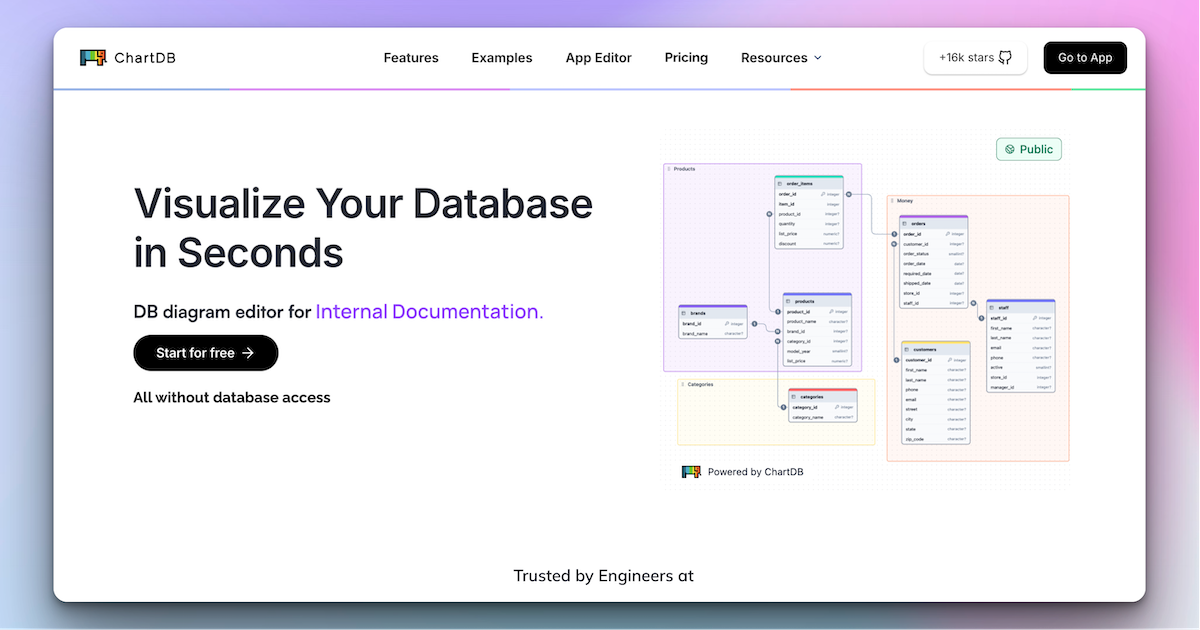
ChartDB is an AI-powered database schema visualizer that instantly generates interactive ER diagrams from a single query. It's designed for developers and teams to design, document, and collaborate on database structures. It features real-time collaboration, database synchronization, and an AI assistant to optimize schema design. Both cloud and self-hosted open-source versions are available.

Why similar

ChartDB and Text to Flowchart both cover Diagramming and jointly match developer tools and similar needs, for users who want to prioritize comparing similar use cases.

Key differences

What sets ChartDB apart from Text to Flowchart: Primary scenario leans toward Database.

Instantly visualize, design, and collaborate on database schemas with ChartDB. Use our AI assistant to optimize your structure, sync with live databases, and export SQL. Supports PostgreSQL, MySQL, and more. Free and open-source options available. ChartDBApplicable toVisualization.Database.Diagrammingand other fields.

Rating
5.0
Saved on
Likes
Monthly Visits
154.9K

An AI-powered diagramming tool that automatically generates flowcharts, sequence diagrams, pie charts, and more from text, PDFs, or blog content. It leverages models like GPT-4o to create unique, customizable diagrams with explanations, saving users significant time and effort.

Why similar

aiflowchart and Text to Flowchart both cover Diagramming and jointly match text to diagram、process mapping、flowchart generator and similar needs, for users who want to prioritize comparing similar use cases.

Key differences

Differences between aiflowchart and Text to Flowchart mainly show in product experience, feature depth, and workflow design around text to diagram.

Instantly generate flowcharts, sequence diagrams, and more with aiflowchart. Our AI-powered tool converts text, PDFs, and blogs into clear, customizable diagrams. Free plan available. aiflowchartApplicable toVisualization.Planning.Study Tools.Diagrammingand other fields.

Rating
5.0
Saved on
Likes
Monthly Visits
4.7K

Mermaid Chart is an AI-powered diagramming tool that enables teams to create complex visuals like flowcharts, sequence diagrams, and mind maps using markdown-style code, natural language prompts, or a visual editor. It's designed for faster, smarter diagramming and seamless collaboration.

Why similar

Mermaid Chart and Text to Flowchart both cover Diagramming and jointly match developer tools、diagramming and similar needs, for users who want to prioritize comparing similar use cases.

Key differences

Differences between Mermaid Chart and Text to Flowchart mainly show in product experience, feature depth, and workflow design around developer tools.

Create complex diagrams, flowcharts, and mind maps effortlessly with Mermaid Chart. Use AI, markdown-style code, or a visual editor. Perfect for teams and developers. Mermaid ChartApplicable toCode Generation.Documentation.Diagramming.Project Managementand other fields.

Rating
5.0
Saved on
Likes
Monthly Visits
56.1K
Qlerify is an AI-powered software modeling platform designed to bridge the gap between business and IT. It uses methodologies like Domain-Driven Design (DDD) and Event Storming to visually map business processes, automatically generate domain models, and produce high-quality code, significantly accelerating software development and improving project alignment.

Why similar

Qlerify and Text to Flowchart both cover Process Management and jointly match process mapping and similar needs, for users who want to prioritize comparing similar use cases.

Key differences

What sets Qlerify apart from Text to Flowchart: Primary scenario leans toward Modeling.

Discover Qlerify, the AI-powered software modeling tool that uses DDD and Event Storming to visually map processes, generate domain models, and create code. Accelerate development and align your teams. QlerifyApplicable toProcess Management.Modeling.Project Managementand other fields.

Rating
5.0
Saved on
Likes
Monthly Visits
11.1K
Figr AI is an AI-powered design platform that transforms text prompts into high-fidelity UI/UX designs, diagrams, and prototypes. It streamlines the creative process, enabling designers, developers, and product managers to rapidly visualize ideas, generate components, and build complete user flows. By automating repetitive tasks, Figr AI accelerates product development, enhances collaboration, and makes professional design accessible to everyone on the team.

Why similar

Figr AI and Text to Flowchart both cover Diagramming and jointly match diagramming and similar needs, for users who want to prioritize comparing similar use cases.

Key differences

What sets Figr AI apart from Text to Flowchart: Primary scenario leans toward Ui Ux.

Figr AIis an AI tool designed forMarketing Manager.Product Manager.Software Developer.Graphic Designer.Startup Founder.UI/UX Designer.Web DesignerAI tool designed Accelerate your design workflow with Figr AI. Generate stunning UI/UX mockups, diagrams, and prototypes from simple text prompts. Perfect for designers, developers, and product teams. Figr AIApplicable toUi Ux.Prototyping.Diagrammingand other fields.

Rating
5.0
Saved on
Likes
Monthly Visits
23.2K

Sketch2scheme is an AI-powered tool that effortlessly converts your hand-drawn diagram sketches into polished, editable digital schemes. Simply upload a picture of your flowchart or diagram, and the AI will recognize nodes, connections, and text, transforming your analog ideas into digital assets in seconds. It's perfect for developers, project managers, and students who want to bridge the gap between paper brainstorming and digital implementation.

Why similar

Sketch2scheme and Text to Flowchart both cover Diagramming and jointly match developer tools、diagramming and similar needs, for users who want to prioritize comparing similar use cases.

Key differences

What sets Sketch2scheme apart from Text to Flowchart: Pricing model is Is Paid.

Instantly convert your hand-drawn sketches of flowcharts and diagrams into editable digital schemes with Sketch2scheme. Save time, automate your workflow, and export to PNG, SVG, or PDF. Sketch2schemeApplicable toPrototyping.Workflow Automation.Study.Diagrammingand other fields.

Rating
5.0
Saved on
Likes
Monthly Visits
4.8K

An AI-powered tool for business analysts and UI/UX designers that automates the creation of technical artifacts. It transforms natural language requirements into UML diagrams, SQL scripts, and UI mockups, accelerating the system design and development process.

Why similar

AI Assistant and Text to Flowchart both cover Diagramming and jointly match business analysis and similar needs, for users who want to prioritize comparing similar use cases.

Key differences

What sets AI Assistant apart from Text to Flowchart: Primary scenario leans toward System Design.

AI Assistantis an AI tool designed forProduct Manager.Software Developer.Business Analyst.UI/UX Designer.Database Administrator.Systems AnalystAI tool designed Accelerate your system design with AI Assistant. This powerful tool automatically converts natural language business requirements into UML diagrams, SQL scripts, and UI mockups. Perfect for business analysts, developers, and UI/UX designers. AI AssistantApplicable toRequirements Management.System Design.Diagrammingand other fields.

Rating
5.0
Saved on
Likes
Monthly Visits
2.7K

Process.app is an AI-powered business process management (BPM) and workflow automation platform. It enables teams to design, execute, analyze, and optimize their business processes and workflows with intelligent suggestions and powerful automation, boosting productivity and efficiency.

Why similar

Process.app and Text to Flowchart both cover Process Management and jointly match productivity and similar needs, for users who want to prioritize comparing similar use cases.

Key differences

What sets Process.app apart from Text to Flowchart: Primary scenario leans toward Workflow Automation.

Streamline your operations with Process.app, the intelligent platform for workflow automation and business process management (BPM). Design, automate, and optimize your workflows with AI. Process.appApplicable toProcess Management.Task Management.Workflow Automationand other fields.

Rating
5.0
Saved on
Likes
Monthly Visits
2.5K

iMiaoban is an AI-powered collaborative online whiteboard designed to enhance team productivity. It allows users to instantly create various diagrams, including flowcharts and mind maps, using text prompts. With a vast library of templates and real-time collaboration features, it simplifies the process of visualizing ideas and workflows.

Why similar

iMiaoban and Text to Flowchart both cover Diagramming and jointly match productivity、business analysis and similar needs, for users who want to prioritize comparing similar use cases.

Key differences

Differences between iMiaoban and Text to Flowchart mainly show in product experience, feature depth, and workflow design around productivity.

Boost your team's productivity with iMiaoban, a free online diagramming tool. Use AI to instantly generate flowcharts and mind maps, collaborate in real-time, and access thousands of templates for business, education, and more. iMiaobanApplicable toWhiteboard.Diagramming.Mind Mappingand other fields.

Rating
5.0
Saved on
Likes
Monthly Visits
5.3K

Flow is an AI-native, agentic automation platform designed to build intelligent workflows that think, adapt, and execute without requiring any coding. It empowers teams to streamline repetitive tasks and focus on strategic work.

Why similar

Flow and Text to Flowchart both cover Process Management and jointly match productivity and similar needs, for users who want to prioritize comparing similar use cases.

Key differences

What sets Flow apart from Text to Flowchart: Primary scenario leans toward Workflow Automation.

Flowis an AI tool designed forMarketing Manager.Content Creator.Software Developer.Sales Representative.Project Manager.Business Owner.Customer Support.Operations Manager.Solo FounderAI tool designed Streamline business processes with Flow AI, the no-code agentic automation platform. Build intelligent, self-healing workflows that adapt and execute tasks across all your tools. FlowApplicable toWorkflow Automation.Process Management.No Code Development.Ai Assistantand other fields.

Rating
5.0
Saved on
Likes
Monthly Visits
2.7K

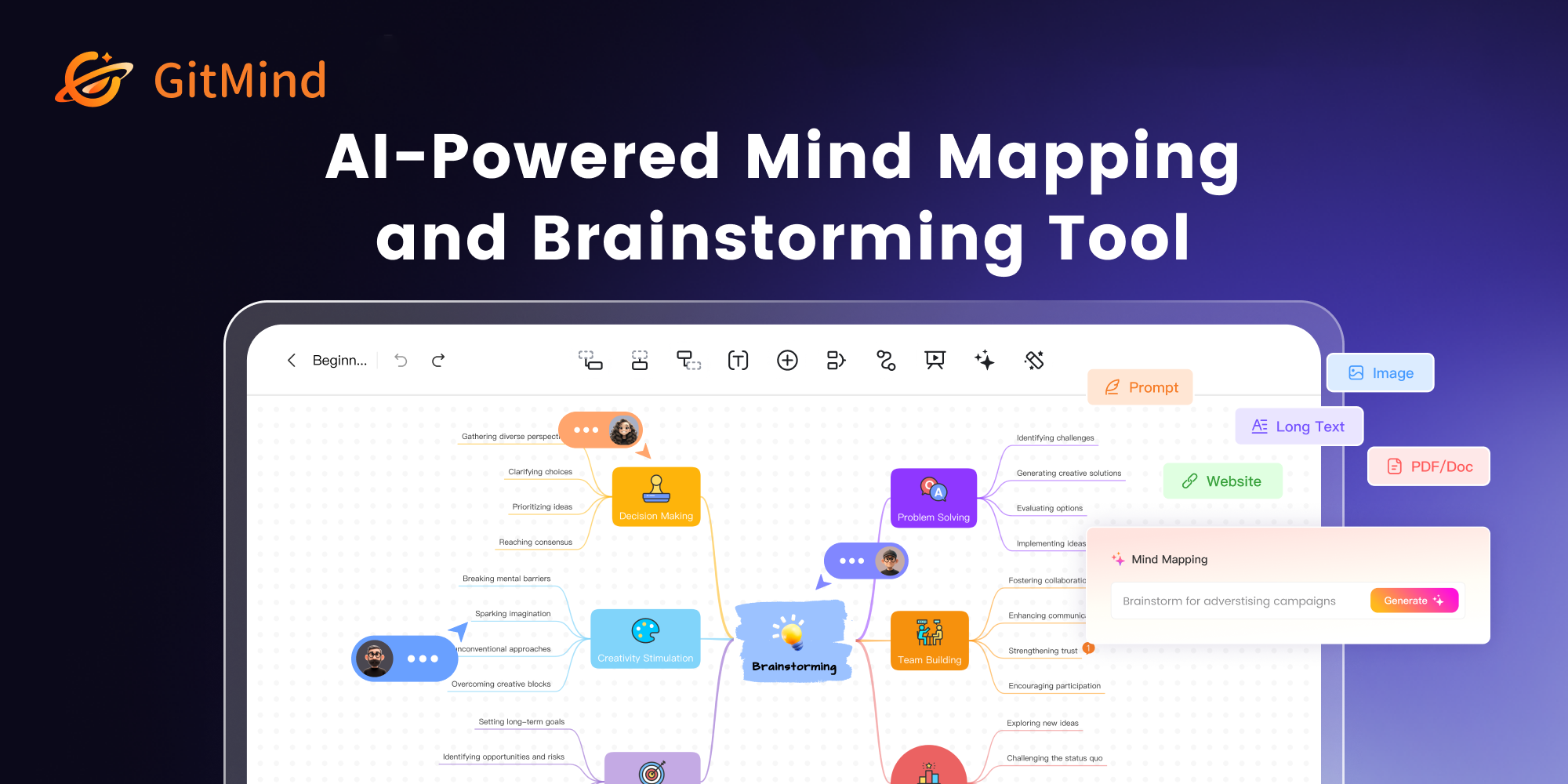
GitMind is an AI-powered collaborative mind mapping and brainstorming tool. It enables users to create mind maps, flowcharts, org charts, and other diagrams with ease. Featuring AI-driven content generation, summarization of documents and videos, and real-time co-editing, GitMind helps individuals and teams visualize ideas, streamline workflows, and enhance productivity. With cross-platform availability and a rich template library, it transforms complex information into clear, organized visuals.

Why similar

The core intersection of GitMind and Text to Flowchart lies in Diagramming, making it a suitable direct replacement in similar scenarios.

Key differences

What sets GitMind apart from Text to Flowchart: Primary scenario leans toward Brainstorming.

Boost your productivity with GitMind, the AI-powered mind map and flowchart creator. Generate ideas, summarize content, collaborate in real-time, and create stunning diagrams effortlessly. Try it free! GitMindApplicable toProject Management.Note Taking.Brainstorming.Diagrammingand other fields.

Rating
5.0
Saved on
Likes
Monthly Visits
782.7K

Process Street is an AI-enhanced compliance and operations platform designed to help teams systemize execution and prove compliance. It enables businesses to create intelligent workflows, automate recurring tasks, and maintain regulatory standards, boosting efficiency and reducing errors.

Why similar

The core intersection of Process Street and Text to Flowchart lies in Process Management, making it a suitable direct replacement in similar scenarios.

Key differences

What sets Process Street apart from Text to Flowchart: Primary scenario leans toward Workflow Management.

Process Streetis an AI tool designed forHR Manager.Project Manager.Operations Manager.IT Manager.Compliance Officer.Customer Success Manager.Onboarding Specialist.Real Estate Manager.Process Improvement AnalystAI tool designed Streamline operations, ensure compliance, and boost productivity with Process Street. Use AI to generate workflows, automate tasks, and manage SOPs for teams of any size. Process StreetApplicable toProcess Management.Auditing.Workflow Managementand other fields.

Rating
5.0
Saved on
Likes
Monthly Visits
259.3K

SpecSnap is an AI-powered tool that transforms screen recordings of any workflow into comprehensive process documentation. It automatically generates step-by-step guides, visual flowcharts, and identifies optimization opportunities, saving teams significant time and effort in creating standard operating procedures and training materials.

Why similar

SpecSnap and Text to Flowchart both cover Process Management and jointly match business analysis and similar needs, for users who want to prioritize comparing similar use cases.

Key differences

What sets SpecSnap apart from Text to Flowchart: Primary scenario leans toward Documentation.

SpecSnapis an AI tool designed forProduct Manager.Business Analyst.Software Engineer.Customer Success Manager.QA Engineer.Support Agent.Training Specialist.Operations Lead.Process OwnerAI tool designed Automate process documentation with SpecSnap. Record any workflow once, and AI instantly generates step-by-step guides, visual flowcharts, and identifies optimization opportunities for your team. Start free. SpecSnapApplicable toProcess Management.Training.Documentation.Quality Assuranceand other fields.

Rating
5.0
Saved on
Likes
Monthly Visits
2.6K

Browser MCP connects AI applications like Claude or Cursor directly to your web browser. This enables you to automate repetitive tasks, conduct end-to-end software testing, and scrape web data using AI commands. It operates locally for maximum speed and privacy, leveraging your existing browser sessions to bypass logins and avoid bot detection.

Why similar

Browser MCP and Text to Flowchart share tags such as productivity、developer tools, so they are better compared from specific feature needs than from broad categories alone.

Key differences

What sets Browser MCP apart from Text to Flowchart: Pricing model is Free;Primary format is Browser Extension;Primary scenario leans toward Automation.

Connect AI applications like Claude and Cursor to your browser with Browser MCP. Automate repetitive tasks, perform end-to-end testing, and scrape data with speed, privacy, and stealth. Works locally on your machine. Browser MCPApplicable toWeb Scraping.Testing.Automationand other fields.

Rating
5.0
Saved on
Likes
Monthly Visits
119.1K

Creately is an AI-powered visual collaboration and work management platform. It combines intelligent diagramming, online whiteboarding, and data-driven project management on a single smart canvas, helping teams brainstorm, plan, and execute projects more effectively.

Why similar

Creately and Text to Flowchart both cover Diagramming and jointly match diagramming and similar needs, for users who want to prioritize comparing similar use cases.

Key differences

Differences between Creately and Text to Flowchart mainly show in product experience, feature depth, and workflow design around diagramming.

Discover Creately, the all-in-one visual collaboration platform with AI. Create diagrams, flowcharts, mind maps, and manage projects on a smart canvas. Boost productivity with data-linked visuals and real-time teamwork. CreatelyApplicable toPlanning.Diagramming.Visual Collaborationand other fields.

Rating
5.0
Saved on
Likes
Monthly Visits
1.1M

A free, chat-based AI tool that instantly transforms your conversations and ideas into professional concept maps, mind maps, and flowcharts. Ideal for knowledge workers, students, and researchers to organize complex information, brainstorm, and plan projects without any manual diagramming.

Why similar

The core intersection of ConceptMap AI and Text to Flowchart lies in Diagramming, making it a suitable direct replacement in similar scenarios.

Key differences

What sets ConceptMap AI apart from Text to Flowchart: Pricing model is Free;Primary scenario leans toward Mind Mapping.

Instantly create concept maps, mind maps, and diagrams by chatting with AI. ConceptMap AI is a free tool for brainstorming, learning, and project planning. No signup required. ConceptMap AIApplicable toLearning.Diagramming.Mind Mappingand other fields.

Rating
5.0
Saved on
Likes
Monthly Visits
86.2K

TRAE is an AI-powered Integrated Development Environment (IDE) designed to function as a 10x AI Engineer. It automates the entire software development lifecycle, from idea to deployment, by understanding your vision, planning workflows, and executing tasks autonomously. Featuring dual development modes (IDE and SOLO), a customizable agent ecosystem, and deep contextual understanding, TRAE aims to revolutionize human-AI collaboration in coding.

Why similar

TRAE and Text to Flowchart share tags such as productivity、developer tools, so they are better compared from specific feature needs than from broad categories alone.

Key differences

What sets TRAE apart from Text to Flowchart: Primary format is App;Primary scenario leans toward Code Assistant.

Discover TRAE, the AI-powered IDE that automates your entire development workflow. With autonomous SOLO mode, customizable agents, and deep context understanding, TRAE helps you build software faster. Freemium plan available. TRAEApplicable toCode Assistant.Integrated Development Environment.Automationand other fields.

Rating
5.0
Saved on
Likes
Monthly Visits
2.7M

Pipefy is an AI-driven, low-code process automation platform that empowers teams to build, manage, and scale workflows without technical expertise. Using autonomous AI Agents, it automates tasks, centralizes operations, and integrates with existing systems to enhance efficiency, reduce errors, and accelerate business growth across departments like HR, Finance, and Procurement.

Why similar

The core intersection of Pipefy and Text to Flowchart lies in Process Management, making it a suitable direct replacement in similar scenarios.

Key differences

What sets Pipefy apart from Text to Flowchart: Primary scenario leans toward Workflow Automation.

Discover Pipefy, the AI-powered low-code platform for process automation. Build, manage, and scale workflows with AI Agents, no-code simplicity, and powerful integrations. Freemium plan available. PipefyApplicable toNo Code Platform.Process Management.Risk Management.Recruiting.Workflow Automationand other fields.

Rating
5.0
Saved on
Likes
Monthly Visits
2.5M

Warp is an AI-powered, Rust-based terminal reimagined as an Agentic Development Environment (ADE). It enables developers to use natural language to command AI agents for coding, debugging, and deployment. Warp combines a blazingly fast terminal with multi-threaded agent management, allowing you to build, test, and ship software faster by running multiple development tasks in parallel.

Why similar

Warp and Text to Flowchart share tags such as productivity、developer tools, so they are better compared from specific feature needs than from broad categories alone.

Key differences

What sets Warp apart from Text to Flowchart: Primary format is App;Primary scenario leans toward Terminal.

Experience the future of software development with Warp, the agentic terminal. Use AI agents to code, debug, and deploy faster. Boost your productivity with a modern, Rust-based terminal for Mac, Windows, and Linux. WarpApplicable toDevelopment.Terminal.Code Assistantand other fields.

Rating
5.0
Saved on
Likes
Monthly Visits
1.4M

runautomat is an AI-driven platform that simplifies business process automation. It allows users to create robust Robotic Process Automation (RPA) solutions by simply providing screen recordings, videos, or text descriptions of their workflows. It's designed to be 10x faster and more cost-effective than traditional RPA, empowering businesses to automate tasks without extensive engineering teams.

Why similar

The core intersection of runautomat and Text to Flowchart lies in Process Management, making it a suitable direct replacement in similar scenarios.

Key differences

What sets runautomat apart from Text to Flowchart: Pricing model is Is Paid;Primary scenario leans toward Automation.

Automate any business process 10x faster with runautomat. Simply record your workflow or provide a description, and our AI builds and maintains the automation for you. Ideal for enterprise, finance, and healthcare. runautomatApplicable toProcess Management.Data Extraction.No Code.Automationand other fields.

Rating
5.0
Saved on
Likes
Monthly Visits
15.5K

Raycast is a blazingly fast, extendable launcher for macOS that supercharges your productivity. It replaces Spotlight with a powerful command-line interface to control your tools, search files, run scripts, and automate tasks. With an integrated AI assistant, a vast store of community-built extensions, and features like Clipboard History, Snippets, and Window Management, Raycast centralizes your workflow, saving you time and context-switching.

Why similar

Raycast and Text to Flowchart share tags such as productivity、developer tools, so they are better compared from specific feature needs than from broad categories alone.

Key differences

What sets Raycast apart from Text to Flowchart: Primary format is App;Primary scenario leans toward Launcher.

Supercharge your workflow with Raycast, the extendable launcher for Mac. Integrate AI, manage windows, use snippets, and connect your favorite tools. Free for personal use. RaycastApplicable toWorkflow Automation.Launcher.Utilitiesand other fields.

Rating
5.0
Saved on
Likes
Monthly Visits
849.8K

OpenMemory MCP is a local-first application that provides a persistent, private memory for your AI tools. It stores, organizes, and manages your interactions, preferences, and context securely on your device, enabling personalized and continuous conversations across different AI platforms like Claude and Cursor.

Why similar

OpenMemory MCP and Text to Flowchart share tags such as productivity、developer tools, so they are better compared from specific feature needs than from broad categories alone.

Key differences

What sets OpenMemory MCP apart from Text to Flowchart: Primary format is App;Primary scenario leans toward Knowledge Management.

Discover OpenMemory MCP, a local-first app that provides a secure memory for your AI tools. Personalize interactions, maintain context across apps, and keep your data private. OpenMemory MCPApplicable toCoding Assistant.Data Control.Knowledge Managementand other fields.

Rating
5.0
Saved on
Likes
Monthly Visits
342.0K

BoltAI is a native, high-performance AI assistant for macOS that integrates multiple AI models like GPT, Claude, and local models directly into your workflow. It offers features like an in-IDE coding assistant, custom AI assistants, a prompt library, and powerful plugins to boost productivity for developers, writers, and professionals.

Why similar

BoltAI and Text to Flowchart share tags such as productivity、developer tools, so they are better compared from specific feature needs than from broad categories alone.

Key differences

What sets BoltAI apart from Text to Flowchart: Pricing model is Is Paid;Primary format is App;Primary scenario leans toward Assistant.

Discover BoltAI, the ultimate native AI app for macOS. Integrate GPT, Claude, and local models into your workflow for coding, writing, and more. Fast, secure, and highly customizable. BoltAIApplicable toCoding.Assistant.Writing Assistantand other fields.

Rating
5.0
Saved on
Likes
Monthly Visits
86.1K

Docugram is an AI-powered tool that instantly transforms text documents, notes, and prompts into clear, editable diagrams and flowcharts. It streamlines workflows by converting complex information from formats like Word, Excel, and PDF into visual maps, enhancing productivity for professionals in project management, development, and business analysis.

Why similar

Docugram and Text to Flowchart both cover Diagramming and jointly match text to diagram、process mapping and similar needs, for users who want to prioritize comparing similar use cases.

Key differences

Differences between Docugram and Text to Flowchart mainly show in product experience, feature depth, and workflow design around text to diagram.

Instantly convert text, documents, and prompts into beautiful diagrams and flowcharts with Docugram's AI. Edit, customize, and save your work locally. Perfect for project management, brainstorming, and process mapping. DocugramApplicable toProject Management.Visualization.Diagramming.Workflow Automationand other fields.

Rating
5.0
Saved on
Likes
Monthly Visits
4.7K

Google Chrome is a fast, secure, and customizable web browser developed by Google. It features seamless cross-device syncing, a vast library of extensions, and robust security tools like a built-in password manager and safety checks. With integrated Google services and new AI-powered features, Chrome offers a personalized, intelligent, and efficient browsing experience on all major platforms.

Why similar

Google Chrome and Text to Flowchart share tags such as productivity、developer tools, so they are better compared from specific feature needs than from broad categories alone.

Key differences

What sets Google Chrome apart from Text to Flowchart: Pricing model is Free;Primary format is App;Primary scenario leans toward Browser.

Download Google Chrome, the fast, secure, and easy-to-use web browser built by Google. Enjoy cross-device sync, a vast extension store, and new AI-powered features for a smarter browsing experience. Google ChromeApplicable toWeb Development.Browser.Searchand other fields.

Rating
5.0
Saved on
Likes
Monthly Visits
51.1K

AI Agent Store is a comprehensive marketplace and directory for discovering, comparing, and acquiring AI agents. It serves as a central hub for users to find specialized autonomous agents for various tasks, from business automation and marketing to personal productivity and software development. The platform also features a list of AI automation agencies.

Why similar

AI Agent Store and Text to Flowchart share tags such as productivity、developer tools, so they are better compared from specific feature needs than from broad categories alone.

Key differences

What sets AI Agent Store apart from Text to Flowchart: Pricing model is Free;Primary scenario leans toward Ai Tools.

Discover, compare, and find the best AI agents for any task. AI Agent Store is a comprehensive directory and marketplace for automation tools, developer frameworks, and AI agencies. AI Agent StoreApplicable toAi Tools.Automation.Marketplaceand other fields.

Rating
5.0
Saved on
Likes
Monthly Visits
296.7K

checklist.gg is an AI-driven checklist management tool that helps teams and organizations create, manage, and automate checklists, processes, and SOPs. Instantly generate comprehensive lists from prompts, documents, or links to reduce errors, save time, and ensure consistent execution.

Why similar

The core intersection of checklist.gg and Text to Flowchart lies in Process Management, making it a suitable direct replacement in similar scenarios.

Key differences

What sets checklist.gg apart from Text to Flowchart: Primary scenario leans toward Task Management.

Discover checklist.gg, the AI-driven tool for creating, managing, and automating checklists, SOPs, and workflows. Boost team productivity, reduce errors, and ensure process consistency. Start for free! checklist.ggApplicable toProcess Management.Task Management.Workflow Automationand other fields.

Rating
5.0
Saved on
Likes
Monthly Visits
15.7K

ChatGPT EVO is a powerful suite of open-source browser extensions and userscripts designed to augment your web experience. It seamlessly integrates AI functionalities from models like ChatGPT into your daily browsing, including search engines, e-commerce sites, and the browser's address bar, boosting productivity and providing instant information.

Why similar

ChatGPT EVO and Text to Flowchart share tags such as productivity、developer tools, so they are better compared from specific feature needs than from broad categories alone.

Key differences

What sets ChatGPT EVO apart from Text to Flowchart: Pricing model is Free;Primary format is Browser Extension;Primary scenario leans toward Browser Extensions.

Discover ChatGPT EVO, a powerful collection of free AI browser extensions. Integrate ChatGPT and other LLMs into Google, Amazon, and your address bar for enhanced search, productivity, and a smarter browsing experience. ChatGPT EVOApplicable toCode Assistant.Browser Extensions.Search Assistant.Review Summarizerand other fields.

Rating
5.0
Saved on
Likes
Monthly Visits
51.6K

commontools.org is a comprehensive suite of over 100 free online tools designed for a wide range of tasks. It offers utilities for text manipulation, code formatting, unit conversion, image editing, random data generation, and AI-powered content enhancement. No registration or installation is required, providing instant access to powerful, user-friendly tools for developers, writers, students, and everyday users.

Why similar

commontools and Text to Flowchart share tags such as productivity、developer tools, so they are better compared from specific feature needs than from broad categories alone.

Key differences

What sets commontools apart from Text to Flowchart: Pricing model is Free;Primary scenario leans toward Utilities.

Explore commontools.org, a massive collection of free online tools. Format code, edit text, convert units, generate data, edit images, and more—all in your browser, no signup needed. commontoolsApplicable toConverters.Code Utilities.Utilities.Text Editingand other fields.

Rating
5.0
Saved on
Likes
Monthly Visits
145.4K

Companion AI is a free macOS desktop application that centralizes your favorite AI assistants like ChatGPT, Gemini, Claude, and Midjourney. Access and switch between multiple AIs instantly from your menu bar, streamlining your workflow and boosting productivity without browser tab clutter.

Why similar

Companion AI and Text to Flowchart share tags such as productivity、developer tools, so they are better compared from specific feature needs than from broad categories alone.

Key differences

What sets Companion AI apart from Text to Flowchart: Pricing model is Free;Primary format is App;Primary scenario leans toward Assistant.

Download Companion AI, the free Mac app to instantly access and switch between multiple AI assistants like ChatGPT, Gemini, and Claude. Boost your productivity with this unified desktop AI hub. Companion AIApplicable toCode Assistant.Assistant.Writing Assistantand other fields.

Rating
5.0
Saved on
Likes
Monthly Visits
51.5K

itsvg is a versatile suite of free, AI-powered web tools developed by Vishwa Gaurav. It offers a range of applications for developers, designers, content creators, and job seekers, including a color palette generator, an AI recruiter, a GitHub profile maker, and YouTube optimization tools.

Why similar

itsvg and Text to Flowchart share tags such as productivity、developer tools, so they are better compared from specific feature needs than from broad categories alone.

Key differences

What sets itsvg apart from Text to Flowchart: Pricing model is Free;Primary scenario leans toward Code Utilities.

Discover itsvg, a suite of free, AI-driven web tools. Enhance your workflow with a color palette generator, resume analyzer, GitHub README maker, YouTube optimizer, and more. itsvgApplicable toColor Palette.Code Utilities.Recruiting.Youtubeand other fields.

Rating
5.0
Saved on
Likes
Monthly Visits
126.9K

Kerlig is a native AI writing assistant for macOS designed to streamline your communication. It integrates seamlessly into your workflow, allowing you to write emails, proofread text, chat with documents, and generate content using over 350 AI models. With custom actions and a focus on privacy, Kerlig saves you hours by bringing powerful AI to your fingertips, without ever leaving your current application.

Why similar

Kerlig and Text to Flowchart share tags such as productivity、developer tools, so they are better compared from specific feature needs than from broad categories alone.

Key differences

What sets Kerlig apart from Text to Flowchart: Pricing model is Is Paid;Primary format is App;Primary scenario leans toward Writing Assistant.

Discover Kerlig, the ultimate AI writing app for macOS. Integrate 350+ AI models, create custom actions, and chat with documents to save hours on writing tasks. One-time purchase. KerligApplicable toMac Apps.Code Assistant.Writing Assistantand other fields.

Rating
5.0
Saved on
Likes
Monthly Visits
36.1K

Dezyn is an AI-powered platform for creating interactive, data-rich architectural diagrams and flowcharts. It transforms text prompts, hand-drawn sketches, or wireframes into professional diagrams. Ideal for engineers, developers, and tech creators to visualize complex cloud systems (AWS, Azure, GCP) and collaborate effectively.

Why similar

Dezyn and Text to Flowchart both cover Diagramming and jointly match developer tools、diagramming and similar needs, for users who want to prioritize comparing similar use cases.

Key differences

Differences between Dezyn and Text to Flowchart mainly show in product experience, feature depth, and workflow design around developer tools.

Create dynamic, data-rich architectural diagrams and flowcharts with Dezyn's AI. Convert prompts, sketches, or wireframes into interactive visuals for AWS, Azure, and GCP. Ideal for system design and collaboration. DezynApplicable toFlowchart.System Design.Diagrammingand other fields.

Rating
5.0
Saved on
Likes
Monthly Visits
3.7K

GemiBoard is an AI-powered teaching blackboard that transforms user questions into interactive diagram lessons. It simplifies complex concepts by generating visual explanations, making learning more engaging and accessible for students and educators alike.

Why similar

The core intersection of GemiBoard and Text to Flowchart lies in Diagramming, making it a suitable direct replacement in similar scenarios.

Key differences

What sets GemiBoard apart from Text to Flowchart: Pricing model is Unknown;Primary scenario leans toward Learning.

GemiBoardis an AI tool designed forContent Creator.Student.Researcher.Educator.Trainer.Self-learner.Technical InstructorAI tool designed Transform questions into interactive diagram lessons with GemiBoard, the AI teaching blackboard. Simplify complex concepts and enhance visual learning for students and educators. GemiBoardApplicable toContent Generation.Learning.Diagrammingand other fields.

Rating
5.0
Saved on
Likes
Monthly Visits
2.6K

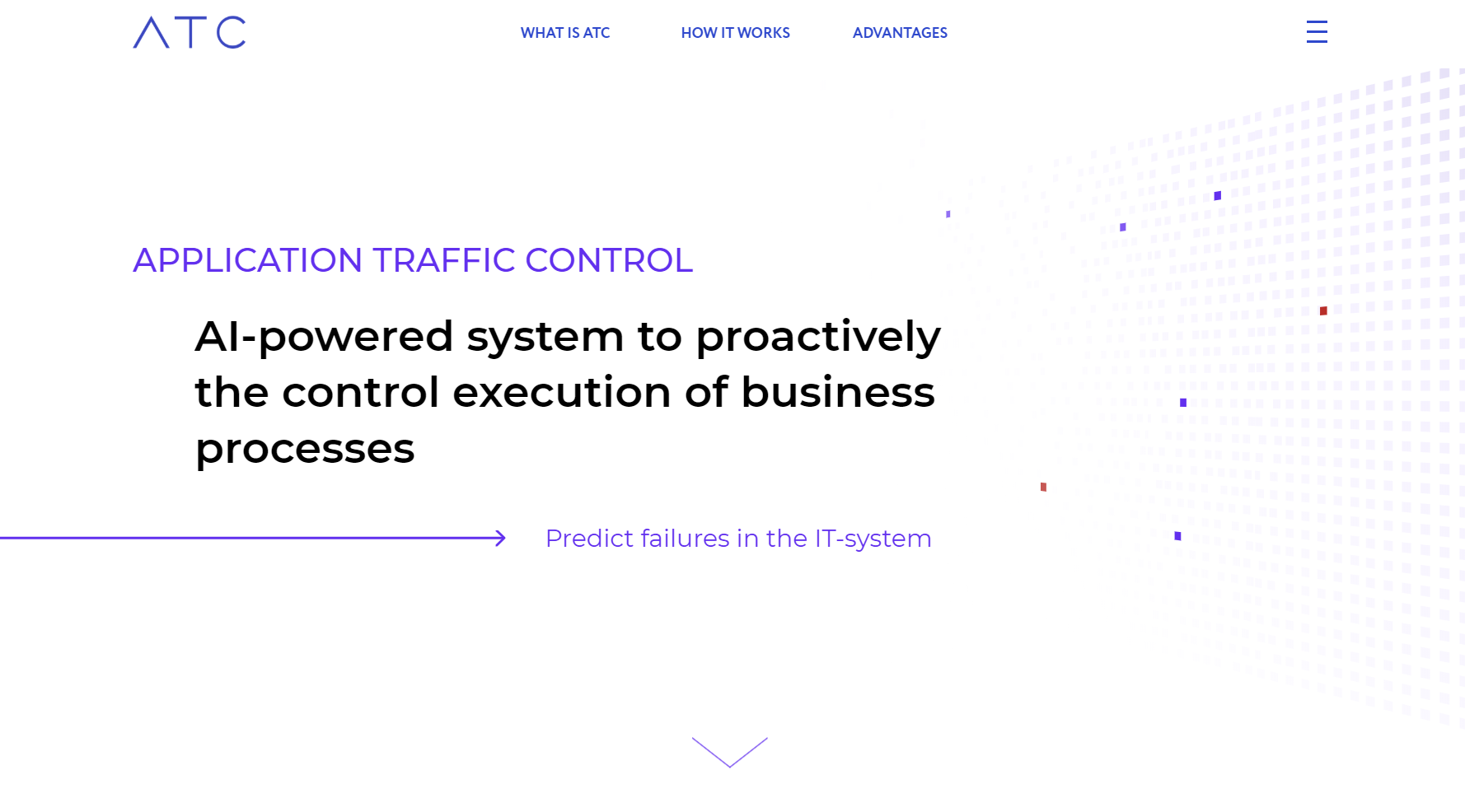
atccloud (Application Traffic Control) is an AI-powered system for large enterprises to proactively monitor, control, and optimize business processes. It predicts failures, ensures employee compliance, and provides real-time data-driven analytics to enhance operational efficiency and reduce financial losses.

Why similar

The core intersection of atccloud and Text to Flowchart lies in Process Management, making it a suitable direct replacement in similar scenarios.

Key differences

What sets atccloud apart from Text to Flowchart: Pricing model is Is Paid;Primary scenario leans toward Process Management.

atccloud is an AI-driven platform for large enterprises to proactively control business processes, predict failures, monitor employee activity, and enhance operational efficiency. Minimize risks and boost revenue. atccloudApplicable toCompliance.Process Management.Monitoringand other fields.

Rating
5.0
Saved on
Likes
Monthly Visits
2.5K

appahead is a premium software studio offering a suite of meticulously crafted applications for macOS, iOS, and visionOS. Focusing on productivity and creativity, the collection includes tools for screen recording, presentation enhancement, 3D scanning, and AI-powered transcription. Each app is designed with a strong emphasis on quality, user experience, and engineering excellence, providing powerful solutions for professionals and creators on Apple platforms.

Why similar

appahead and Text to Flowchart share tags such as productivity、developer tools, so they are better compared from specific feature needs than from broad categories alone.

Key differences

What sets appahead apart from Text to Flowchart: Pricing model is Is Paid;Primary format is App;Primary scenario leans toward Developer Tools.

Discover appahead, a suite of high-quality, independently developed apps for Apple devices. Enhance your productivity with tools for AI transcription, screen recording, 3D scanning, and presentations. appaheadApplicable toTranscription.3D Modeling.Developer Tools.Screen Recordingand other fields.

Rating
5.0
Saved on
Likes
Monthly Visits
9.0K

Mermaid Online is an advanced web-based editor and AI-powered diagram generator that transforms text descriptions and Mermaid syntax into professional visual diagrams. It supports various diagram types, offers real-time preview, and flexible export options, streamlining documentation and system design workflows for individuals and teams.

Why similar

Mermaid Online and Text to Flowchart share tags such as text to diagram、workflow visualization, so they are better compared from specific feature needs than from broad categories alone.

Key differences

What sets Mermaid Online apart from Text to Flowchart: Pricing model is Is Paid;Primary scenario leans toward Diagramming.

Mermaid Onlineis an AI tool designed forContent Creator.Product Manager.Software Developer.Educator.Project Manager.Business Analyst.Technical Writer.UX Designer.Engineer.System ArchitectAI tool designed Transform text into professional diagrams with Mermaid Online's AI generator and live editor. Create flowcharts, sequence, class, and block diagrams for documentation, system design, and presentations. Mermaid OnlineApplicable toText To Diagram.Diagramming.Code Visualization.Documentationand other fields.

Rating
5.0
Saved on
Likes
Monthly Visits
157.2K

Edraw.AI is an AI-powered visual collaboration platform that enables users to create diagrams, mind maps, flowcharts, and other visuals with ease. It combines a user-friendly interface with powerful AI tools for generation, analysis, and design. Featuring real-time collaboration, an extensive library of templates and symbols, it's designed to boost productivity for teams in project management, IT, marketing, education, and more. Get started for free and transform your ideas into professional visuals.

Why similar

Edraw.AI and Text to Flowchart both cover Diagramming and jointly match diagramming and similar needs, for users who want to prioritize comparing similar use cases.

Key differences

Differences between Edraw.AI and Text to Flowchart mainly show in product experience, feature depth, and workflow design around diagramming.

Boost productivity with Edraw.AI, the all-in-one AI visual collaboration tool. Create diagrams, flowcharts, and mind maps in seconds. Collaborate in real-time with your team. Get started for free! Edraw.AIApplicable toVisualization.Collaboration.Diagramming.Project Managementand other fields.

Rating
5.0
Saved on
Likes
Monthly Visits
384.4K

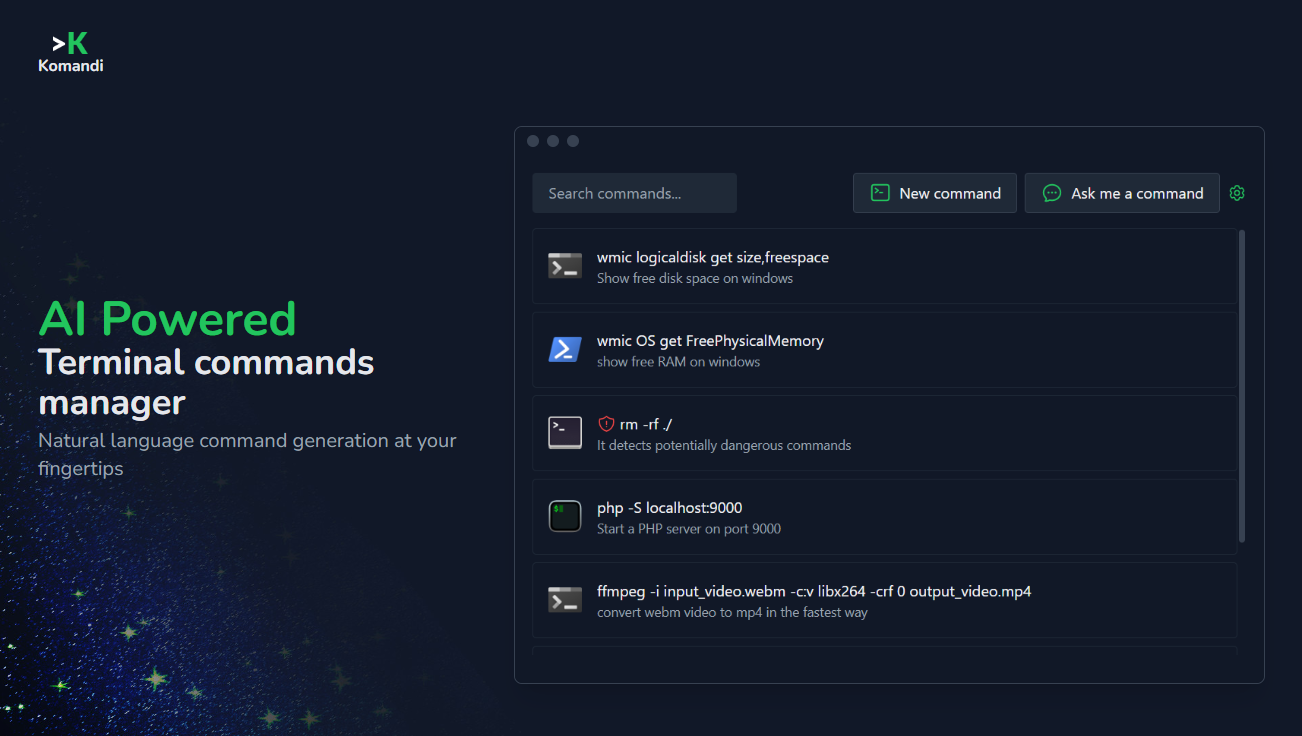
Komandi is an AI-powered CLI/terminal command manager for developers and sysadmins. It simplifies command-line operations by allowing you to manage snippets, generate complex commands from natural language, and execute them safely. It supports macOS, Windows, and Linux, streamlining your workflow by organizing frequently used commands and detecting potentially dangerous ones before execution.

Why similar

Komandi and Text to Flowchart share tags such as productivity、developer tools, so they are better compared from specific feature needs than from broad categories alone.

Key differences

What sets Komandi apart from Text to Flowchart: Pricing model is Is Paid;Primary format is App;Primary scenario leans toward Command Line.

Boost your command-line productivity with Komandi. Generate, manage, and execute terminal commands using AI. Supports macOS, Windows, and Linux. Say goodbye to searching for complex commands. KomandiApplicable toCode Assistant.Command Line.Automationand other fields.

Rating
5.0
Saved on
Likes
Monthly Visits
3.7K

Cmd J is a keyboard-activated AI assistant, available as a Chrome extension, designed to boost productivity. Powered by ChatGPT, it provides instant help with writing, coding, and research directly in your browser. Simply press a shortcut (Cmd+J or Alt+J) to summon the AI, eliminating the need to switch tabs or open new applications, and seamlessly integrating into any workflow.

Why similar

Cmd J AI Assistant and Text to Flowchart share tags such as productivity、developer tools, so they are better compared from specific feature needs than from broad categories alone.

Key differences

What sets Cmd J AI Assistant apart from Text to Flowchart: Primary format is Browser Extension;Primary scenario leans toward Assistant.

Boost your productivity with Cmd J, the AI assistant Chrome extension. Get instant help with writing, coding, and research using a simple keyboard shortcut. Freemium plan available. Cmd J AI AssistantApplicable toChrome Extensions.Code Assistant.Assistant.Writing Assistantand other fields.

Rating
5.0
Saved on
Likes
Monthly Visits
77.0K

Cflow is an AI-powered, no-code platform for workflow automation and business process management (BPM). It enables businesses to digitize and automate processes across departments like HR, finance, and procurement using a visual builder, OCR, and advanced analytics.

Why similar

The core intersection of Cflow and Text to Flowchart lies in Process Management, making it a suitable direct replacement in similar scenarios.

Key differences

What sets Cflow apart from Text to Flowchart: Primary scenario leans toward Workflow Automation.

Discover Cflow, the no-code platform for AI-powered workflow automation and business process management. Streamline HR, finance, and operations with our visual builder, OCR, and advanced analytics. Get started today. CflowApplicable toProcess Management.Platform.Human Resources.Workflow Automationand other fields.

Rating
5.0
Saved on
Likes
Monthly Visits
45.4K